kfconcept

K&F Concept Australia

Enjoy Your Selected Digital Life

Recently Viewed
  • Recently Viewed
  • Recently Viewed list is empty.

Compare (0) 0
  • Compare
  • You have not chosen any products to compare.

  • Compare
Currency: AUD
  • Currency

Log Into Your Account

Account

Order History

Wish List

Login

Forgotten Password?

Or connect with

Register Account

Already have an Account?Log In

  • Shopping Cart
  • Your shopping cart is empty!

  • Register/Login to purchase, earn points
  • Favorite
  • Your wish list is empty.

  • Register/Login to like, earn points
  • Tripods
    • Aluminum Tripods
    • Carbon Fiber Tripods
    • Tripod Legs
    • Video Tripods
    • Monopods
    • Mini Tripod
    • Tripod Accessories
    • Gimbal Stabilizers
    • Lighting & Studio Accessories
      • Camera Flash
      • Photography Fill Light
      • Ring Light
      • Soft Box
      • Tripod Light Stands
      • Reflectors
    • Tripod Head
    • Tripod Kit
    • Phone Tripods
    • Action Camera mounts
  • Lens Filters
    • Protection & UV Control Filters
      • Nano-Xcel Series
        • MCUV - Nano-Xcel
        • Ultra-low Reflectivity MCUV Filters - Nano-Xcel
        • MCUV Super Hard - Nano-Xcel
        • Explosion-proof MCUV - Nano-Xcel
        • MCUV+Lens Cap+Cleaning Cloth - Nano-Xcel
        • Super Hard&Ultra Low Reflection MCUV Filters - Nano-Xcel
        • Magnetic MCUV - Nano-Xcel
      • Nano-Dazzle Series
        • MCUV - Nano-Dazzle
        • MCUV+Lens Cap+Cleaning Cloth - Nano-Dazzle
      • Nano-Klear Series
        • MCUV - Nano-Klear
        • Ultra Thin Frame MCUV Filters - Nano-Klear
        • MCUV+Lens Cap - Nano-Klear
        • MCUV+Lens Cap+Cleaning Cloth - Nano-Klear
      • Nano-Xcel Pro Series
        • MCUV - Nano-Xcel Pro
    • Polarizers
      • Nano-Xcel Series
        • CPL - Nano-Xcel
        • CPL True Color - Nano-Xcel
        • Ultra-low Reflectivity CPL - Nano-Xcel
        • CPL+Lens Cap+Cleaning Cloth - Nano-Xcel
        • Magnetic CPL - Nano-Xcel
          • Magnetic CPL + Apater ring + Cap - Nano-X
        • True Color Ultra-low Reflectivity CPL - Nano-Xcel
      • Nano-Dazzle Series
        • CPL - Nano-Dazzle
        • CPL+Lens Cap+Cleaning Cloth - Nano-Dazzle
      • Nano-Klear Series
        • CPL - Nano-Klear
        • Ultra Thin Frame CPL Filters - Nano-Klear
        • CPL+Lens Cap+Cleaning Cloth - Nano-Klear
        • CPL+Lens Cap - Nano-Klear
      • Nano-Xcel Pro Series
        • CPL - Nano-Xcel Pro
    • Neutral Density Filters
      • Neutral Density (Solid) Filters
        • ND8 (3 stops) - Nano-Xcel Series
        • ND64 (6 stops) - Nano-Xcel Series
        • ND1000 (10 stops) - Nano-Xcel Series
        • ND100000 (16.6 stops) - Nano-Xcel Series
        • ND1000 - Nano-X Pro Series
        • ND1000000 (20 stops) - Nano-Xcel Series
        • ND100000 (16.6 stops) - Nano-Klear Series
        • ND1000000 (20 stops) - Nano-Klear Series
        • Solid ND - Magnetic Series
      • Variable Neutral Density Filters
        • Nano-Xcel Series
          • ND2-ND32 - Nano-Xcel
          • ND2-ND32 True Color - Nano-Xcel
          • ND2-ND400 - Nano-Xcel
          • ND8-ND128 - Nano-Xcel
          • ND32-ND512 - Nano-Xcel
          • ND3-ND1000 - Nano-Xcel
          • ND2-32 True Color Ultra-Low Reflection - Nano-Xcel
          • ND2-400 Ultra-Low Reflection - Nano-Xcel
        • Nano-Dazzle Series
          • ND2-ND32 - Nano-Dazzle
          • ND2-ND400 - Nano-Dazzle
          • ND3-ND1000 - Nano-Dazzle
          • ND8-ND2000 - Nano-Dazzle
        • Nano-Klear Series
          • ND2-ND32 - Nano-Klear
          • ND2-ND400 - Nano-Klear
          • ND2-ND2000 - Nano-Klear
          • True Color ND2-ND400 - Nano-Klear
        • Nano-Xcel Pro Series
          • ND2-ND32 - Nano-Xcel Pro
        • Nano-B Series
          • ND2-ND400 - Nano-B
      • Graduated Neutral Density Filters
        • 100mm GND Filter
          • Soft GND8 Filters - Nano-Xcel Series
          • Hard GND8 Filters - Nano-Xcel Series
          • Reverse GND8 Filters - Nano-Xcel Series
          • Hard GND16 - Nano-X Series
          • Soft GND16 Filters - Nano-Xcel Series
          • Reverse GND16 Filters - Nano-Xcel Series
          • Soft GND8 Filters - Nano-Xcel Pro Series
          • Hard GND8 Filters - Nano-Xcel Pro Series
          • Reverse GND8 Filters - Nano-Xcel Pro Series
          • Soft GND16 Filters - Nano-Xcel Pro Series
          • Reverse GND16 Filters - Nano-Xcel Pro Series
        • Circular GND Filter
          • GND8 - Nano-Xcel Series
          • GND16 - Nano-Xcel Series
      • 2 in 1 Filters
        • ND2-ND32&CPL Filters - Nano D Series
        • ND4-ND64&CPL Filter
        • ND2-ND32&CPL Filter - Nano-X Pro
        • ND8&CPL Filter
        • ND2-ND32&CPL Filter
        • ND2-ND32&CPL True Color Filters - Nano-X Series
        • ND2-32&CPL Filters - Nano K Series
      • 3 in 1 Filters
        • ND2-32&CPL&Black Mist 1/4 Filters - Nano-Xcel Series
        • ND2-32&CPL&Black Mist 1/4 Filters - Nano-Klear Series
    • Black Mist & Soft Focus Filters
      • Black Mist
        • Black Mist 1
          • Black Mist 1 - Nano-X Series
          • Black Mist 1 - Nano-K Series
        • Black Mist 1/2
          • Black Mist 1/2 - Nano-X Series
          • Black Mist 1/2 - Nano-K Series
        • Black Mist 1/4
          • Black Mist 1/4 - Nano-Xcel Series
          • Black Mist 1/4 - Nano-D Series
          • Black Mist 1/4 - Nano-K Series
          • Black Mist 1/4 - Nano-Xcel Pro Series
          • Black Mist 1/4+Lens Cap+Cleaning Cloth - Nano-Klear Series
        • Black Mist 1/8
          • Black Mist 1/8 - Nano-X Series
          • Black Mist 1/8 - Nano-D Series
          • Black Mist 1/8 - Nano-K Series
          • Black Mist 1/8 - Nano-Xcel Pro Series
          • Black Mist 1/8+Lens Cap+Cleaning Cloth - Nano-Klear Series
        • Black Mist Kit
          • Black Mist 1/4 + 1/8 Nano X Series
          • Black Mist 1/4 + 1/8 - Nano Klear Series
          • Black Mist 1/4 + CPL - Nano Klear Series
        • Black-Mist & VND
          • Black Mist 1/4 & ND2-32 Filters - Nano-Klear Series
          • Black Mist 1/4 & ND2-400 Filters - Nano-Xcel Series
          • Black Mist 1/4 & ND2-32 Filters
          • Black Mist 1/8 & ND2-32 Filters - Nano-Klear Series
          • Black Mist 1/4 & ND2-400 Filters - Nano-Klear Series
        • Black Mist & CPL
          • Black Mist 1/4&CPL - Nano-Klear Series
      • White Mist
        • White Mist 1/4 - Nano-Xcel Series
        • White Mist 1/4 - Nano-Klear Series
      • Shimmer Diffusion
        • Shimmer Diffusion 1 - Nano-Xcel Series
        • Shimmer Diffusion 1 - Nano-Klear Series
      • Vintage Soft
      • Combination Soft & Mist
    • Light Pollution Cut Filter
      • Light Pollution Cut Filter - Circular
      • Light Pollution Cut Filter - Square
    • Magnetic Lens Filters
      • MCUV Filters
        • Magnetic MCUV - Nano-Klear Series
        • Magnetic MCUV+Lens Caps - Nano-Xcel Series
      • CPL Filters
        • Magnetic CPL + Adapter Ring
        • Magnetic CPL+Adapter Ring - Nano-Klear Series
      • Black-Mist
        • Black Mist 1/8 Filters - Nano-Xcel Series
        • Black Mist 1/4 Filters - Nano-Xcel Series
        • Black Mist 1/2 - Nano-X Series
        • Black Mist 1 - Nano-X Series
      • Neutral Density (Solid) Filter
        • Magnetic ND8 - Nano-Xcel Series
        • Magnetic ND64 - Nano-Xcel Series
        • Magnetic ND1000 - Nano-Xcel Series
      • Unlimited Variable ND Filter
        • Magnetic ND2-ND32 - Nano-Xcel Series
        • Magnetic ND8-ND128 Filters - Nano-Xcel Series
      • Accessories
        • Magnetic Adapter Ring
        • Magnetic Filter Ring
        • Magnetic Cap
      • Kits
        • MCUV+CPL+ND1000+Adapter Ring - Nano-Xcel Series
        • CPL+ND8+ND64+Adapter Ring+Lens Cap - Nano-Xcel Series
        • GND8+ND8+ND64+ND1000+Adapter Ring - Nano-Xcel Series
        • CPL+VND2-32+Black Mist 1/4+Magnetic Ring+Lens Cap - Nano-Xcel Series
    • Square Filter System
      • Basic System
        • Square ND Filters
          • ND4 Filters - Nano-Xcel Series
          • ND16 Filters - Nano-X Series
          • ND1000 Filters - Nano-X Series
          • ND2000 Filters - Nano-X Series
          • ND32000 Filters - Nano-X Series
          • Full Color ND8 - Nano-X Series
          • Full Color ND64 - Nano-X Series
        • Square GND Filters
        • Light Pollution Cut Filter
        • Square Black Mist Filters
          • Black Mist 1 - Nano-X Series
          • Black Mist 1/2 - Nano-X Series
          • Black Mist 1/4 - Nano-X Series
          • Black Mist 1/8 - Nano-X Series
          • Black Mist 1/4 Kit - Nano-X Series
        • Brackets and Accessories
          • Adapter Ring - Nano-X
        • Kits
          • 100mm Square Filter System - Nano-X
      • Professional System
        • PL
        • ND
          • Full Color ND8 - Nano-X Pro
          • Full Color ND64 - Nano-X Pro
          • Full Color ND1000 - Nano-X Pro
        • GND
        • Black Mist 1/4 & CPL - Nano-X Pro Series
        • Light Pollution Cut Filter
          • Light Pollution Cut Filter - Nano-X Pro
        • Brackets and Accessories
          • 100x100mm Square Filter Protect Frame - Nano-X Pro
          • 100x150mm Square Filter Protect Frame - Nano-X Pro
          • Adapter Ring - Nano-X Pro
        • Kits
          • 100mm ND1000+Holder Kit - Nano-X Pro Series
          • 100mm ND1000+Soft GND8+Holder Kit - Nano-X Pro Series
          • 100mm ND8+ND64+ND1000+Holder Kit - Nano-X Pro Series
          • 100mm Holder Kit - Nano-Xcel Pro Series
    • Drone Filter
      • DJI Air 2S
      • DJI Air 3S
      • DJI Avata2
      • DJI Flip
      • DJI Mavic 3 Pro
      • DJI NEO
      • DJI Mini 1/2/SE
      • DJI Mini 4 Pro Filters
      • DJI Mini 3/DJI Mini 3 Pro
      • DJI Mavic 4 Pro
      • DJI Mavic 3 / Mavic 3 Cine
    • Effects Filters
      • Spiral Halo Filters - Nano-B Series
      • Prism Filters
        • Kaleidoscope Filters
          • Kaleidoscope Filters - Nano-B Series
          • Handheld Kaleidoscope Filters - Nano-B Series
        • Ordinary Prisms
          • Triangular Filtres - Nano-Basic Series
        • Central Prisms
          • Central Pentagonal Filters - Nano-Basic Series
          • Central Hexagonal Filters - Nano-Basic Series
        • Single Linear Prisms
      • Streak Filters
        • Blue Streak Filters - Nano-Xcel Series
        • Gold Streak Filters - Nano-Xcel Series
        • Colorful Streak Filters - Nano-B Series
        • Blue Streak Filters - Nano-Klear Series
      • Motion Blur Filters
        • Directional Motion Blur - Nano-Basic Series
        • Bidirectional Motion Blur - Nano-Basic Series
        • Handheld Motion Blur Filters - Nano-Basic Series
      • Spiral Filters
        • Handheld Spiral Filters - Nano-Basic Series
      • Diopter Filters
        • Centerfield Split Diopter Filters - Nano-Basic Series
        • Handheld Diopter Filters - Nano-Basic Series
      • Star Filters
        • Star Filters 4-8 Points - Nano-Klear Series
        • Star Filter Kits 4+6+8 Points - Nano-Klear Series
        • 4-Point Fine-Line Star Filters - Nano-Klear Series
        • 6-Point Fine-Line Star Filters - Nano-Klear Series
    • Filter Accessories
      • Lens Hoods
      • Polarized Film
      • Rings Kits
        • Step Up Rings
        • Step Down Rings
      • Filter Holders & Frames
      • Filter Holder Adapter Rings
        • Brass Adapter Ring
      • Filter Pouches
      • Caps
        • Caps for Magnetic Filters
        • Caps for Variable ND Filters
        • Center Pinch Lens Caps
          • 4 in 1
          • 5 in 1
          • 9 in 1
    • Filter Kit
      • Black Diffusion 1/4 + 1/8
      • Screw-In Filters
        • MCUV+CPL Filter - Nano K Series
        • MCUV+CPL+Lens Cap - Nano K Series
        • MCUV+CPL+ND1000+Lens Cap - Nano-Dazzle Series
        • MCUV+CPL+ND2-400 - Nano-Klear Series
        • ND8+ND64+ND1000 - Nano-D Series
        • MCUV+CPL+ND4
        • ND1000+CPL
        • ND4+ND8+ND64+ND1000
      • Magnetic Filters
      • Square Filters
    • Action Camera Filters
      • DJI Osmo Action 4 / Action 5 Pro
      • DJI Osmo Pocket 3
      • GOPRO Hero 9/10/11/12/13 Filters
      • Insta360 Ace pro 2
      • Insta360 GO3S
      • Action Camera Accessories
        • DJI Osmo Action 3/4/5 Pro
        • GoPro
        • Head Strap & Chest Mount
        • Insta360 X5
        • Magnetic Neck Mount
        • DJI Osmo Pocket 3 Expansion Mount
    • Phone Lens Filters
    • Matte Box & Filter Systems
      • Neutral Density (Solid) Filters
        • ND4 - Nano-Xcel Series
        • ND8 - Nano-Xcel Series
        • ND16 - Nano-Xcel Series
        • ND32 - Nano-Xcel Series
        • ND64 - Nano-Xcel Series
        • ND8+ND64 - Nano-Xcel Series
      • UV Filters
      • Black Mist Filters
        • Black Mist 1/4 - Nano-Xcel Series
        • Black Mist 1/8 - Nano-Xcel Series
      • Blue Streak Filters
      • Accessories
      • Kits
        • Matte Box - Nano-Xcel Series
        • Matte Box Pro - Nano-Xcel Series
        • Matte Box+ND8 Square Filter - Nano-Xcel Series
        • Matte Box+ND4+ND32 Square Filter - Nano-Xcel Series
        • Matte Box+Black Mist 1/4 Square Filter - Nano-Xcel Series
    • Brand-specific Filters
      • Fujifilm X100
      • Ricoh GR
  • Cameras
    • Digital Cameras
      • Digital Cameras & Camcorders
    • Waterproof Cameras
    • Action Cameras
    • Kids' Cameras
    • Phone Camera Lens
    • Camera battery
      • Sony
      • Canon
      • Nikon
      • FUJIFILM
      • Gopro
      • Lumix
      • Osmo Action
      • V Mount Battery
      • Memory Card Case
    • Time Lapse Camera
    • On-Dash Camera & Carplay
    • Trail Camera
      • Cellular Hunting Cameras
      • Wifi Hunting Cameras
      • Non-Cellular Hunting Cameras
      • Accessories
      • Fishing Camera
    • Cleaning Kits
    • Memory Cards
    • Camera Accessories
      • Camera Body Caps & Lens Rear Caps
      • Camera Screen Protectors
        • Canon
        • Sony
        • Fujifilm
        • Nikon
        • Olympus
        • Ricoh
        • GoPro
        • DJI Osmo Pocket 3
      • Camera Hot Shoe Covers
      • Camera Viewfinder Eyecups
        • Nikon
        • Sony
        • Canon
      • Adjustment Iris
      • DJI Osmo Pocket 3 Charging Base
  • Lens Adapters
    • A Mount Body (Sony/Minolta)
    • Fujifilm X Mount Body
    • Fujifilm G (GFX) Mount Body
    • C-Mount Body
    • Leica M Mount Body
    • MFT(M4/3) Mount Body
    • Pentax K Mount Body
    • Pentax Q Mount Body
    • Samsung NX Mount Body
    • Nikon F Mount Body
    • Nikon 1 Mount Body
    • Nikon Z Mount Body
    • Canon EOS EF/EF-S Mount Body
    • Canon EOS M Mount Body
    • Canon RF Mount Body
    • Sony E Mount Body
    • L-Mount Alliance (Leica)
  • Optics
    • Microscope
      • Light & Compound Microscopes
      • Digital Microscopes
      • Kids' Microscopes
    • Night Vision Goggles
    • Monocular
    • Binoculars
    • Telescope
    • Rangefinder
  • Camera Bags
    • Camera Backpacks
    • Camera Cases
    • Camera Shoulder Bags
    • Camera Straps
    • Backpack Accessories
  • Endoscope
    • Professional Endoscope
    • Household Endoscope
    • USB & WiFi Endoscope
    • Otoscope/Oral Endoscope
  • Surveillance Camera
    • 4G Camera
    • WiFi Camera
    • Battery Camera
    • Feeder Camera
    • Floodlight Camera
    • Monitoring Detector
  • More
      Smart Electronics
      AI ▪ Language Translator Device
      AI ▪ Digital Voice Recorders
      Smart Glasses
      Handheld Game Console
      Smart Watch
      Patio, Lawn & Garden
      Metal Detectors
      Weather Stations & Household Sensors
      Chicken Coop Door
      Audio & Video Electronics
      Motorcycle Bluetooth Headset
      Microphone
      Headphones
      Light
      Drone Accessories
      Machines & Tools
      Laser Engraver Machine
      Remote Sensors
      Solar Panels
      Smart Lock
  • Deals
    • Specials
    • Coupon
    • New Arrivals
    • Hot Sale
  • Home
  • Blog
  • How To Record Voice On Google Slides?

How To Record Voice On Google Slides?

K&f concept 2025-01-09 01:49:44 0 Comments

When it comes to crafting engaging presentations, sound can play a crucial role in creating an immersive and effective experience. Whether for lectures, business proposals, or school projects, embedding audio in Google Slides is a fantastic way to add clarity, emotion, and depth to your content. If you’re looking for a way to record voice on Google Slides, you might have realized Google Slides doesn’t provide a built-in voice recording feature. However, you can still incorporate audio seamlessly into your presentation by utilizing some simple alternative methods. In this article, we’ll walk you through various ways to record your voice and integrate it into Google Slides, while also covering the tools and best practices for ensuring your presentation stands out.

---

Understanding the Basics of Adding Audio to Google Slides
how to record voice on google slides 1

Before diving into specific methodologies, it’s important to note how Google Slides supports audio. Currently, Google Slides allows you to embed audio files such as `.mp3` or `.wav`, which must be uploaded to your Google Drive. Once uploaded, you can link these files to specific slides in your presentation. So, the real task is to record high-quality audio and then upload it for use.

There are no direct, in-app audio recording tools in Google Slides (as of the latest updates in 2023). However, with a few simple steps and the help of external tools, you can easily add custom voiceovers, narrations, or sound effects. Let’s break the process into actionable steps.

---

Step One: Record Your Voice
how to record voice on google slides 2

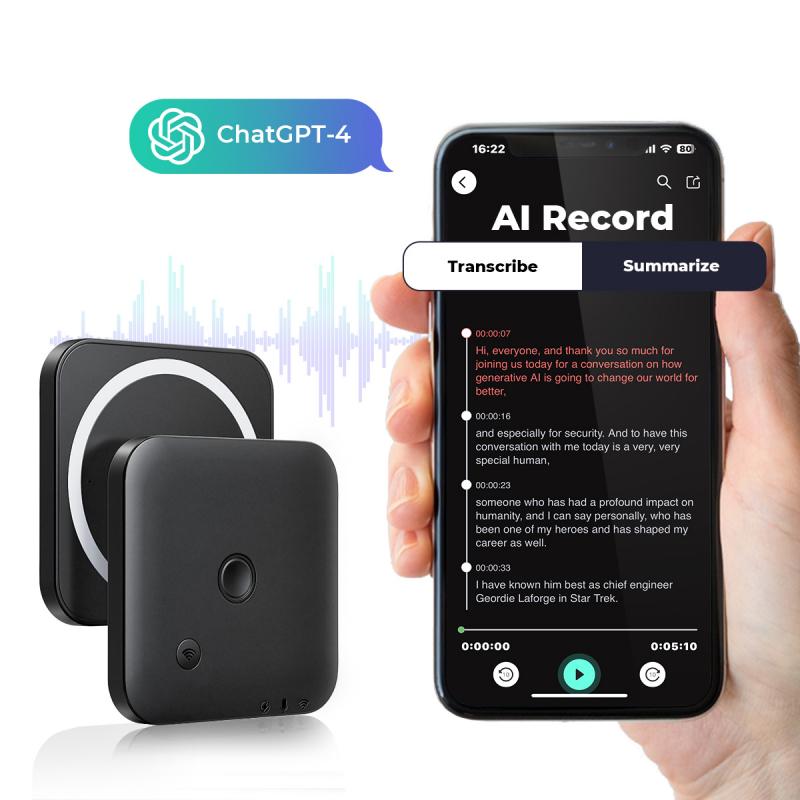
To begin, you’ll need a reliable voice recording tool. Depending on your device and preferences, you can choose from several options:

1. Using Built-in Device Recorders

- If you’re using a smartphone, most devices come equipped with a pre-installed voice recording app (e.g., Voice Memos on iPhones or Voice Recorder on Android devices). Open the app, tap the record button, speak clearly, and save the recording.

- If you prefer using your computer, both Windows and macOS have built-in recording utilities. Windows has Voice Recorder, while macOS offers QuickTime Player as an easy way to capture audio.

2. Using Free Online Audio Recorders

- If you don’t have access to these tools or need something more flexible, several free online platforms enable you to record audio quickly. Websites such as Rev Online Voice Recorder or Online Voice Recorder by 123Apps allow you to record, edit, and download your audio without the need to install any software.

3. Using Dedicated Audio Software

- For professionals or users seeking higher quality, consider audio recording software such as Audacity, GarageBand (for Mac), or Adobe Audition. While these tools may have a steeper learning curve, they offer sophisticated options for editing noise, adjusting audio levels, and enhancing clarity.

4. Google Keep as a Handy Alternative

- Interestingly, Google Keep, a note-taking app, allows you to record voice memos. While not its primary function, this feature can be an easy workaround for recording short audio clips.

Once you have completed your recording, save it in a common audio format like `.mp3` or `.wav`.

---

Step Two: Upload Your Audio File to Google Drive

how to record voice on google slides 3

Google Slides only works with audio files that have been uploaded to Google Drive. Follow these steps:

1. Log in to Your Google Account: Navigate to Google Drive and ensure that you’re signed in.

2. Upload the Audio File:

- Drag and drop the audio file to the Google Drive homepage, or click on the “New” button, and select “File Upload” to choose your file manually.

3. Organize the File: For ease of use, consider creating a folder specifically for your presentation audio assets. This will ensure that all your associated files are neatly organized.

---

Step Three: Insert Audio into Google Slides
how to record voice on google slides 4

Now that you’ve recorded and uploaded your audio file, it’s time to embed it into your presentation. Here’s how:

1. Open Your Google Slides Presentation:

- Navigate to the Google Slides file where you want to use the audio.

2. Choose the Slide:

- Click on the specific slide where the audio should play.

3. Insert the Audio:

- Go to the toolbar and click on Insert > Audio.

- A panel will appear showing all the eligible audio files in your Google Drive. Search for your file or locate it in the list, select it, and click Insert.

4. Customize Audio Settings:

- Once added, a speaker icon appears on the slide. By clicking on it, you can move or resize the icon as needed.

- Use the “Format options” panel on the right to further customize the audio. For instance, you can set the track to:

- Play automatically or upon clicking.

- Loop or stop after one play.

- Adjust volume settings.

- Hide the icon during a presentation (so the audio plays seamlessly without visible distractions).

---

Step Four: Test and Finalize Your Presentation

After inserting audio into your presentation, testing your slides is crucial to ensure everything works as intended. Enter Present mode in Google Slides and navigate through your slides to check the timing, transitions, and playback.

If anything sounds off (e.g., mismatched timing or volume issues), adjust the settings in the "Format options" menu or consider re-recording your audio for clarification.

---

Best Practices for Recording and Adding Voice to Google Slides

- Use a Quality Microphone: Better recording equipment ensures clearer and more professional audio. If you don’t own a dedicated microphone, even earphones with an integrated mic can improve sound quality over your device’s default microphone.

- Record in a Quiet Environment: Background noise can distract your audience. Choose a quiet, echo-free space for your recording.

- Speak Clearly and Confidently: Your delivery matters. Use a steady tone, articulate your words, and maintain an appropriate pace.

- Keep Audio Clips Short: Avoid lengthy voiceovers. Condense your messages into clear, concise statements for better audience engagement.

- Organize Files Properly: Store all your audio files in clearly labeled folders in Google Drive to avoid confusion.

- Ensure Consistency: If your presentation features multiple voice recordings, ensure they match in terms of tone, volume, and quality.

---

Why Adding Voice is Effective in Presentations

The addition of narration or audio to your Google Slides presentation goes beyond aesthetics. Here’s why it enhances your content:

1. Improved Engagement: Audience members are more likely to focus when they hear a voice guiding them through the material.

2. Better Context: Narration provides explanations and context that visuals alone may fail to convey.

3. Accessibility: Adding voice makes your presentation accessible to the visually impaired or for those who prefer auditory learning.

4. Professional Touch: Voiceovers convey effort and attention to detail, helping you stand out among other presenters.

---

Exploring Additional Tools for Enhanced Integration

If you frequently create presentations, it might be helpful to explore third-party tools like ScreenPal or Loom that allow you to record presentations with voiceovers directly, merging slides and audio into a cohesive video. Such tools eliminate the need for separate recording and embedding processes.

---

In Conclusion

Although Google Slides lacks a built-in voice recording tool, the process of recording and adding voice via external apps is straightforward and effective. By following the steps above—recording your voice, uploading your audio to Google Drive, and embedding it into your presentation—you can create dynamic and engaging content that resonates with your audience.

Adding a personal touch in the form of voice narration strengthens your message and makes your Google Slides presentations more immersive. Whether you’re a teacher, student, business professional, or creative artist, the ability to integrate audio thoughtfully can make your presentations more memorable and impactful. Try these methods today and take your presentations to the next level!

Leave your comment
Cancel reply
Note: HTML is not translated!
Related products
Digital Voice Recorder 128G/1600hrs Mini Voice Recorder with Color Screen Bluetooth Call Record 3072kbps Kentfaith
NEW Arrival
Digital Voice Recorder 128G/1600hrs Mini Voice Recorder with Color Screen Bluetooth Call Record 3072kbps Kentfaith
15
A$162.49 A$129.99
AI Voice Recorder Voice-to-Text & Transcription for Meetings, Calls, 64G Kentfaith Mini & Magnetic
HOT Seller
AI Voice Recorder Voice-to-Text & Transcription for Meetings, Calls, 64G Kentfaith Mini & Magnetic
25
A$139.99 A$89.99
AI Note Taker for Meeting, Phone Call, Voice-to-text Transcription Recording Device, Kentfaith Mini & Magnetic Voice Recorder
25
A$139.99 A$89.99
AI Voice Recorder & Note Taker with Transcribe & Voice-to-text for Meetings, Calls, Business with Summarize & 90+ Language Translation, App Control with iPhone, Android
21
A$212.49 A$169.99
1000H Continuous Recording Digital Voice Recorder Voice-Activated Magnetic 128G Kentfaith Voice Recording Device
11
A$199.99 A$139.99
Instant Cross-APP Translator Device for Business & Trade, Video Call Translation, Record, & Transcription, Kentfaith AI Translator Devices
12
A$212.49 A$169.99
67mm Clip-on CPL Phone Camera Lens Filter Kit Applicable to All Mobile Phone Models
24
A$31.68 A$30.99
67mm Clip-on ND2-32 Phone Camera Lens Filter Kit Applicable to All Mobile Phone Models
24
A$80.59 A$61.99
5K Video Camera with 75MP Photos, 8X Optical Zoom, WiFi Transfer, Wireless Mic, Dual Batteries, Support PIP Record, Kentfaith
16
A$456.24 A$364.99
Kentfaith Mini Voice Recorder Magnetic & Voice-activated 64G 800 Hours Capacity Noise Cancelling
HOT Seller
Kentfaith Mini Voice Recorder Magnetic & Voice-activated 64G 800 Hours Capacity Noise Cancelling
614
A$109.99 A$79.99
Recommended products
STARTRC DJI DJI FPV/DJI UAV Universal Foldable Square Apron 50cm
A$98.99 A$45.99
55mm Filter Set (UV, CPL, FLD, ND4)
A$14.39
77mm Center Pinch Lens Cap Ordinary Lens Cap with String (No String)*1+Vacuum Cleaning Cloth*2+Digital Camera Anti-lost String*1, 4 in 1 Set
29
A$19.99 A$12.99
78"/2m Camera Tripod,DSLR Compact Aluminum Tripod Monopod with 360 Degree Ball Head and 10KG Load for Travel and Work K234A7+BH-28L (S210)
370
A$219.99 A$128.99
STARTRC Mini 3 Pro Propeller Low Noise LED Light Blade Prop Propeller DJI Mini 3 Pro Accessories (2 pairs)
A$76.71 A$64.99
67mm Circular Polarizer Filter with Lens Cap Optical Glass Ultra Slim 18 Multi-Layer Coatings Polarizing Filter for Camera Lens Nano-Klear Series
A$35.74 A$27.49
77mm Blue Streak Filter (2mm)  Anamorphic Lens Effect Filter Optical Glass Ultra-clear Waterproof Anti-Scratch Anti-Reflection Green Film Nano-Klear Series
77mm Blue Streak Filter (2mm) Anamorphic Lens Effect Filter Optical Glass Ultra-clear Waterproof Anti-Scratch Anti-Reflection Green Film Nano-Klear Series
32
A$43.35 A$42.99
49mm White Pro Mist Filter Cinematic Effect Filter with 18 Multi-Layer Coatings for Portrait and Landscape Photography Nano-K Series
A$42.89 A$32.99
12x50 Monocular with Smartphone Holder and Tripod, FMC Coating and BAK4 Prism, Waterproof, Anti-Fog, Suitable for Bird Watching, Hunting, Hiking, Concert, Travel
8
A$165.99 A$111.99
Leica L39 M39 Screw Mount Lens to Canon EOS M EF-M, M39 Lenses to Canon EOS M Lens Mount Adapter K&F Concept M41141 Lens Adapter, Non-SLR port M39
28
A$26.99
Related articles
How To Put Voice Recordings On Google Drive?
How To Record Voice On Iphone?
How To Record Voice On Pixel 3?
How Do You Voice Record On Iphone?
How To Record Screen And Voice?
How To Record Voice From Laptop?
How To Record Voice With Music?
How To Stop The Voice Record?
How To Record Voice In Windows?
How To Use A Metal Detector For Beginners?
Recommended articles
Which Is The Best Outdoor Security Camera?
What Is The Best Microphone For Voice Recording?
How Does Ring Security Camera Work?
How To Get Flash On Ipad Camera?
What Is The Best Digital Camera?
How To Use A Metal Detector For Beginners?
What Is The Best Small Digital Camera 2025?
What Is A Good Monocular?
What Is The Use Of Binocular?
Where Is Voice Recording On Iphone 4?
Popular categories
Phone Camera Lens Time lapse camera Inspection Camera Endoscope Camera Digital Microscope Binoculars Australia cellular trail camera digital cameras Light Microscopes Adjustment Iris
Popular products
digital voice recorder device ai voice recorder AI Note Taker AI Voice Recorder digital voice recorder device instant translator digital microscope mini voice recorder mini voice recorder microphone tripod
Popular searches
Book To Record Voice Best Headset To Record Voice Secret Devices To Voice Record Google Pixel Voice Recording Voice Record Picture Frame Cameras That Record Voice Iphone Record Voice Call Macbook Pro Record Voice Toy Smartphone Voice Record Voice Record Computer Screen
Powered By K&F Concept © 2025