kfconcept

K&F Concept Australia

Enjoy Your Selected Digital Life

Recently Viewed
  • Recently Viewed
  • Recently Viewed list is empty.

Compare (0) 0
  • Compare
  • You have not chosen any products to compare.

  • Compare
Currency: AUD
  • Currency

Log Into Your Account

Account

Order History

Wish List

Login

Forgotten Password?

Or connect with

Register Account

Already have an Account?Log In

  • Shopping Cart
  • Your shopping cart is empty!

  • Register/Login to purchase, earn points
  • Favorite
  • Your wish list is empty.

  • Register/Login to like, earn points
  • Tripods
    • Aluminum Tripods
    • Carbon Fiber Tripods
    • Tripod Legs
    • Video Tripods
    • Monopods
    • Mini Tripod
    • Tripod Accessories
    • Gimbal Stabilizers
    • Lighting & Studio Accessories
      • Camera Flash
      • Photography Fill Light
      • Ring Light
      • Soft Box
      • Tripod Light Stands
      • Reflectors
    • Tripod Head
    • Tripod Kit
    • Phone Tripods
    • Action Camera mounts
  • Lens Filters
    • Protection & UV Control Filters
      • Nano-Xcel Series
        • MCUV - Nano-Xcel
        • Ultra-low Reflectivity MCUV Filters - Nano-Xcel
        • MCUV Super Hard - Nano-Xcel
        • Explosion-proof MCUV - Nano-Xcel
        • MCUV+Lens Cap+Cleaning Cloth - Nano-Xcel
        • Super Hard&Ultra Low Reflection MCUV Filters - Nano-Xcel
        • Magnetic MCUV - Nano-Xcel
      • Nano-Dazzle Series
        • MCUV - Nano-Dazzle
        • MCUV+Lens Cap+Cleaning Cloth - Nano-Dazzle
      • Nano-Klear Series
        • MCUV - Nano-Klear
        • Ultra Thin Frame MCUV Filters - Nano-Klear
        • MCUV+Lens Cap - Nano-Klear
        • MCUV+Lens Cap+Cleaning Cloth - Nano-Klear
      • Nano-Xcel Pro Series
        • MCUV - Nano-Xcel Pro
    • Polarizers
      • Nano-Xcel Series
        • CPL - Nano-Xcel
        • CPL True Color - Nano-Xcel
        • Ultra-low Reflectivity CPL - Nano-Xcel
        • CPL+Lens Cap+Cleaning Cloth - Nano-Xcel
        • Magnetic CPL - Nano-Xcel
          • Magnetic CPL + Apater ring + Cap - Nano-X
        • True Color Ultra-low Reflectivity CPL - Nano-Xcel
      • Nano-Dazzle Series
        • CPL - Nano-Dazzle
        • CPL+Lens Cap+Cleaning Cloth - Nano-Dazzle
      • Nano-Klear Series
        • CPL - Nano-Klear
        • Ultra Thin Frame CPL Filters - Nano-Klear
        • CPL+Lens Cap+Cleaning Cloth - Nano-Klear
        • CPL+Lens Cap - Nano-Klear
      • Nano-Xcel Pro Series
        • CPL - Nano-Xcel Pro
    • Neutral Density Filters
      • Neutral Density (Solid) Filters
        • ND8 (3 stops) - Nano-Xcel Series
        • ND64 (6 stops) - Nano-Xcel Series
        • ND1000 (10 stops) - Nano-Xcel Series
        • ND100000 (16.6 stops) - Nano-Xcel Series
        • ND1000 - Nano-X Pro Series
        • ND1000000 (20 stops) - Nano-Xcel Series
        • ND100000 (16.6 stops) - Nano-Klear Series
        • ND1000000 (20 stops) - Nano-Klear Series
        • Solid ND - Magnetic Series
      • Variable Neutral Density Filters
        • Nano-Xcel Series
          • ND2-ND32 - Nano-Xcel
          • ND2-ND32 True Color - Nano-Xcel
          • ND2-ND400 - Nano-Xcel
          • ND8-ND128 - Nano-Xcel
          • ND32-ND512 - Nano-Xcel
          • ND3-ND1000 - Nano-Xcel
          • ND2-32 True Color Ultra-Low Reflection - Nano-Xcel
          • ND2-400 Ultra-Low Reflection - Nano-Xcel
        • Nano-Dazzle Series
          • ND2-ND32 - Nano-Dazzle
          • ND2-ND400 - Nano-Dazzle
          • ND3-ND1000 - Nano-Dazzle
          • ND8-ND2000 - Nano-Dazzle
        • Nano-Klear Series
          • ND2-ND32 - Nano-Klear
          • ND2-ND400 - Nano-Klear
          • ND2-ND2000 - Nano-Klear
          • True Color ND2-ND400 - Nano-Klear
        • Nano-Xcel Pro Series
          • ND2-ND32 - Nano-Xcel Pro
        • Nano-B Series
          • ND2-ND400 - Nano-B
      • Graduated Neutral Density Filters
        • 100mm GND Filter
          • Soft GND8 Filters - Nano-Xcel Series
          • Hard GND8 Filters - Nano-Xcel Series
          • Reverse GND8 Filters - Nano-Xcel Series
          • Hard GND16 - Nano-X Series
          • Soft GND16 Filters - Nano-Xcel Series
          • Reverse GND16 Filters - Nano-Xcel Series
          • Soft GND8 Filters - Nano-Xcel Pro Series
          • Hard GND8 Filters - Nano-Xcel Pro Series
          • Reverse GND8 Filters - Nano-Xcel Pro Series
          • Soft GND16 Filters - Nano-Xcel Pro Series
          • Reverse GND16 Filters - Nano-Xcel Pro Series
        • Circular GND Filter
          • GND8 - Nano-Xcel Series
          • GND16 - Nano-Xcel Series
      • 2 in 1 Filters
        • ND2-ND32&CPL Filters - Nano D Series
        • ND4-ND64&CPL Filter
        • ND2-ND32&CPL Filter - Nano-X Pro
        • ND8&CPL Filter
        • ND2-ND32&CPL Filter
        • ND2-ND32&CPL True Color Filters - Nano-X Series
        • ND2-32&CPL Filters - Nano K Series
      • 3 in 1 Filters
        • ND2-32&CPL&Black Mist 1/4 Filters - Nano-Xcel Series
        • ND2-32&CPL&Black Mist 1/4 Filters - Nano-Klear Series
    • Black Mist & Soft Focus Filters
      • Black Mist
        • Black Mist 1
          • Black Mist 1 - Nano-X Series
          • Black Mist 1 - Nano-K Series
        • Black Mist 1/2
          • Black Mist 1/2 - Nano-X Series
          • Black Mist 1/2 - Nano-K Series
        • Black Mist 1/4
          • Black Mist 1/4 - Nano-Xcel Series
          • Black Mist 1/4 - Nano-D Series
          • Black Mist 1/4 - Nano-K Series
          • Black Mist 1/4 - Nano-Xcel Pro Series
          • Black Mist 1/4+Lens Cap+Cleaning Cloth - Nano-Klear Series
        • Black Mist 1/8
          • Black Mist 1/8 - Nano-X Series
          • Black Mist 1/8 - Nano-D Series
          • Black Mist 1/8 - Nano-K Series
          • Black Mist 1/8 - Nano-Xcel Pro Series
          • Black Mist 1/8+Lens Cap+Cleaning Cloth - Nano-Klear Series
        • Black Mist Kit
          • Black Mist 1/4 + 1/8 Nano X Series
          • Black Mist 1/4 + 1/8 - Nano Klear Series
          • Black Mist 1/4 + CPL - Nano Klear Series
        • Black-Mist & VND
          • Black Mist 1/4 & ND2-32 Filters - Nano-Klear Series
          • Black Mist 1/4 & ND2-400 Filters - Nano-Xcel Series
          • Black Mist 1/4 & ND2-32 Filters
          • Black Mist 1/8 & ND2-32 Filters - Nano-Klear Series
          • Black Mist 1/4 & ND2-400 Filters - Nano-Klear Series
        • Black Mist & CPL
          • Black Mist 1/4&CPL - Nano-Klear Series
      • White Mist
        • White Mist 1/4 - Nano-Xcel Series
        • White Mist 1/4 - Nano-Klear Series
      • Shimmer Diffusion
        • Shimmer Diffusion 1 - Nano-Xcel Series
        • Shimmer Diffusion 1 - Nano-Klear Series
      • Vintage Soft
      • Combination Soft & Mist
    • Light Pollution Cut Filter
      • Light Pollution Cut Filter - Circular
      • Light Pollution Cut Filter - Square
    • Magnetic Lens Filters
      • MCUV Filters
        • Magnetic MCUV - Nano-Klear Series
        • Magnetic MCUV+Lens Caps - Nano-Xcel Series
      • CPL Filters
        • Magnetic CPL + Adapter Ring
        • Magnetic CPL+Adapter Ring - Nano-Klear Series
      • Black-Mist
        • Black Mist 1/8 Filters - Nano-Xcel Series
        • Black Mist 1/4 Filters - Nano-Xcel Series
        • Black Mist 1/2 - Nano-X Series
        • Black Mist 1 - Nano-X Series
      • Neutral Density (Solid) Filter
        • Magnetic ND8 - Nano-Xcel Series
        • Magnetic ND64 - Nano-Xcel Series
        • Magnetic ND1000 - Nano-Xcel Series
      • Unlimited Variable ND Filter
        • Magnetic ND2-ND32 - Nano-Xcel Series
        • Magnetic ND8-ND128 Filters - Nano-Xcel Series
      • Accessories
        • Magnetic Adapter Ring
        • Magnetic Filter Ring
        • Magnetic Cap
      • Kits
        • MCUV+CPL+ND1000+Adapter Ring - Nano-Xcel Series
        • CPL+ND8+ND64+Adapter Ring+Lens Cap - Nano-Xcel Series
        • GND8+ND8+ND64+ND1000+Adapter Ring - Nano-Xcel Series
        • CPL+VND2-32+Black Mist 1/4+Magnetic Ring+Lens Cap - Nano-Xcel Series
    • Square Filter System
      • Basic System
        • Square ND Filters
          • ND4 Filters - Nano-Xcel Series
          • ND16 Filters - Nano-X Series
          • ND1000 Filters - Nano-X Series
          • ND2000 Filters - Nano-X Series
          • ND32000 Filters - Nano-X Series
          • Full Color ND8 - Nano-X Series
          • Full Color ND64 - Nano-X Series
        • Square GND Filters
        • Light Pollution Cut Filter
        • Square Black Mist Filters
          • Black Mist 1 - Nano-X Series
          • Black Mist 1/2 - Nano-X Series
          • Black Mist 1/4 - Nano-X Series
          • Black Mist 1/8 - Nano-X Series
          • Black Mist 1/4 Kit - Nano-X Series
        • Brackets and Accessories
          • Adapter Ring - Nano-X
        • Kits
          • 100mm Square Filter System - Nano-X
      • Professional System
        • PL
        • ND
          • Full Color ND8 - Nano-X Pro
          • Full Color ND64 - Nano-X Pro
          • Full Color ND1000 - Nano-X Pro
        • GND
        • Black Mist 1/4 & CPL - Nano-X Pro Series
        • Light Pollution Cut Filter
          • Light Pollution Cut Filter - Nano-X Pro
        • Brackets and Accessories
          • 100x100mm Square Filter Protect Frame - Nano-X Pro
          • 100x150mm Square Filter Protect Frame - Nano-X Pro
          • Adapter Ring - Nano-X Pro
        • Kits
          • 100mm ND1000+Holder Kit - Nano-X Pro Series
          • 100mm ND1000+Soft GND8+Holder Kit - Nano-X Pro Series
          • 100mm ND8+ND64+ND1000+Holder Kit - Nano-X Pro Series
          • 100mm Holder Kit - Nano-Xcel Pro Series
    • Drone Filter
      • DJI Air 2S
      • DJI Air 3S
      • DJI Avata2
      • DJI Flip
      • DJI Mavic 3 Pro
      • DJI NEO
      • DJI Mini 1/2/SE
      • DJI Mini 4 Pro Filters
      • DJI Mini 3/DJI Mini 3 Pro
      • DJI Mavic 4 Pro
      • DJI Mavic 3 / Mavic 3 Cine
    • Effects Filters
      • Spiral Halo Filters - Nano-B Series
      • Prism Filters
        • Kaleidoscope Filters
          • Kaleidoscope Filters - Nano-B Series
          • Handheld Kaleidoscope Filters - Nano-B Series
        • Ordinary Prisms
          • Triangular Filtres - Nano-Basic Series
        • Central Prisms
          • Central Pentagonal Filters - Nano-Basic Series
          • Central Hexagonal Filters - Nano-Basic Series
        • Single Linear Prisms
      • Streak Filters
        • Blue Streak Filters - Nano-Xcel Series
        • Gold Streak Filters - Nano-Xcel Series
        • Colorful Streak Filters - Nano-B Series
        • Blue Streak Filters - Nano-Klear Series
      • Motion Blur Filters
        • Directional Motion Blur - Nano-Basic Series
        • Bidirectional Motion Blur - Nano-Basic Series
        • Handheld Motion Blur Filters - Nano-Basic Series
      • Spiral Filters
        • Handheld Spiral Filters - Nano-Basic Series
      • Diopter Filters
        • Centerfield Split Diopter Filters - Nano-Basic Series
        • Handheld Diopter Filters - Nano-Basic Series
      • Star Filters
        • Star Filters 4-8 Points - Nano-Klear Series
        • Star Filter Kits 4+6+8 Points - Nano-Klear Series
        • 4-Point Fine-Line Star Filters - Nano-Klear Series
        • 6-Point Fine-Line Star Filters - Nano-Klear Series
    • Filter Accessories
      • Lens Hoods
      • Polarized Film
      • Rings Kits
        • Step Up Rings
        • Step Down Rings
      • Filter Holders & Frames
      • Filter Holder Adapter Rings
        • Brass Adapter Ring
      • Filter Pouches
      • Caps
        • Caps for Magnetic Filters
        • Caps for Variable ND Filters
        • Center Pinch Lens Caps
          • 4 in 1
          • 5 in 1
          • 9 in 1
    • Filter Kit
      • Black Diffusion 1/4 + 1/8
      • Screw-In Filters
        • MCUV+CPL Filter - Nano K Series
        • MCUV+CPL+Lens Cap - Nano K Series
        • MCUV+CPL+ND1000+Lens Cap - Nano-Dazzle Series
        • MCUV+CPL+ND2-400 - Nano-Klear Series
        • ND8+ND64+ND1000 - Nano-D Series
        • MCUV+CPL+ND4
        • ND1000+CPL
        • ND4+ND8+ND64+ND1000
      • Magnetic Filters
      • Square Filters
    • Action Camera Filters
      • DJI Osmo Action 4 / Action 5 Pro
      • DJI Osmo Pocket 3
      • GOPRO Hero 9/10/11/12/13 Filters
      • Insta360 Ace pro 2
      • Insta360 GO3S
      • Action Camera Accessories
        • DJI Osmo Action 3/4/5 Pro
        • GoPro
        • Head Strap & Chest Mount
        • Insta360 X5
        • Magnetic Neck Mount
        • DJI Osmo Pocket 3 Expansion Mount
    • Phone Lens Filters
    • Matte Box & Filter Systems
      • Neutral Density (Solid) Filters
        • ND4 - Nano-Xcel Series
        • ND8 - Nano-Xcel Series
        • ND16 - Nano-Xcel Series
        • ND32 - Nano-Xcel Series
        • ND64 - Nano-Xcel Series
        • ND8+ND64 - Nano-Xcel Series
      • UV Filters
      • Black Mist Filters
        • Black Mist 1/4 - Nano-Xcel Series
        • Black Mist 1/8 - Nano-Xcel Series
      • Blue Streak Filters
      • Accessories
      • Kits
        • Matte Box - Nano-Xcel Series
        • Matte Box Pro - Nano-Xcel Series
        • Matte Box+ND8 Square Filter - Nano-Xcel Series
        • Matte Box+ND4+ND32 Square Filter - Nano-Xcel Series
        • Matte Box+Black Mist 1/4 Square Filter - Nano-Xcel Series
    • Brand-specific Filters
      • Fujifilm X100
      • Ricoh GR
  • Cameras
    • Digital Cameras
      • Digital Cameras & Camcorders
    • Waterproof Cameras
    • Action Cameras
    • Kids' Cameras
    • Phone Camera Lens
    • Camera battery
      • Sony
      • Canon
      • Nikon
      • FUJIFILM
      • Gopro
      • Lumix
      • Osmo Action
      • V Mount Battery
      • Memory Card Case
    • Time Lapse Camera
    • On-Dash Camera & Carplay
    • Trail Camera
      • Cellular Hunting Cameras
      • Wifi Hunting Cameras
      • Non-Cellular Hunting Cameras
      • Accessories
      • Fishing Camera
    • Cleaning Kits
    • Memory Cards
    • Camera Accessories
      • Camera Body Caps & Lens Rear Caps
      • Camera Screen Protectors
        • Canon
        • Sony
        • Fujifilm
        • Nikon
        • Olympus
        • Ricoh
        • GoPro
        • DJI Osmo Pocket 3
      • Camera Hot Shoe Covers
      • Camera Viewfinder Eyecups
        • Nikon
        • Sony
        • Canon
      • Adjustment Iris
      • DJI Osmo Pocket 3 Charging Base
  • Lens Adapters
    • A Mount Body (Sony/Minolta)
    • Fujifilm X Mount Body
    • Fujifilm G (GFX) Mount Body
    • C-Mount Body
    • Leica M Mount Body
    • MFT(M4/3) Mount Body
    • Pentax K Mount Body
    • Pentax Q Mount Body
    • Samsung NX Mount Body
    • Nikon F Mount Body
    • Nikon 1 Mount Body
    • Nikon Z Mount Body
    • Canon EOS EF/EF-S Mount Body
    • Canon EOS M Mount Body
    • Canon RF Mount Body
    • Sony E Mount Body
    • L-Mount Alliance (Leica)
  • Optics
    • Microscope
      • Light & Compound Microscopes
      • Digital Microscopes
      • Kids' Microscopes
    • Night Vision Goggles
    • Monocular
    • Binoculars
    • Telescope
    • Rangefinder
  • Camera Bags
    • Camera Backpacks
    • Camera Cases
    • Camera Shoulder Bags
    • Camera Straps
    • Backpack Accessories
  • Endoscope
    • Professional Endoscope
    • Household Endoscope
    • USB & WiFi Endoscope
    • Otoscope/Oral Endoscope
  • Surveillance Camera
    • 4G Camera
    • WiFi Camera
    • Battery Camera
    • Feeder Camera
    • Floodlight Camera
    • Monitoring Detector
  • More
      Smart Electronics
      AI ▪ Language Translator Device
      AI ▪ Digital Voice Recorders
      Smart Glasses
      Handheld Game Console
      Smart Watch
      Patio, Lawn & Garden
      Metal Detectors
      Weather Stations & Household Sensors
      Chicken Coop Door
      Audio & Video Electronics
      Motorcycle Bluetooth Headset
      Microphone
      Headphones
      Light
      Drone Accessories
      Machines & Tools
      Laser Engraver Machine
      Remote Sensors
      Solar Panels
      Smart Lock
  • Deals
    • Specials
    • Coupon
    • New Arrivals
    • Hot Sale
  • Home
  • Blog
  • How To Use Ir Filter On Digital Camera?

How To Use Ir Filter On Digital Camera?

K&f concept 2025-01-09 01:43:05 0 Comments

Digital photography has led to countless advancements in capturing moments with precision and beauty, but one fascinating and increasingly popular technique is leveraging infrared (IR) filters for unique, ethereal imagery. By manipulating the ways light interacts with the camera’s sensor, IR photography offers photographers the ability to explore a different spectrum of light, creating visuals that are otherworldly and distinct. This article will guide you on how to use an IR filter with a digital camera to enrich your photography toolkit while addressing practical concerns that may arise throughout the process.

Understanding Infrared Photography
how to use ir filter on digital camera 1

Infrared photography involves capturing images using the infrared portion of the light spectrum, which is not visible to the human eye. Most visible light exists within the wavelengths of around 400–700 nanometers. Infrared light, however, extends up to around 1,000 nanometers. This alters the way light interacts with surfaces, producing surreal and creative results.

For instance, foliage often appears bright white, while the sky becomes dark and dramatic. In portrait photography, skin tones can take on a porcelain-like quality. These signature effects make IR photography a favorite among experimental and artistic photographers who wish to create standout visuals.

Equipment You’ll Need
how to use ir filter on digital camera 2

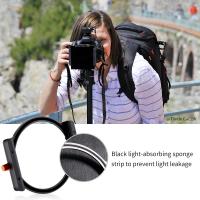
To use an infrared filter on your digital camera, you’ll need several specific tools and supporting gear. This checklist will help you get started:

1. A Proper Camera: Not all digital cameras are suitable for infrared photography. Most digital cameras have IR-blocking filters built into their sensors to prevent unwanted infrared light from affecting visible-light images. However, if your camera is able to record infrared light (or has been modified for this purpose), it can be used with an external infrared filter.

2. Infrared Filter: An IR filter blocks visible light while allowing only infrared light to pass through to the camera’s sensor. Popular options include Hoya R72, B+W 092, and 093 filters. Each filter allows different levels of infrared light and determines how “deep” into the infrared spectrum your image will go.

3. A Stable Tripod: Since shooting with an IR filter often requires long exposure times, a sturdy tripod is crucial to avoid motion blur.

4. Remote Shutter Release: To further minimize camera shake during long exposures, consider using a remote shutter release.

5. Neutral Density (ND) Filters (Optional): In very bright conditions, an ND filter can assist in maintaining longer exposures for greater creative flexibility.

Step-by-Step Process for Using an IR Filter
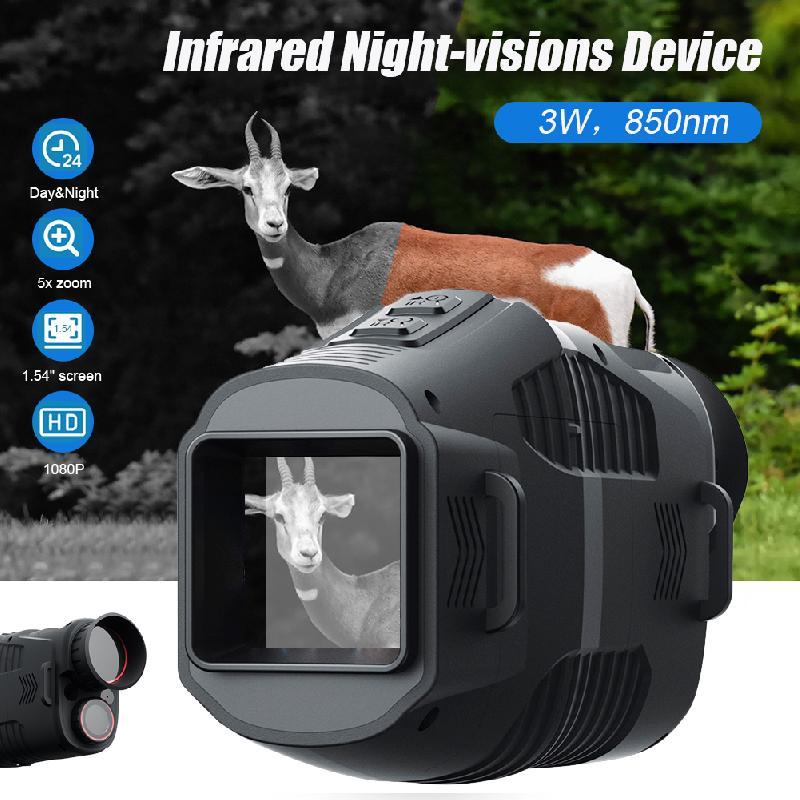
how to use ir filter on digital camera 3

Using an IR filter with a digital camera requires patience and understanding of the unique characteristics of infrared photography. Follow these steps to achieve better results:

Step 1: Determine Camera Compatibility
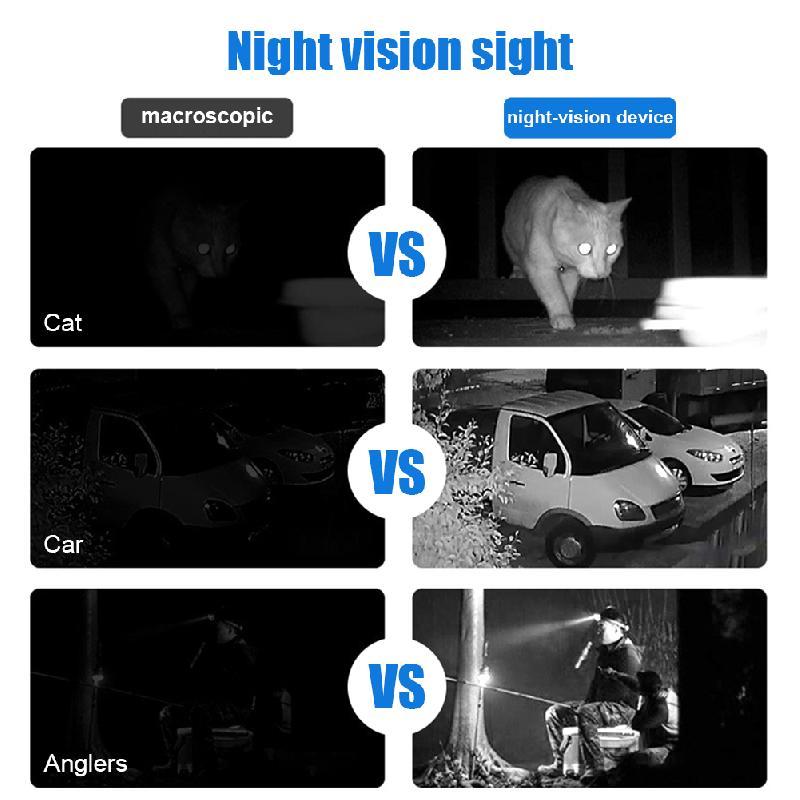
how to use ir filter on digital camera 4

Before anything else, determine whether your camera is suitable for IR photography. Some digital cameras are notoriously resistant to infrared light due to strong internal IR-blocking filters over their sensors. A quick way to check: point a TV remote control at your camera’s lens and press a button on the remote. If you see the remote’s light as a bright point through your camera’s live view, your camera may capture some level of infrared light.

However, if you aim to pursue infrared photography seriously, you might consider having your camera professionally modified to remove the IR-blocking filter entirely. This modification ensures significantly better infrared sensitivity but dedicates the camera solely to IR work.

Step 2: Attach the IR Filter

Once you’ve confirmed that your camera can handle IR light, attach the infrared filter to your lens. Remember, IR filters block nearly all visible light, so once you attach the filter, your viewfinder or LCD may go dark. This makes pre-composing and focusing your shots prior to attaching the filter essential.

Step 3: Switch to Manual Focus and Compose Your Image

Infrared light focuses differently than visible light, which means autofocus may not yield accurate results when using an infrared filter. Switch your lens to manual focus, and use the camera’s live view (if available) to compose and adjust your focus for the desired shot.

Pro Tip: Start by composing and focusing your shot without the filter first. Then carefully screw the IR filter onto the lens without altering your composition.

Step 4: Adjust Camera Settings

Infrared photography generally requires slower shutter speeds and higher ISO due to reduced light sensitivity through the IR filter. Set your camera to manual mode and adjust the following settings:

- Shutter Speed: Be prepared to use slower shutter speeds, often several seconds or longer, depending on lighting conditions.

- Aperture: Choose a mid-range aperture (e.g., f/8 to f/11) to optimize sharpness and depth of field.

- ISO: Increase ISO as needed, but try to avoid excessive noise.

Additionally, test various combinations of settings to see what works best for your equipment and environment.

Step 5: Take a Test Shot

Take a test image to evaluate exposure and composition. If the image appears too dark, slow the shutter speed or raise the ISO to allow more light. Be mindful of blowouts or overexposure in the highlights, as these can be tricky to recover in post-processing.

Post-Processing Infrared Images

One of the most captivating aspects of IR photography is the surreal final result, but capturing the image in-camera is only half the journey. Post-processing plays a significant role in refining and enhancing the shot. Here’s how to approach processing your IR images:

1. Edit the White Balance: IR images often appear red or magenta straight out of the camera. Use post-processing software like Adobe Lightroom or Photoshop to adjust the white balance. Setting the white balance to accentuate the whites in foliage and the blues in the sky can dramatically improve the aesthetics of your photo.

2. Swap Color Channels: For color IR photography, many photographers perform a channel swap to produce the iconic "blue sky and white foliage" effect. This involves swapping the red and blue channels over in Photoshop (or similar applications).

3. Enhance Contrast and Details: Adjust the levels, shadows, and highlights to bring out details in your IR photography. Use clarity adjustments with care, and add subtle sharpening where necessary.

4. Convert to Monochrome: Some of the most dramatic IR images are monochromatic. Converting your photo to black and white can highlight textures and add artistic flair to your work.

Challenges and Tips

Infrared photography presents some unique challenges, but with forethought and practice, you can overcome them. Here are a few common challenges photographers face and practical tips for solving them:

- Focusing Issues: Infrared light focuses differently than visible light. Conduct trial-and-error tests with your lens to find its infrared focal point, or research lenses pre-calibrated for IR photography.

- Hot Spots in Images: Some lenses produce a “hot spot” of light in IR images. Test your lenses to identify ones that work well for infrared.

- Lengthy Exposure Times: For cameras unmodified for IR, exposure times can be lengthy, particularly in low-light conditions. Use a tripod and consider shooting during bright, sunny days for optimal results.

Applications for IR Photography

Once you’ve developed a strong feel for using an IR filter, consider how and where you can apply it creatively. Examples include:

- Landscape Photography: Transform scenes with bright, glowing foliage and dramatic skies.

- Architectural Shots: Highlight textures and unique contrasts in buildings and structures.

- Portrait Photography: Add a dreamy, ethereal element to photos of people and animals.

Infrared photography is an exciting and artistic medium that opens up a new world of creativity for photographers. By understanding how to correctly use an IR filter on your digital camera, you can experiment with surreal effects and push the boundaries of traditional photography. As with any new technique, patience and practice are the keys to success.

Start with the right equipment, plan your shots carefully, and give yourself plenty of room for creative exploration both in-camera and during post-processing. As you grow more confident in this space, the allure of infrared images will undoubtedly inspire you to create stunning, otherworldly photographs that captivate viewers.


Leave your comment
Cancel reply
Note: HTML is not translated!
Related products
67mm Clip-on CPL Phone Camera Lens Filter Kit Applicable to All Mobile Phone Models
24
A$31.68 A$30.99
67mm Clip-on ND2-32 Phone Camera Lens Filter Kit Applicable to All Mobile Phone Models
24
A$80.59 A$61.99
Helmet Night Vision Binoculars NV8160, 2.7 inch Display, 8x Digital Zoom, 7 Speed IR Adjustment, Kentfaith Night Vision Goggles for Hunting, Monitoring Wildlife
TOP Best
Helmet Night Vision Binoculars NV8160, 2.7 inch Display, 8x Digital Zoom, 7 Speed IR Adjustment, Kentfaith Night Vision Goggles for Hunting, Monitoring Wildlife
99
A$299.99 A$259.99
52mm Clip-on CPL Phone Camera Lens Filter Kit, Circular Polarizer Polarizing Filter Applicable to All Mobile Phone Models
24
A$45.02 A$29.99
67mm Clip-on Black Mist 1/4 Phone Camera Lens Filter Kit Applicable to All Mobile Phone Models
24
A$64.99 A$49.99
Hidden Device Detector with RF Detection GPS Tracker Detection IR Camera Detection
A$118.99 A$94.99
Smartphone Thermal Camera for iOS & Android with Visible Light Camera 256 x 192 IR Resolution 1000mAh Battery
14
A$649.99 A$519.99
67mm Clip-on CPL&Black Mist 1/4 2-in-1 Phone Camera Lens Filter Kit Applicable to All Mobile Phone Models
24
A$64.99 A$49.99
Thermal Camera for Android with 8 Color Palettes 256*192 IR Pixel 25Hz Refresh Rate
71
A$399.99 A$289.99
Pocket Thermal Camera with Visible Light 256*192 IR Pixel 25Hz Refresh Rate WiFi Connection
16
A$662.99 A$529.99
Recommended products
62mm True Color Variable ND2-400 (1-9 Stops) ND Lens Filter Adjustable Neutral Density Filter with 18 Multi-Layer Coatings for Camera Lens Nano-Klear Series
42
A$53.36 A$47.99
K&F Concept 2-Pack NP-W126 NP-W126S Battery with USB C Fast Charging for Fujifilm X100VI, X100V, XS10, XT30, XT30 II, XT20, XE4, A5 Cameras
23
A$120.99 A$63.99
62mm MCUV Protection Filter 24 Multi-Coated Ultra-Slim Filter Nano-Dazzle Series
207
A$43.99 A$27.99
Variable ND2-32 Filter Compatible with DJI Osmo Action 5 Pro/Osmo Action 4/Osmo Action 3, Snap-on Installation, no need to remove the original filter
A$57.19 A$43.99
K&F Concept Neck Lanyard Shoulder Strap with a 1/4
K&F Concept Neck Lanyard Shoulder Strap with a 1/4" Screw for Pocket 3, Crossbody Strap for DJI OSMO Pocket 3 Accessories, Beige
A$41.59 A$31.99
55mm Variable ND Filter ND2-ND32 (1-5 Stops) Lens Filter Waterproof Scratch Resistant with 18 Layers of Nano-coating Nano-Klear
29
A$43.35 A$39.99
Silicone Non-Slip Desktop Mount for DJI Osmo Pocket 3, Lightweight and Compact, OSMO Pocket 3 Accessories
A$22.09 A$16.99
Borescope Inspection Camera with Dual 1080P Lenses 4.5" Screen 8mm Slim Probe IP67 Waterproof
16
A$299.99 A$209.99
72mm Variable Waterproof ND8-ND2000 Filter with Multi-Resistant Coating Nano-Dazzle Series
63
A$95.99 A$65.99
T2 Series Lenses to Nikon Z Series Mount Camera High Precision Lens Adapter, T2-NIK Z
58
A$49.99
Related articles
What Is Ir Filter On Lens?
When To Use Uv Filter On Camera?
How To Use Digital Microscope On Android?
When To Use Orange Filter On Ring Light?
How To Use Digital Camera For Photography?
How To Put Digital Camera Pictures On Computer?
How To Fix Card Error On Digital Camera?
How To Use Square Filter Kits?
How To Use Endoscope Camera On Android?
What is A Tripod? The Complete Guide to Camera and Phone Tripods
Recommended articles
Which Is Better Binoculars Or Telescope?
How To Clean Outdoor Security Cameras?
How To Use Memory Card Adapter?
Gopro How To Get Images From Memory Card?
unsure your lens mount?
How Long Camera Battery Charge?
How To Buy Camera Lens Filters?
Where To Put Security Cameras?
Where To Get Carbon Monoxide Detector Free?
What Is The Best Night Vision Monocular?
Popular categories
camcorders Digital Microscope digital cameras Hunting Camera camera tripods Camera Backpacks Camera Cases Camera Straps Camera Battery Endoscope Camera
Popular products
digital monocular night vision camera tripod bracket WiFi Intraoral Camera for iPhone hunting motion camera vision night vision binoculars night vision binoculars hunting 35mm digital camera hidden ir camera detector camera mount adapter light portable tripod
Popular searches
Simple To Use Digital Camera Best Easy To Use Digital Camera Easy To Use Digital Voice Recorder Easy To Use Digital Cameras Uk Uv Filter On Digital Camera Ir Color Ccd Camera Digital Easy To Use Security Camera Digital Single Use Camera Ir Digital Ccd Video Camera Installation Night Vision Ir Digital Binoculars
Powered By K&F Concept © 2025