kfconcept

K&F Concept Australia

Enjoy Your Selected Digital Life

Recently Viewed
  • Recently Viewed
  • Recently Viewed list is empty.

Compare (0) 0
  • Compare
  • You have not chosen any products to compare.

  • Compare
Currency: AUD
  • Currency

Log Into Your Account

Account

Order History

Wish List

Login

Forgotten Password?

Or connect with

Register Account

Already have an Account?Log In

  • Shopping Cart
  • Your shopping cart is empty!

  • Register/Login to purchase, earn points
  • Favorite
  • Your wish list is empty.

  • Register/Login to like, earn points
  • Tripods
    • Aluminum Tripods
    • Carbon Fiber Tripods
    • Tripod Legs
    • Video Tripods
    • Monopods
    • Mini Tripod
    • Tripod Accessories
    • Gimbal Stabilizers
    • Lighting & Studio Accessories
      • Camera Flash
      • Photography Fill Light
      • Ring Light
      • Soft Box
      • Tripod Light Stands
      • Reflectors
    • Tripod Head
    • Tripod Kit
    • Phone Tripods
    • Action Camera mounts
  • Lens Filters
    • Protection & UV Control Filters
      • Nano-Xcel Series
        • MCUV - Nano-Xcel
        • Ultra-low Reflectivity MCUV Filters - Nano-Xcel
        • MCUV Super Hard - Nano-Xcel
        • Explosion-proof MCUV - Nano-Xcel
        • MCUV+Lens Cap+Cleaning Cloth - Nano-Xcel
        • Super Hard&Ultra Low Reflection MCUV Filters - Nano-Xcel
        • Magnetic MCUV - Nano-Xcel
      • Nano-Dazzle Series
        • MCUV - Nano-Dazzle
        • MCUV+Lens Cap+Cleaning Cloth - Nano-Dazzle
      • Nano-Klear Series
        • MCUV - Nano-Klear
        • Ultra Thin Frame MCUV Filters - Nano-Klear
        • MCUV+Lens Cap - Nano-Klear
        • MCUV+Lens Cap+Cleaning Cloth - Nano-Klear
      • Nano-Xcel Pro Series
        • MCUV - Nano-Xcel Pro
    • Polarizers
      • Nano-Xcel Series
        • CPL - Nano-Xcel
        • CPL True Color - Nano-Xcel
        • Ultra-low Reflectivity CPL - Nano-Xcel
        • CPL+Lens Cap+Cleaning Cloth - Nano-Xcel
        • Magnetic CPL - Nano-Xcel
          • Magnetic CPL + Apater ring + Cap - Nano-X
        • True Color Ultra-low Reflectivity CPL - Nano-Xcel
      • Nano-Dazzle Series
        • CPL - Nano-Dazzle
        • CPL+Lens Cap+Cleaning Cloth - Nano-Dazzle
      • Nano-Klear Series
        • CPL - Nano-Klear
        • Ultra Thin Frame CPL Filters - Nano-Klear
        • CPL+Lens Cap+Cleaning Cloth - Nano-Klear
        • CPL+Lens Cap - Nano-Klear
      • Nano-Xcel Pro Series
        • CPL - Nano-Xcel Pro
    • Neutral Density Filters
      • Neutral Density (Solid) Filters
        • ND8 (3 stops) - Nano-Xcel Series
        • ND64 (6 stops) - Nano-Xcel Series
        • ND1000 (10 stops) - Nano-Xcel Series
        • ND100000 (16.6 stops) - Nano-Xcel Series
        • ND1000 - Nano-X Pro Series
        • ND1000000 (20 stops) - Nano-Xcel Series
        • ND100000 (16.6 stops) - Nano-Klear Series
        • ND1000000 (20 stops) - Nano-Klear Series
        • Solid ND - Magnetic Series
      • Variable Neutral Density Filters
        • Nano-Xcel Series
          • ND2-ND32 - Nano-Xcel
          • ND2-ND32 True Color - Nano-Xcel
          • ND2-ND400 - Nano-Xcel
          • ND8-ND128 - Nano-Xcel
          • ND32-ND512 - Nano-Xcel
          • ND3-ND1000 - Nano-Xcel
          • ND2-32 True Color Ultra-Low Reflection - Nano-Xcel
          • ND2-400 Ultra-Low Reflection - Nano-Xcel
        • Nano-Dazzle Series
          • ND2-ND32 - Nano-Dazzle
          • ND2-ND400 - Nano-Dazzle
          • ND3-ND1000 - Nano-Dazzle
          • ND8-ND2000 - Nano-Dazzle
        • Nano-Klear Series
          • ND2-ND32 - Nano-Klear
          • ND2-ND400 - Nano-Klear
          • ND2-ND2000 - Nano-Klear
          • True Color ND2-ND400 - Nano-Klear
        • Nano-Xcel Pro Series
          • ND2-ND32 - Nano-Xcel Pro
        • Nano-B Series
          • ND2-ND400 - Nano-B
      • Graduated Neutral Density Filters
        • 100mm GND Filter
          • Soft GND8 Filters - Nano-Xcel Series
          • Hard GND8 Filters - Nano-Xcel Series
          • Reverse GND8 Filters - Nano-Xcel Series
          • Hard GND16 - Nano-X Series
          • Soft GND16 Filters - Nano-Xcel Series
          • Reverse GND16 Filters - Nano-Xcel Series
          • Soft GND8 Filters - Nano-Xcel Pro Series
          • Hard GND8 Filters - Nano-Xcel Pro Series
          • Reverse GND8 Filters - Nano-Xcel Pro Series
          • Soft GND16 Filters - Nano-Xcel Pro Series
          • Reverse GND16 Filters - Nano-Xcel Pro Series
        • Circular GND Filter
          • GND8 - Nano-Xcel Series
          • GND16 - Nano-Xcel Series
      • 2 in 1 Filters
        • ND2-ND32&CPL Filters - Nano D Series
        • ND4-ND64&CPL Filter
        • ND2-ND32&CPL Filter - Nano-X Pro
        • ND8&CPL Filter
        • ND2-ND32&CPL Filter
        • ND2-ND32&CPL True Color Filters - Nano-X Series
        • ND2-32&CPL Filters - Nano K Series
      • 3 in 1 Filters
        • ND2-32&CPL&Black Mist 1/4 Filters - Nano-Xcel Series
        • ND2-32&CPL&Black Mist 1/4 Filters - Nano-Klear Series
    • Black Mist & Soft Focus Filters
      • Black Mist
        • Black Mist 1
          • Black Mist 1 - Nano-X Series
          • Black Mist 1 - Nano-K Series
        • Black Mist 1/2
          • Black Mist 1/2 - Nano-X Series
          • Black Mist 1/2 - Nano-K Series
        • Black Mist 1/4
          • Black Mist 1/4 - Nano-Xcel Series
          • Black Mist 1/4 - Nano-D Series
          • Black Mist 1/4 - Nano-K Series
          • Black Mist 1/4 - Nano-Xcel Pro Series
          • Black Mist 1/4+Lens Cap+Cleaning Cloth - Nano-Klear Series
        • Black Mist 1/8
          • Black Mist 1/8 - Nano-X Series
          • Black Mist 1/8 - Nano-D Series
          • Black Mist 1/8 - Nano-K Series
          • Black Mist 1/8 - Nano-Xcel Pro Series
          • Black Mist 1/8+Lens Cap+Cleaning Cloth - Nano-Klear Series
        • Black Mist Kit
          • Black Mist 1/4 + 1/8 Nano X Series
          • Black Mist 1/4 + 1/8 - Nano Klear Series
          • Black Mist 1/4 + CPL - Nano Klear Series
        • Black-Mist & VND
          • Black Mist 1/4 & ND2-32 Filters - Nano-Klear Series
          • Black Mist 1/4 & ND2-400 Filters - Nano-Xcel Series
          • Black Mist 1/4 & ND2-32 Filters
          • Black Mist 1/8 & ND2-32 Filters - Nano-Klear Series
          • Black Mist 1/4 & ND2-400 Filters - Nano-Klear Series
        • Black Mist & CPL
          • Black Mist 1/4&CPL - Nano-Klear Series
      • White Mist
        • White Mist 1/4 - Nano-Xcel Series
        • White Mist 1/4 - Nano-Klear Series
      • Shimmer Diffusion
        • Shimmer Diffusion 1 - Nano-Xcel Series
        • Shimmer Diffusion 1 - Nano-Klear Series
      • Vintage Soft
      • Combination Soft & Mist
    • Light Pollution Cut Filter
      • Light Pollution Cut Filter - Circular
      • Light Pollution Cut Filter - Square
    • Magnetic Lens Filters
      • MCUV Filters
        • Magnetic MCUV - Nano-Klear Series
        • Magnetic MCUV+Lens Caps - Nano-Xcel Series
      • CPL Filters
        • Magnetic CPL + Adapter Ring
        • Magnetic CPL+Adapter Ring - Nano-Klear Series
      • Black-Mist
        • Black Mist 1/8 Filters - Nano-Xcel Series
        • Black Mist 1/4 Filters - Nano-Xcel Series
        • Black Mist 1/2 - Nano-X Series
        • Black Mist 1 - Nano-X Series
      • Neutral Density (Solid) Filter
        • Magnetic ND8 - Nano-Xcel Series
        • Magnetic ND64 - Nano-Xcel Series
        • Magnetic ND1000 - Nano-Xcel Series
      • Unlimited Variable ND Filter
        • Magnetic ND2-ND32 - Nano-Xcel Series
        • Magnetic ND8-ND128 Filters - Nano-Xcel Series
      • Accessories
        • Magnetic Adapter Ring
        • Magnetic Filter Ring
        • Magnetic Cap
      • Kits
        • MCUV+CPL+ND1000+Adapter Ring - Nano-Xcel Series
        • CPL+ND8+ND64+Adapter Ring+Lens Cap - Nano-Xcel Series
        • GND8+ND8+ND64+ND1000+Adapter Ring - Nano-Xcel Series
        • CPL+VND2-32+Black Mist 1/4+Magnetic Ring+Lens Cap - Nano-Xcel Series
    • Square Filter System
      • Basic System
        • Square ND Filters
          • ND4 Filters - Nano-Xcel Series
          • ND16 Filters - Nano-X Series
          • ND1000 Filters - Nano-X Series
          • ND2000 Filters - Nano-X Series
          • ND32000 Filters - Nano-X Series
          • Full Color ND8 - Nano-X Series
          • Full Color ND64 - Nano-X Series
        • Square GND Filters
        • Light Pollution Cut Filter
        • Square Black Mist Filters
          • Black Mist 1 - Nano-X Series
          • Black Mist 1/2 - Nano-X Series
          • Black Mist 1/4 - Nano-X Series
          • Black Mist 1/8 - Nano-X Series
          • Black Mist 1/4 Kit - Nano-X Series
        • Brackets and Accessories
          • Adapter Ring - Nano-X
        • Kits
          • 100mm Square Filter System - Nano-X
      • Professional System
        • PL
        • ND
          • Full Color ND8 - Nano-X Pro
          • Full Color ND64 - Nano-X Pro
          • Full Color ND1000 - Nano-X Pro
        • GND
        • Black Mist 1/4 & CPL - Nano-X Pro Series
        • Light Pollution Cut Filter
          • Light Pollution Cut Filter - Nano-X Pro
        • Brackets and Accessories
          • 100x100mm Square Filter Protect Frame - Nano-X Pro
          • 100x150mm Square Filter Protect Frame - Nano-X Pro
          • Adapter Ring - Nano-X Pro
        • Kits
          • 100mm ND1000+Holder Kit - Nano-X Pro Series
          • 100mm ND1000+Soft GND8+Holder Kit - Nano-X Pro Series
          • 100mm ND8+ND64+ND1000+Holder Kit - Nano-X Pro Series
          • 100mm Holder Kit - Nano-Xcel Pro Series
    • Drone Filter
      • DJI Air 2S
      • DJI Air 3S
      • DJI Avata2
      • DJI Flip
      • DJI Mavic 3 Pro
      • DJI NEO
      • DJI Mini 1/2/SE
      • DJI Mini 4 Pro Filters
      • DJI Mini 3/DJI Mini 3 Pro
      • DJI Mavic 4 Pro
      • DJI Mavic 3 / Mavic 3 Cine
    • Effects Filters
      • Spiral Halo Filters - Nano-B Series
      • Prism Filters
        • Kaleidoscope Filters
          • Kaleidoscope Filters - Nano-B Series
          • Handheld Kaleidoscope Filters - Nano-B Series
        • Ordinary Prisms
          • Triangular Filtres - Nano-Basic Series
        • Central Prisms
          • Central Pentagonal Filters - Nano-Basic Series
          • Central Hexagonal Filters - Nano-Basic Series
        • Single Linear Prisms
      • Streak Filters
        • Blue Streak Filters - Nano-Xcel Series
        • Gold Streak Filters - Nano-Xcel Series
        • Colorful Streak Filters - Nano-B Series
        • Blue Streak Filters - Nano-Klear Series
      • Motion Blur Filters
        • Directional Motion Blur - Nano-Basic Series
        • Bidirectional Motion Blur - Nano-Basic Series
        • Handheld Motion Blur Filters - Nano-Basic Series
      • Spiral Filters
        • Handheld Spiral Filters - Nano-Basic Series
      • Diopter Filters
        • Centerfield Split Diopter Filters - Nano-Basic Series
        • Handheld Diopter Filters - Nano-Basic Series
      • Star Filters
        • Star Filters 4-8 Points - Nano-Klear Series
        • Star Filter Kits 4+6+8 Points - Nano-Klear Series
        • 4-Point Fine-Line Star Filters - Nano-Klear Series
        • 6-Point Fine-Line Star Filters - Nano-Klear Series
    • Filter Accessories
      • Lens Hoods
      • Polarized Film
      • Rings Kits
        • Step Up Rings
        • Step Down Rings
      • Filter Holders & Frames
      • Filter Holder Adapter Rings
        • Brass Adapter Ring
      • Filter Pouches
      • Caps
        • Caps for Magnetic Filters
        • Caps for Variable ND Filters
        • Center Pinch Lens Caps
          • 4 in 1
          • 5 in 1
          • 9 in 1
    • Filter Kit
      • Black Diffusion 1/4 + 1/8
      • Screw-In Filters
        • MCUV+CPL Filter - Nano K Series
        • MCUV+CPL+Lens Cap - Nano K Series
        • MCUV+CPL+ND1000+Lens Cap - Nano-Dazzle Series
        • MCUV+CPL+ND2-400 - Nano-Klear Series
        • ND8+ND64+ND1000 - Nano-D Series
        • MCUV+CPL+ND4
        • ND1000+CPL
        • ND4+ND8+ND64+ND1000
      • Magnetic Filters
      • Square Filters
    • Action Camera Filters
      • DJI Osmo Action 4 / Action 5 Pro
      • DJI Osmo Pocket 3
      • GOPRO Hero 9/10/11/12/13 Filters
      • Insta360 Ace pro 2
      • Insta360 GO3S
      • Action Camera Accessories
        • DJI Osmo Action 3/4/5 Pro
        • GoPro
        • Head Strap & Chest Mount
        • Insta360 X5
        • Magnetic Neck Mount
        • DJI Osmo Pocket 3 Expansion Mount
    • Phone Lens Filters
    • Matte Box & Filter Systems
      • Neutral Density (Solid) Filters
        • ND4 - Nano-Xcel Series
        • ND8 - Nano-Xcel Series
        • ND16 - Nano-Xcel Series
        • ND32 - Nano-Xcel Series
        • ND64 - Nano-Xcel Series
        • ND8+ND64 - Nano-Xcel Series
      • UV Filters
      • Black Mist Filters
        • Black Mist 1/4 - Nano-Xcel Series
        • Black Mist 1/8 - Nano-Xcel Series
      • Blue Streak Filters
      • Accessories
      • Kits
        • Matte Box - Nano-Xcel Series
        • Matte Box Pro - Nano-Xcel Series
        • Matte Box+ND8 Square Filter - Nano-Xcel Series
        • Matte Box+ND4+ND32 Square Filter - Nano-Xcel Series
        • Matte Box+Black Mist 1/4 Square Filter - Nano-Xcel Series
    • Brand-specific Filters
      • Fujifilm X100
      • Ricoh GR
  • Cameras
    • Digital Cameras
      • Digital Cameras & Camcorders
    • Waterproof Cameras
    • Action Cameras
    • Kids' Cameras
    • Phone Camera Lens
    • Camera battery
      • Sony
      • Canon
      • Nikon
      • FUJIFILM
      • Gopro
      • Lumix
      • Osmo Action
      • V Mount Battery
      • Memory Card Case
    • Time Lapse Camera
    • On-Dash Camera & Carplay
    • Trail Camera
      • Cellular Hunting Cameras
      • Wifi Hunting Cameras
      • Non-Cellular Hunting Cameras
      • Accessories
      • Fishing Camera
    • Cleaning Kits
    • Memory Cards
    • Camera Accessories
      • Camera Body Caps & Lens Rear Caps
      • Camera Screen Protectors
        • Canon
        • Sony
        • Fujifilm
        • Nikon
        • Olympus
        • Ricoh
        • GoPro
        • DJI Osmo Pocket 3
      • Camera Hot Shoe Covers
      • Camera Viewfinder Eyecups
        • Nikon
        • Sony
        • Canon
      • Adjustment Iris
      • DJI Osmo Pocket 3 Charging Base
  • Lens Adapters
    • A Mount Body (Sony/Minolta)
    • Fujifilm X Mount Body
    • Fujifilm G (GFX) Mount Body
    • C-Mount Body
    • Leica M Mount Body
    • MFT(M4/3) Mount Body
    • Pentax K Mount Body
    • Pentax Q Mount Body
    • Samsung NX Mount Body
    • Nikon F Mount Body
    • Nikon 1 Mount Body
    • Nikon Z Mount Body
    • Canon EOS EF/EF-S Mount Body
    • Canon EOS M Mount Body
    • Canon RF Mount Body
    • Sony E Mount Body
    • L-Mount Alliance (Leica)
  • Optics
    • Microscope
      • Light & Compound Microscopes
      • Digital Microscopes
      • Kids' Microscopes
    • Night Vision Goggles
    • Monocular
    • Binoculars
    • Telescope
    • Rangefinder
  • Camera Bags
    • Camera Backpacks
    • Camera Cases
    • Camera Shoulder Bags
    • Camera Straps
    • Backpack Accessories
  • Endoscope
    • Professional Endoscope
    • Household Endoscope
    • USB & WiFi Endoscope
    • Otoscope/Oral Endoscope
  • Surveillance Camera
    • 4G Camera
    • WiFi Camera
    • Battery Camera
    • Feeder Camera
    • Floodlight Camera
    • Monitoring Detector
  • More
      Smart Electronics
      AI ▪ Language Translator Device
      AI ▪ Digital Voice Recorders
      Smart Glasses
      Handheld Game Console
      Smart Watch
      Patio, Lawn & Garden
      Metal Detectors
      Weather Stations & Household Sensors
      Chicken Coop Door
      Audio & Video Electronics
      Motorcycle Bluetooth Headset
      Microphone
      Headphones
      Light
      Drone Accessories
      Machines & Tools
      Laser Engraver Machine
      Remote Sensors
      Solar Panels
      Smart Lock
  • Deals
    • Specials
    • Coupon
    • New Arrivals
    • Hot Sale
  • Home
  • Blog
  • How To Install Memory Card In Galaxy S7?

How To Install Memory Card In Galaxy S7?

K&f concept 2025-01-09 01:42:37 0 Comments

Expanding your smartphone's storage is often necessary as more photos, videos, applications, and other files accumulate over time. Luckily, the Samsung Galaxy S7 allows users to install a microSD memory card to increase storage capacity. If you're unfamiliar with the process or are handling a smartphone for the first time, don’t worry—installing a memory card in the Galaxy S7 is a safe and straightforward task when done correctly. This article will guide you through the process of installing a memory card into your Galaxy S7, ensuring that you can take full advantage of the additional storage and functionality.

Why Install a Memory Card in the Galaxy S7?
how to install memory card in galaxy s7 1

The Samsung Galaxy S7 comes with built-in storage options—32GB or 64GB. While this suits the needs of many users, heavy reliance on multimedia, high-resolution photos, 4K video recording, or an extensive app library can quickly drain your available storage. By using a microSD card, you can significantly expand your device's storage capacity without compromising performance. The Galaxy S7 supports microSD cards up to 256GB, providing ample room for additional apps, files, and media.

Tools You'll Need
how to install memory card in galaxy s7 2

Before starting, ensure you have the following items on hand:

1. A compatible microSD card (Class 10 or UHS-1 recommended for optimal performance).

2. The SIM ejector tool, provided in the Galaxy S7 box. A small paperclip can serve as a substitute.

Now, let’s break down the steps for correctly installing a memory card into your Galaxy S7.

---

Step 1: Power Off Your Device
how to install memory card in galaxy s7 3

While it is technically possible to insert a memory card while your device is powered on, it’s not recommended. Doing so could inadvertently lead to software glitches or data corruption. To safely install your microSD card, press and hold the Power button on the right side of your device, then tap “Power Off” and wait until the phone completely shuts down.

---

Step 2: Locate the SIM and MicroSD Card Tray
how to install memory card in galaxy s7 4

The Galaxy S7’s SIM card and microSD card share a single tray, which is located on the top edge of the smartphone. Examine the top of your phone carefully, and you’ll notice a small pinhole adjacent to the tray opening.

---

Step 3: Use the SIM Ejector Tool

Insert the thin, pointed end of the SIM ejector tool into the tiny pinhole. Firmly but gently press the tool straight in until the tray pops out slightly. Remove the ejector tool and use your fingers to pull the tray completely out of the phone. Be careful not to drop or mishandle the tray, as it’s relatively small and delicate.

---

Step 4: Position the MicroSD Card Correctly

The SIM card and microSD card slots are placed on the tray. Identify the slot designed for the microSD card—it’s slightly larger than the SIM card slot.

Now align your microSD card with the designated slot. The gold connectors on the card should face downward, and the cut corner should match the slot’s design. Slide the card into place gently but firmly until it sits flush. It’s crucial to ensure proper alignment to prevent damage to the card or the tray.

---

Step 5: Reinsert the Tray Into the Device

Once both the SIM card and memory card are securely positioned, carefully slide the tray back into the phone. Make sure that the tray is aligned with its slot to avoid forcing it, which could damage the tray or the internal mechanisms of the phone. Push it gently until it fits snugly into the device.

---

Step 6: Turn Your Device Back On

Now that you’ve inserted the microSD card, press and hold the Power button on the right side of your Galaxy S7 to switch it back on. The phone will take a few moments to boot up.

---

Step 7: Confirm That the MicroSD Card Was Successfully Installed

Once your Galaxy S7 powers on, verify that the microSD card has been detected. To do this:

1. Open the Settings app on your phone.

2. Scroll down and tap “Device Maintenance” or “Storage” (depending on your version of the software).

3. Look for the microSD card under the “External Storage” section. If the card is visible, it means your device has successfully recognized it.

In some cases, you may see a prompt asking whether you’d like to use the microSD card as Portable Storage or Internal Storage. Typically, the Galaxy S7 treats the microSD card as Portable Storage by default, which allows you to store media files but keeps apps and system data confined to the internal storage. Choose the option that best suits your needs.

---

Troubleshooting Common Issues

If your device fails to recognize the microSD card, don’t panic. Several minor issues can cause this:

1. Card Compatibility: Ensure your microSD card meets the Galaxy S7’s specifications. The phone supports cards with capacities up to 256GB.

2. Corrupted Card: Test the card on another device or a computer to check if it’s functioning correctly. If it’s corrupted, you may need to reformat it.

3. Tray Placement: Remove and reinsert the tray to confirm that the card is seated securely.

You can reformat the card using your Galaxy S7 if necessary. Go to “Settings” > “Device Maintenance” > “Storage” > “SD Card” > “Format” to prepare the card for use. Keep in mind that formatting will erase all data on the card, so back up any important files in advance.

---

Benefits of Installing a Memory Card

Once successfully installed, your microSD card provides various benefits:

1. Increased Storage Capacity: By shifting photos, videos, music, and documents to the microSD card, you free up internal storage for essential apps and system files.

2. Portable Media Library: MicroSD cards offer flexibility, allowing you to transfer your files between devices easily.

3. Backup Option: A microSD card can serve as a backup for important files, especially in situations where a factory reset may be necessary.

---

Maintaining Your MicroSD Card

To ensure longevity and optimal performance, follow these maintenance tips:

1. Safely Remove the Card: Always unmount the microSD card via the “Settings” > “Storage” menu before removing it physically from the phone.

2. Avoid Physical Damage: Handle the card with care and store it properly when not in use.

3. Regularly Back Up Files: Keep important data backed up elsewhere to protect against accidental loss or card failure.

---

In Conclusion

Installing a memory card in your Galaxy S7 is an effective way to expand your phone’s storage and accommodate your growing collection of apps, photos, and media files. The process is straightforward, requiring minimal effort while providing significant benefits. By following the steps outlined in this guide, you’ll be able to confidently and securely install a microSD card, ensuring your Galaxy S7 is equipped to handle all your storage needs.

Whether you’re a tech-savvy individual or a first-time smartphone user, this tutorial simplifies the procedure, allowing you to make the most out of your Galaxy S7’s expandable storage capability. Incorporating a microSD card is a small upgrade that delivers significant returns in terms of convenience, functionality, and peace of mind.
Leave your comment
Cancel reply
Note: HTML is not translated!
Related products
MicroDrive 128GB SD Memory Card
A$45.99 A$45.99
64G micro SD card U3/V30/A1 with adapter memory card suitable for home surveillance camera hunting camera and driving recorder memory card K&F CONCEPT
A$25.99
SD Card Reader for iPhone/iPad/Android/Mac/Computer/Camera, 4 in 1 Micro SD Card Reader Tracking Camera Viewer, Portable Memory Card Reader SD Card Adapter Compatible with SD and Micro SD Card/TF Card ( black)
A$20.99
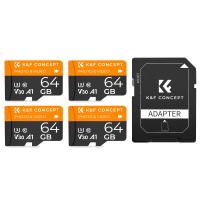
64G micro SD card U3/V30/A1 with adapter 4 packs memory card suitable for home surveillance camera hunting camera and driving recorder memory card K&F CONCEPT
A$56.10
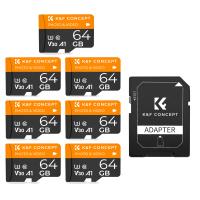
64G micro SD card U3/V30/A1 with adapter 7 packs memory card suitable for home surveillance camera hunting camera and driving recorder memory card K&F CONCEPT
A$88.28
MicroDrive Micro SD UHS-I Memory Card 128GB
A$45.99 A$45.99
64GB Tracking Camera Memory Card U3 V30 Read Speed Up To 90mb/s, 4k Uhd for Digital Cameras and Sdxc Devices
A$25.99
Mini Digital Camera Keychain Camera Kentfaith 1080P HD Video Audio for Security, Kids, Students, Travelers with Keychain, Built-in Battery, 64G Memory Card
14
A$136.99 A$84.99
64GB Micro SD Card U3/V30/A1 with Adapter, Memory Card for Cameras, Borescopes,  Microscopes, Night Vision Goggles, Kentfaith
64GB Micro SD Card U3/V30/A1 with Adapter, Memory Card for Cameras, Borescopes, Microscopes, Night Vision Goggles, Kentfaith
A$43.74 A$34.99
32GB Micro SD Card U3/V30/A1 with Adapter, Memory Card for Cameras, Borescopes,  Microscopes, Night Vision Goggles, Kentfaith
32GB Micro SD Card U3/V30/A1 with Adapter, Memory Card for Cameras, Borescopes, Microscopes, Night Vision Goggles, Kentfaith
A$34.99 A$27.99
Recommended products
Kentfaith Snake Camera with 8 LED Lights for All iPhone, Android, iPad, IP67 Waterproof, 5 Meters Rigid Cable
26
A$73.99 A$43.99
KV37 62mm Fader Variable Adjustable ND Filter ND2-ND400 - Ultra-Slim & Multi-Coated Nano-Klear
103
A$60.99 A$37.99
58mm HD Circular Polarizing CPL Filter
A$11.60
52mm ND8 Lens Filter and CPL Circular Polarizing Filter 2 in 1
A$78.99 A$53.99
Pentax K Lenses to Nikon 1 Lens Mount Adapter K&F Concept M17201 Lens Adapter
17
A$40.99
43mm Magnetic Lens Filter Kit GND8+ND8+ND64+ND1000+Magnetic Adapter Ring 5 in 1 Quick Swap System Nano-Xcel Series
120
A$143.43 A$139.99
100*100mm Square Filter Pouch Square Filter Pouch for 3 Lens Filters + 1 Filter Holder, Microfiber Interior, Grey
82
A$99.99 A$60.99
H10 Rechargeable LED camping light, portable camping light with torch mode, emergency warning light, tent light for hiking, camping, home, power outages, emergencies, hurricanes and temporary power
A$147.99 A$68.99
Triple Lens Borescope Camera with 4.3" 1080P Screen, 8+2 LED Lights & 2m Semi-rigid Cable, IP67 Waterproof for Car Maintenance, Pipeline Inspection
72
A$217.99 A$148.99
46mm Variable Waterproof ND8-ND2000 Filter with Multi-Resistant Coating Nano-Dazzle Series
63
A$75.99 A$51.99
Related articles
Galaxy S5 How Big Memory Card?
How To Plug In A Memory Card?
What Is Memory Card In Computer?
How To Install Security Camera In Car?
How To Get Free Memory Card?
How To Use Memory Card Adapter?
How To Make Ps4 Memory Card?
How To Us Flash S7 Camera?
How To Clear Memory Card On Camera?
How To Hang A Foldable Solar Panel?
Recommended articles
How To Use A Tripod For Camera?
How Deep Metal Detector?
Is An Nd Filter A Polarizer?
How Do Security Cameras Connect To Your Phone?
What Size Binoculars Are Best For Wildlife Viewing?
How To Use A Ball Head Tripod?
What Is The Best Game Camera To Buy?
What Is Ir Filter On Lens?
How Much Is A Rangefinder?
Which Digital Camera Is Best For Aesthetic Photos?
Popular categories
Camera SD Card Mini Tripod Camera Bags DJI Mini 3 Pro Accessories Hunting Camera DJI Air 2S Accessories battery powered wireless security cameras Olympus Camera Screen Protector circular reflector photography Portable Telescope
Popular products
sd memory card 64gb memory card sd 128gb memory micro card gaming memory card 32gb memory card 32gb sd memory card sd memory card adapter memory card adapter sd memory card case 128gb micro sd memory card
Popular searches
Memory Card In Samsung Galaxy S6 Galaxy S7 Microphone Tripod Max Memory Card For S7 Samsung S7 Extra Memory Card Galaxy S7 Camera Lens Case Galaxy S7 External Camera Flash Samsung Galaxy S7 Edge Tripod Best Memory Card For Samsung S7 Samsung S7 Edge Memory Card Capacity Samsung S7 Memory Card Not Working
Powered By K&F Concept © 2025