kfconcept

K&F Concept Australia

Enjoy Your Selected Digital Life

Recently Viewed
  • Recently Viewed
  • Recently Viewed list is empty.

Compare (0) 0
  • Compare
  • You have not chosen any products to compare.

  • Compare
Currency: AUD
  • Currency

Log Into Your Account

Account

Order History

Wish List

Login

Forgotten Password?

Or connect with

Register Account

Already have an Account?Log In

  • Shopping Cart
  • Your shopping cart is empty!

  • Register/Login to purchase, earn points
  • Favorite
  • Your wish list is empty.

  • Register/Login to like, earn points
  • Tripods
    • Aluminum Tripods
    • Carbon Fiber Tripods
    • Tripod Legs
    • Video Tripods
    • Monopods
    • Mini Tripod
    • Tripod Accessories
    • Gimbal Stabilizers
    • Lighting & Studio Accessories
      • Camera Flash
      • Photography Fill Light
      • Ring Light
      • Soft Box
      • Tripod Light Stands
      • Reflectors
    • Tripod Head
    • Tripod Kit
    • Phone Tripods
    • Action Camera mounts
  • Lens Filters
    • Protection & UV Control Filters
      • Nano-Xcel Series
        • MCUV - Nano-Xcel
        • Ultra-low Reflectivity MCUV Filters - Nano-Xcel
        • MCUV Super Hard - Nano-Xcel
        • Explosion-proof MCUV - Nano-Xcel
        • MCUV+Lens Cap+Cleaning Cloth - Nano-Xcel
        • Super Hard&Ultra Low Reflection MCUV Filters - Nano-Xcel
        • Magnetic MCUV - Nano-Xcel
      • Nano-Dazzle Series
        • MCUV - Nano-Dazzle
        • MCUV+Lens Cap+Cleaning Cloth - Nano-Dazzle
      • Nano-Klear Series
        • MCUV - Nano-Klear
        • Ultra Thin Frame MCUV Filters - Nano-Klear
        • MCUV+Lens Cap - Nano-Klear
        • MCUV+Lens Cap+Cleaning Cloth - Nano-Klear
      • Nano-Xcel Pro Series
        • MCUV - Nano-Xcel Pro
    • Polarizers
      • Nano-Xcel Series
        • CPL - Nano-Xcel
        • CPL True Color - Nano-Xcel
        • Ultra-low Reflectivity CPL - Nano-Xcel
        • CPL+Lens Cap+Cleaning Cloth - Nano-Xcel
        • Magnetic CPL - Nano-Xcel
          • Magnetic CPL + Apater ring + Cap - Nano-X
        • True Color Ultra-low Reflectivity CPL - Nano-Xcel
      • Nano-Dazzle Series
        • CPL - Nano-Dazzle
        • CPL+Lens Cap+Cleaning Cloth - Nano-Dazzle
      • Nano-Klear Series
        • CPL - Nano-Klear
        • Ultra Thin Frame CPL Filters - Nano-Klear
        • CPL+Lens Cap+Cleaning Cloth - Nano-Klear
        • CPL+Lens Cap - Nano-Klear
      • Nano-Xcel Pro Series
        • CPL - Nano-Xcel Pro
    • Neutral Density Filters
      • Neutral Density (Solid) Filters
        • ND8 (3 stops) - Nano-Xcel Series
        • ND64 (6 stops) - Nano-Xcel Series
        • ND1000 (10 stops) - Nano-Xcel Series
        • ND100000 (16.6 stops) - Nano-Xcel Series
        • ND1000 - Nano-X Pro Series
        • ND1000000 (20 stops) - Nano-Xcel Series
        • ND100000 (16.6 stops) - Nano-Klear Series
        • ND1000000 (20 stops) - Nano-Klear Series
        • Solid ND - Magnetic Series
      • Variable Neutral Density Filters
        • Nano-Xcel Series
          • ND2-ND32 - Nano-Xcel
          • ND2-ND32 True Color - Nano-Xcel
          • ND2-ND400 - Nano-Xcel
          • ND8-ND128 - Nano-Xcel
          • ND32-ND512 - Nano-Xcel
          • ND3-ND1000 - Nano-Xcel
          • ND2-32 True Color Ultra-Low Reflection - Nano-Xcel
          • ND2-400 Ultra-Low Reflection - Nano-Xcel
        • Nano-Dazzle Series
          • ND2-ND32 - Nano-Dazzle
          • ND2-ND400 - Nano-Dazzle
          • ND3-ND1000 - Nano-Dazzle
          • ND8-ND2000 - Nano-Dazzle
        • Nano-Klear Series
          • ND2-ND32 - Nano-Klear
          • ND2-ND400 - Nano-Klear
          • ND2-ND2000 - Nano-Klear
          • True Color ND2-ND400 - Nano-Klear
        • Nano-Xcel Pro Series
          • ND2-ND32 - Nano-Xcel Pro
        • Nano-B Series
          • ND2-ND400 - Nano-B
      • Graduated Neutral Density Filters
        • 100mm GND Filter
          • Soft GND8 Filters - Nano-Xcel Series
          • Hard GND8 Filters - Nano-Xcel Series
          • Reverse GND8 Filters - Nano-Xcel Series
          • Hard GND16 - Nano-X Series
          • Soft GND16 Filters - Nano-Xcel Series
          • Reverse GND16 Filters - Nano-Xcel Series
          • Soft GND8 Filters - Nano-Xcel Pro Series
          • Hard GND8 Filters - Nano-Xcel Pro Series
          • Reverse GND8 Filters - Nano-Xcel Pro Series
          • Soft GND16 Filters - Nano-Xcel Pro Series
          • Reverse GND16 Filters - Nano-Xcel Pro Series
        • Circular GND Filter
          • GND8 - Nano-Xcel Series
          • GND16 - Nano-Xcel Series
      • 2 in 1 Filters
        • ND2-ND32&CPL Filters - Nano D Series
        • ND4-ND64&CPL Filter
        • ND2-ND32&CPL Filter - Nano-X Pro
        • ND8&CPL Filter
        • ND2-ND32&CPL Filter
        • ND2-ND32&CPL True Color Filters - Nano-X Series
        • ND2-32&CPL Filters - Nano K Series
      • 3 in 1 Filters
        • ND2-32&CPL&Black Mist 1/4 Filters - Nano-Xcel Series
        • ND2-32&CPL&Black Mist 1/4 Filters - Nano-Klear Series
    • Black Mist & Soft Focus Filters
      • Black Mist
        • Black Mist 1
          • Black Mist 1 - Nano-X Series
          • Black Mist 1 - Nano-K Series
        • Black Mist 1/2
          • Black Mist 1/2 - Nano-X Series
          • Black Mist 1/2 - Nano-K Series
        • Black Mist 1/4
          • Black Mist 1/4 - Nano-Xcel Series
          • Black Mist 1/4 - Nano-D Series
          • Black Mist 1/4 - Nano-K Series
          • Black Mist 1/4 - Nano-Xcel Pro Series
          • Black Mist 1/4+Lens Cap+Cleaning Cloth - Nano-Klear Series
        • Black Mist 1/8
          • Black Mist 1/8 - Nano-X Series
          • Black Mist 1/8 - Nano-D Series
          • Black Mist 1/8 - Nano-K Series
          • Black Mist 1/8 - Nano-Xcel Pro Series
          • Black Mist 1/8+Lens Cap+Cleaning Cloth - Nano-Klear Series
        • Black Mist Kit
          • Black Mist 1/4 + 1/8 Nano X Series
          • Black Mist 1/4 + 1/8 - Nano Klear Series
          • Black Mist 1/4 + CPL - Nano Klear Series
        • Black-Mist & VND
          • Black Mist 1/4 & ND2-32 Filters - Nano-Klear Series
          • Black Mist 1/4 & ND2-400 Filters - Nano-Xcel Series
          • Black Mist 1/4 & ND2-32 Filters
          • Black Mist 1/8 & ND2-32 Filters - Nano-Klear Series
          • Black Mist 1/4 & ND2-400 Filters - Nano-Klear Series
        • Black Mist & CPL
          • Black Mist 1/4&CPL - Nano-Klear Series
      • White Mist
        • White Mist 1/4 - Nano-Xcel Series
        • White Mist 1/4 - Nano-Klear Series
      • Shimmer Diffusion
        • Shimmer Diffusion 1 - Nano-Xcel Series
        • Shimmer Diffusion 1 - Nano-Klear Series
      • Vintage Soft
      • Combination Soft & Mist
    • Light Pollution Cut Filter
      • Light Pollution Cut Filter - Circular
      • Light Pollution Cut Filter - Square
    • Magnetic Lens Filters
      • MCUV Filters
        • Magnetic MCUV - Nano-Klear Series
        • Magnetic MCUV+Lens Caps - Nano-Xcel Series
      • CPL Filters
        • Magnetic CPL + Adapter Ring
        • Magnetic CPL+Adapter Ring - Nano-Klear Series
      • Black-Mist
        • Black Mist 1/8 Filters - Nano-Xcel Series
        • Black Mist 1/4 Filters - Nano-Xcel Series
        • Black Mist 1/2 - Nano-X Series
        • Black Mist 1 - Nano-X Series
      • Neutral Density (Solid) Filter
        • Magnetic ND8 - Nano-Xcel Series
        • Magnetic ND64 - Nano-Xcel Series
        • Magnetic ND1000 - Nano-Xcel Series
      • Unlimited Variable ND Filter
        • Magnetic ND2-ND32 - Nano-Xcel Series
        • Magnetic ND8-ND128 Filters - Nano-Xcel Series
      • Accessories
        • Magnetic Adapter Ring
        • Magnetic Filter Ring
        • Magnetic Cap
      • Kits
        • MCUV+CPL+ND1000+Adapter Ring - Nano-Xcel Series
        • CPL+ND8+ND64+Adapter Ring+Lens Cap - Nano-Xcel Series
        • GND8+ND8+ND64+ND1000+Adapter Ring - Nano-Xcel Series
        • CPL+VND2-32+Black Mist 1/4+Magnetic Ring+Lens Cap - Nano-Xcel Series
    • Square Filter System
      • Basic System
        • Square ND Filters
          • ND4 Filters - Nano-Xcel Series
          • ND16 Filters - Nano-X Series
          • ND1000 Filters - Nano-X Series
          • ND2000 Filters - Nano-X Series
          • ND32000 Filters - Nano-X Series
          • Full Color ND8 - Nano-X Series
          • Full Color ND64 - Nano-X Series
        • Square GND Filters
        • Light Pollution Cut Filter
        • Square Black Mist Filters
          • Black Mist 1 - Nano-X Series
          • Black Mist 1/2 - Nano-X Series
          • Black Mist 1/4 - Nano-X Series
          • Black Mist 1/8 - Nano-X Series
          • Black Mist 1/4 Kit - Nano-X Series
        • Brackets and Accessories
          • Adapter Ring - Nano-X
        • Kits
          • 100mm Square Filter System - Nano-X
      • Professional System
        • PL
        • ND
          • Full Color ND8 - Nano-X Pro
          • Full Color ND64 - Nano-X Pro
          • Full Color ND1000 - Nano-X Pro
        • GND
        • Black Mist 1/4 & CPL - Nano-X Pro Series
        • Light Pollution Cut Filter
          • Light Pollution Cut Filter - Nano-X Pro
        • Brackets and Accessories
          • 100x100mm Square Filter Protect Frame - Nano-X Pro
          • 100x150mm Square Filter Protect Frame - Nano-X Pro
          • Adapter Ring - Nano-X Pro
        • Kits
          • 100mm ND1000+Holder Kit - Nano-X Pro Series
          • 100mm ND1000+Soft GND8+Holder Kit - Nano-X Pro Series
          • 100mm ND8+ND64+ND1000+Holder Kit - Nano-X Pro Series
          • 100mm Holder Kit - Nano-Xcel Pro Series
    • Drone Filter
      • DJI Air 2S
      • DJI Air 3S
      • DJI Avata2
      • DJI Flip
      • DJI Mavic 3 Pro
      • DJI NEO
      • DJI Mini 1/2/SE
      • DJI Mini 4 Pro Filters
      • DJI Mini 3/DJI Mini 3 Pro
      • DJI Mavic 4 Pro
      • DJI Mavic 3 / Mavic 3 Cine
    • Effects Filters
      • Spiral Halo Filters - Nano-B Series
      • Prism Filters
        • Kaleidoscope Filters
          • Kaleidoscope Filters - Nano-B Series
          • Handheld Kaleidoscope Filters - Nano-B Series
        • Ordinary Prisms
          • Triangular Filtres - Nano-Basic Series
        • Central Prisms
          • Central Pentagonal Filters - Nano-Basic Series
          • Central Hexagonal Filters - Nano-Basic Series
        • Single Linear Prisms
      • Streak Filters
        • Blue Streak Filters - Nano-Xcel Series
        • Gold Streak Filters - Nano-Xcel Series
        • Colorful Streak Filters - Nano-B Series
        • Blue Streak Filters - Nano-Klear Series
      • Motion Blur Filters
        • Directional Motion Blur - Nano-Basic Series
        • Bidirectional Motion Blur - Nano-Basic Series
        • Handheld Motion Blur Filters - Nano-Basic Series
      • Spiral Filters
        • Handheld Spiral Filters - Nano-Basic Series
      • Diopter Filters
        • Centerfield Split Diopter Filters - Nano-Basic Series
        • Handheld Diopter Filters - Nano-Basic Series
      • Star Filters
        • Star Filters 4-8 Points - Nano-Klear Series
        • Star Filter Kits 4+6+8 Points - Nano-Klear Series
        • 4-Point Fine-Line Star Filters - Nano-Klear Series
        • 6-Point Fine-Line Star Filters - Nano-Klear Series
    • Filter Accessories
      • Lens Hoods
      • Polarized Film
      • Rings Kits
        • Step Up Rings
        • Step Down Rings
      • Filter Holders & Frames
      • Filter Holder Adapter Rings
        • Brass Adapter Ring
      • Filter Pouches
      • Caps
        • Caps for Magnetic Filters
        • Caps for Variable ND Filters
        • Center Pinch Lens Caps
          • 4 in 1
          • 5 in 1
          • 9 in 1
    • Filter Kit
      • Black Diffusion 1/4 + 1/8
      • Screw-In Filters
        • MCUV+CPL Filter - Nano K Series
        • MCUV+CPL+Lens Cap - Nano K Series
        • MCUV+CPL+ND1000+Lens Cap - Nano-Dazzle Series
        • MCUV+CPL+ND2-400 - Nano-Klear Series
        • ND8+ND64+ND1000 - Nano-D Series
        • MCUV+CPL+ND4
        • ND1000+CPL
        • ND4+ND8+ND64+ND1000
      • Magnetic Filters
      • Square Filters
    • Action Camera Filters
      • DJI Osmo Action 4 / Action 5 Pro
      • DJI Osmo Pocket 3
      • GOPRO Hero 9/10/11/12/13 Filters
      • Insta360 Ace pro 2
      • Insta360 GO3S
      • Action Camera Accessories
        • DJI Osmo Action 3/4/5 Pro
        • GoPro
        • Head Strap & Chest Mount
        • Insta360 X5
        • Magnetic Neck Mount
        • DJI Osmo Pocket 3 Expansion Mount
    • Phone Lens Filters
    • Matte Box & Filter Systems
      • Neutral Density (Solid) Filters
        • ND4 - Nano-Xcel Series
        • ND8 - Nano-Xcel Series
        • ND16 - Nano-Xcel Series
        • ND32 - Nano-Xcel Series
        • ND64 - Nano-Xcel Series
        • ND8+ND64 - Nano-Xcel Series
      • UV Filters
      • Black Mist Filters
        • Black Mist 1/4 - Nano-Xcel Series
        • Black Mist 1/8 - Nano-Xcel Series
      • Blue Streak Filters
      • Accessories
      • Kits
        • Matte Box - Nano-Xcel Series
        • Matte Box Pro - Nano-Xcel Series
        • Matte Box+ND8 Square Filter - Nano-Xcel Series
        • Matte Box+ND4+ND32 Square Filter - Nano-Xcel Series
        • Matte Box+Black Mist 1/4 Square Filter - Nano-Xcel Series
    • Brand-specific Filters
      • Fujifilm X100
      • Ricoh GR
  • Cameras
    • Digital Cameras
      • Digital Cameras & Camcorders
    • Waterproof Cameras
    • Action Cameras
    • Kids' Cameras
    • Phone Camera Lens
    • Camera battery
      • Sony
      • Canon
      • Nikon
      • FUJIFILM
      • Gopro
      • Lumix
      • Osmo Action
      • V Mount Battery
      • Memory Card Case
    • Time Lapse Camera
    • On-Dash Camera & Carplay
    • Trail Camera
      • Cellular Hunting Cameras
      • Wifi Hunting Cameras
      • Non-Cellular Hunting Cameras
      • Accessories
      • Fishing Camera
    • Cleaning Kits
    • Memory Cards
    • Camera Accessories
      • Camera Body Caps & Lens Rear Caps
      • Camera Screen Protectors
        • Canon
        • Sony
        • Fujifilm
        • Nikon
        • Olympus
        • Ricoh
        • GoPro
        • DJI Osmo Pocket 3
      • Camera Hot Shoe Covers
      • Camera Viewfinder Eyecups
        • Nikon
        • Sony
        • Canon
      • Adjustment Iris
      • DJI Osmo Pocket 3 Charging Base
  • Lens Adapters
    • A Mount Body (Sony/Minolta)
    • Fujifilm X Mount Body
    • Fujifilm G (GFX) Mount Body
    • C-Mount Body
    • Leica M Mount Body
    • MFT(M4/3) Mount Body
    • Pentax K Mount Body
    • Pentax Q Mount Body
    • Samsung NX Mount Body
    • Nikon F Mount Body
    • Nikon 1 Mount Body
    • Nikon Z Mount Body
    • Canon EOS EF/EF-S Mount Body
    • Canon EOS M Mount Body
    • Canon RF Mount Body
    • Sony E Mount Body
    • L-Mount Alliance (Leica)
  • Optics
    • Microscope
      • Light & Compound Microscopes
      • Digital Microscopes
      • Kids' Microscopes
    • Night Vision Goggles
    • Monocular
    • Binoculars
    • Telescope
    • Rangefinder
  • Camera Bags
    • Camera Backpacks
    • Camera Cases
    • Camera Shoulder Bags
    • Camera Straps
    • Backpack Accessories
  • Endoscope
    • Professional Endoscope
    • Household Endoscope
    • USB & WiFi Endoscope
    • Otoscope/Oral Endoscope
  • Surveillance Camera
    • 4G Camera
    • WiFi Camera
    • Battery Camera
    • Feeder Camera
    • Floodlight Camera
    • Monitoring Detector
  • More
      Smart Electronics
      AI ▪ Language Translator Device
      AI ▪ Digital Voice Recorders
      Smart Glasses
      Handheld Game Console
      Smart Watch
      Patio, Lawn & Garden
      Metal Detectors
      Weather Stations & Household Sensors
      Chicken Coop Door
      Audio & Video Electronics
      Motorcycle Bluetooth Headset
      Microphone
      Headphones
      Light
      Drone Accessories
      Machines & Tools
      Laser Engraver Machine
      Remote Sensors
      Solar Panels
      Smart Lock
  • Deals
    • Specials
    • Coupon
    • New Arrivals
    • Hot Sale
  • Home
  • Blog
  • How To Find A Memory Card On Mac?

How To Find A Memory Card On Mac?

K&f concept 2025-01-09 01:48:30 0 Comments

When it comes to using external storage devices like memory cards, simplicity and efficiency are key considerations for most users. On a Mac, finding a memory card and accessing its contents should be a straightforward task. However, occasional difficulties may arise due to unfamiliarity with the macOS interface, improper memory card formatting, or technical glitches. If you’ve ever wondered how to find a memory card on your Mac, this article will guide you through the process step by step, explain common troubleshooting steps, and answer practical concerns. Let's explore everything you need to know to access and manage memory cards on macOS successfully.

---

Understanding How macOS Recognizes Memory Cards
how to find a memory card on mac 1

Before we dive into the process of finding and interacting with a memory card on your Mac, let's first understand how macOS interacts with external storage devices. macOS automatically detects most standard memory cards, such as SD cards, microSD cards (with an adapter), and CompactFlash cards, as long as they are correctly inserted into a card reader or a built-in SD card slot. The system immediately assigns a mount point—a virtual space on the desktop or Finder where you can access files.

If your card does not show up, there are usually specific reasons for it, such as improper formatting, hardware compatibility issues, or user permissions. These mechanisms are straightforward, but the real challenge lies in solving visibility issues when a card refuses to appear.

---

Step-by-Step Process: How to Find a Memory Card on Mac
how to find a memory card on mac 2

1. Insert the Memory Card Properly

how to find a memory card on mac 3

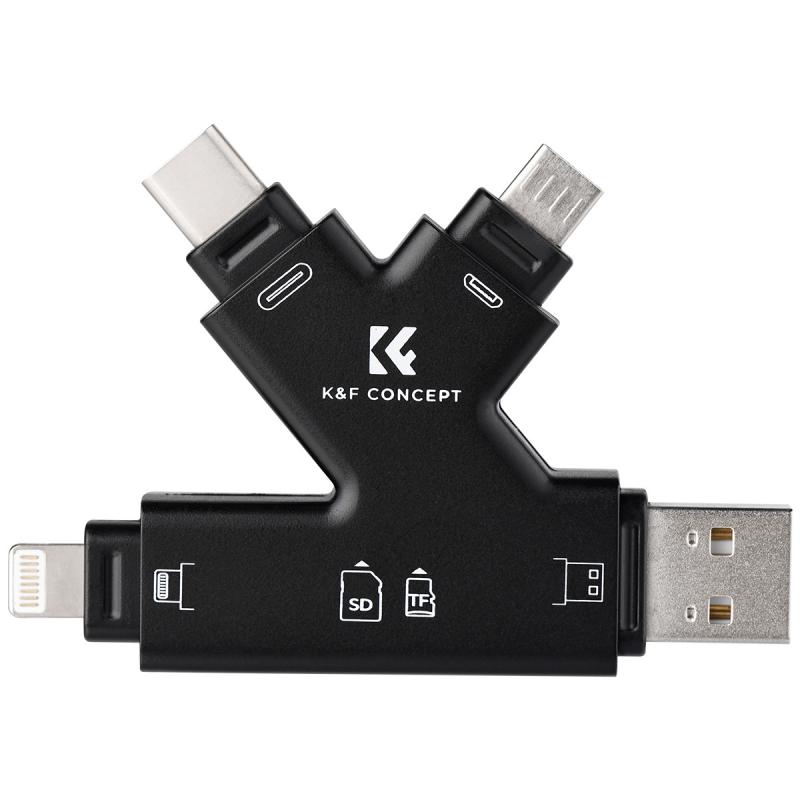
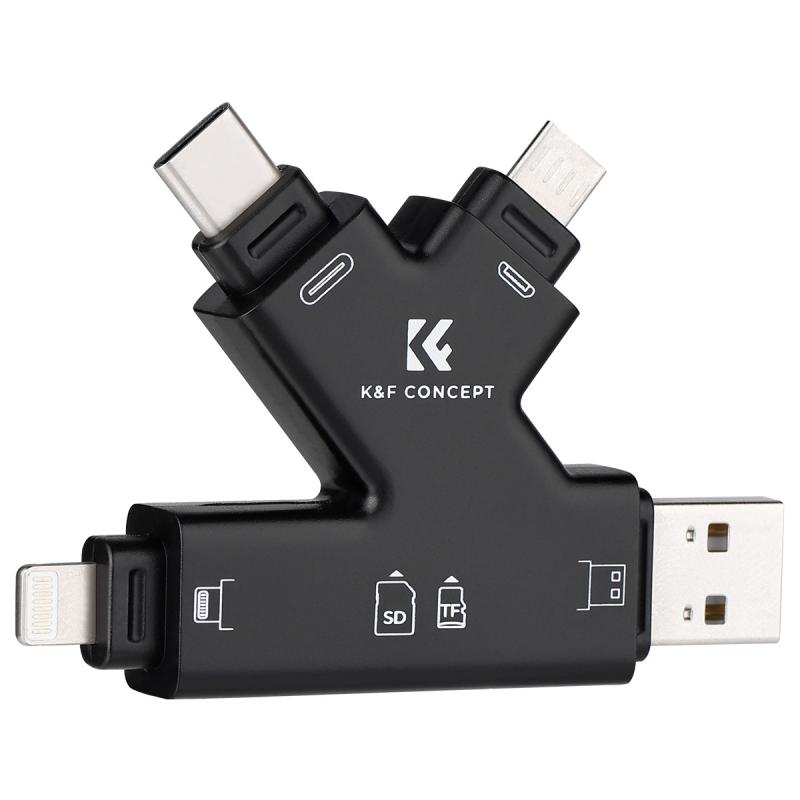
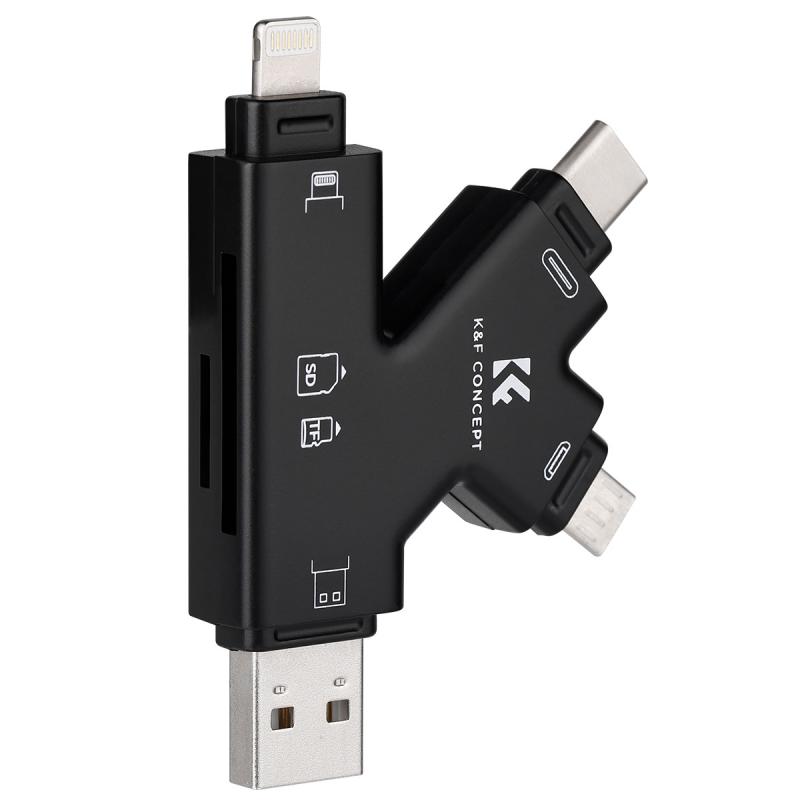
The first step is to ensure that the memory card is properly inserted into your Mac. If your Mac has an SD card reader, insert the card directly into the slot. For Macs that lack an SD card reader (such as the MacBook Air and MacBook Pro models after 2016), you'll need an external USB card reader or adapter. Plug the external reader into your Mac and insert the memory card.

Check that the card is fully seated in the slot or adapter, as an improperly inserted card might not connect with the Mac's operating system.

2. Verify Finder Visibility Settings
how to find a memory card on mac 4

One of the most common reasons users cannot locate their memory card is related to Finder's visibility settings. By default, macOS may not display external drives, including memory cards, in Finder or on the desktop. To change these settings:

- Open Finder.

- Go to the menu bar at the top of the screen and select Finder > Preferences.

- Click on the General tab.

- Ensure that the checkbox for "External disks" is selected under "Show these items on the desktop."

- Next, go to the Sidebar tab in the same preferences window.

- Ensure "External disks" is also selected under "Locations."

Once you’ve enabled these options, you should see the memory card appear on either the desktop or in the Finder sidebar under "Locations."

3. Check the Disk Utility Tool

If the memory card still does not appear in Finder or on the desktop, the next step is to check Disk Utility. This built-in macOS tool allows you to see all connected storage devices—whether or not they’re mounted and visible to Finder.

- Open Disk Utility by searching for it in Spotlight (press Command + Space, then type "Disk Utility").

- Look for your memory card in the left-hand sidebar under "External" or "Internal."

- If the memory card is listed but not mounted, right-click (or Control-click) on it and select Mount. This should make it accessible via Finder and the desktop.

4. Check Compatibility and Format Issues

Some memory cards may not be immediately compatible with macOS due to their file system format. For example, cards formatted in formats like NTFS (commonly used by Windows systems) might appear as read-only, or they may not mount at all. In such cases:

- Use Disk Utility to check the file system format. Select the card in the sidebar, and its format will be displayed at the top.

- If the card is formatted in an incompatible format, you may need to reformat it to a macOS-compatible format such as ExFAT, FAT32, or APFS. Be warned, however, that reformatting will erase all data on the card, so back it up on another device first if possible.

To reformat:

1. In Disk Utility, select the memory card.

2. Click Erase in the top menu.

3. Choose a new format—ExFAT is a good choice if you need compatibility with both Windows and Mac systems.

4. Name the drive (optional) and click Erase to proceed.

Once the reformatting is complete, the card should mount and appear in Finder.

---

Troubleshooting When a Memory Card Doesn't Show Up

If you've followed the above steps and your memory card still doesn't show up, you may need to troubleshoot further. Here are some practical solutions:

1. Test the Hardware

- Test the Card on Another Device: Insert the memory card into another computer or device to ensure it’s functioning.

- Try a Different Reader or Port: Test the card using a different external card reader and/or connect it to a different USB port on your Mac.

- Inspect the Memory Card for Damage: Physical damage to the card (such as bent pins or scratches) may make it unreadable.

2. Reset the System Management Controller (SMC)

Occasionally, hardware detection issues are related to macOS system-level glitches. Resetting the SMC can fix unresponsive ports or external devices not mounting correctly. The steps to reset the SMC depend on your Mac model—refer to Apple's official support page for guidelines.

3. Check macOS Permissions

Sometimes, macOS may block access to external devices due to permission settings, particularly on newer systems with increased emphasis on security and privacy. To address this:

- Go to System Settings > Privacy & Security > Files and Folders.

- Confirm that Finder has permission to access external drives.

4. Run First Aid in Disk Utility

If your memory card is visible in Disk Utility but refuses to mount, use the First Aid feature. This scans the card for errors and attempts to repair them. Select the card in Disk Utility and click First Aid to begin this process.

5. Update macOS

Outdated macOS versions may cause compatibility issues with certain external devices. Always make sure you’re running the latest version of macOS by heading to System Settings > General > Software Update.

---

Practical Applications and Tips

Now that you know how to locate and troubleshoot a memory card, let’s briefly address practical usage scenarios and some helpful tips:

1. Transferring Files: When you locate your memory card in Finder, you can drag and drop files between the card and your Mac. Ensure the card has enough free storage for your intended files.

2. Photo and Video Management: Memory cards are commonly used to store images and videos. Use image management tools like Photos or Lightroom to import, organize, and edit your content with ease.

3. Backup Data: Memory cards are a portable option for data backup. However, remember that they have a limited lifespan. Use them alongside other backup solutions like external hard drives or cloud storage for redundancy.

4. Avoid Data Loss: Always eject your memory card safely before removing it. Right-click the card in Finder or on the desktop and select Eject, or drag it to the Trash/Eject icon in the Dock.

---

Finding a memory card on a Mac is typically a simple process, but occasional issues can arise due to visibility settings, compatibility concerns, or technical glitches. By following the step-by-step instructions detailed above, you should be able to quickly locate your memory card, troubleshoot any problems, and manage your files with ease. Whether you’re transferring photos, backing up data, or formatting a card for a specific purpose, your Mac provides robust tools to get the job done. With these tips, you’ll never have to struggle with unrecognized memory cards again!

Leave your comment
Cancel reply
Note: HTML is not translated!
Related products
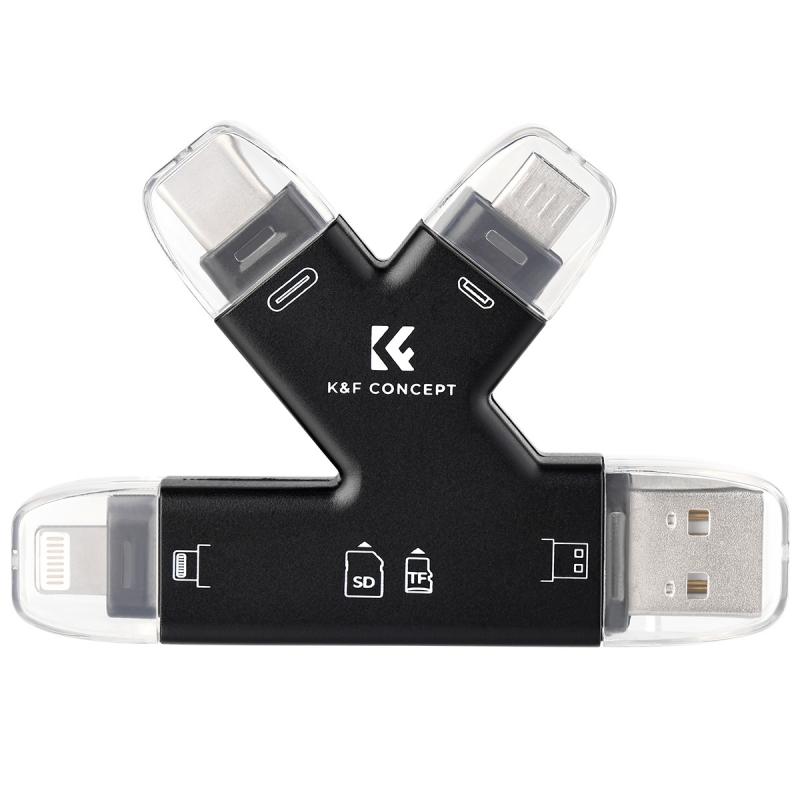
SD Card Reader for iPhone/iPad/Android/Mac/Computer/Camera, 4 in 1 Micro SD Card Reader Tracking Camera Viewer, Portable Memory Card Reader SD Card Adapter Compatible with SD and Micro SD Card/TF Card ( black)
A$20.99
MicroDrive 128GB SD Memory Card
A$45.99 A$45.99
64G micro SD card U3/V30/A1 with adapter memory card suitable for home surveillance camera hunting camera and driving recorder memory card K&F CONCEPT
A$25.99
64G micro SD card U3/V30/A1 with adapter 4 packs memory card suitable for home surveillance camera hunting camera and driving recorder memory card K&F CONCEPT
A$56.10
64G micro SD card U3/V30/A1 with adapter 7 packs memory card suitable for home surveillance camera hunting camera and driving recorder memory card K&F CONCEPT
A$88.28
MicroDrive Micro SD UHS-I Memory Card 128GB
A$45.99 A$45.99
64GB Tracking Camera Memory Card U3 V30 Read Speed Up To 90mb/s, 4k Uhd for Digital Cameras and Sdxc Devices
A$25.99
64GB Micro SD Card U3/V30/A1 with Adapter, Memory Card for Cameras, Borescopes,  Microscopes, Night Vision Goggles, Kentfaith
64GB Micro SD Card U3/V30/A1 with Adapter, Memory Card for Cameras, Borescopes, Microscopes, Night Vision Goggles, Kentfaith
A$43.74 A$34.99
32GB Micro SD Card U3/V30/A1 with Adapter, Memory Card for Cameras, Borescopes,  Microscopes, Night Vision Goggles, Kentfaith
32GB Micro SD Card U3/V30/A1 with Adapter, Memory Card for Cameras, Borescopes, Microscopes, Night Vision Goggles, Kentfaith
A$34.99 A$27.99
Borescope Camera 1080P HD 4.3" Screen 360° Adjustable Lens 8.5mm Cable 32G Memory Card 3M Cable
246
A$839.99 A$504.99
Recommended products
M42 Series Lens to Sony E Series Mount Camera, M42-NEX FIT ART High Precision Lens Mount Adapter
67
A$48.99
Pocket 3 Aluminum Alloy Magnetic Expansion Frame
A$85.79 A$65.99
Smart Camera Glasses, HD 1080P, EIS Stabilization, WiFi Connect, Translation, 4H Playtime, Kentfaith
NEW Arrival
Smart Camera Glasses, HD 1080P, EIS Stabilization, WiFi Connect, Translation, 4H Playtime, Kentfaith
15
A$187.49 A$149.99
52mm Black Diffusion Mist 1/4 & Variable ND2-32 2-in-1 Filter Cinematic Effect Neutral Density Filter for Camera Lens with 18 Multi-Layer Coatings - Nano-Klear Series
35
A$62.53 A$57.99
Nikon NIK(G) Mount Lens to Sony E Camera Body with Matting Varnish Design K&F Concept Lens Mount All Copper Adapter
A$59.99
52mm Circular Polarizer Filter with Lens Cap Optical Glass Ultra Slim 18 Multi-Layer Coatings Polarizing Filter for Camera Lens Nano-Klear Series
A$29.89 A$22.99
1026MT 10x26 Binoculars Multi-Coated Optics and BaK4 Prisms for Bird Watching, Hunting, Sports Events or Concerts
A$84.99 A$84.99
64GB Micro SD Card U3/V30/A1 with Adapter, Memory Card for Cameras, Borescopes,  Microscopes, Night Vision Goggles, Kentfaith
64GB Micro SD Card U3/V30/A1 with Adapter, Memory Card for Cameras, Borescopes, Microscopes, Night Vision Goggles, Kentfaith
A$43.74 A$34.99
49mm Magnetic 1/4 Black Mist Filter Kit - Nano-Xcel Series
82
A$145.99 A$100.99
K&F Concept Camera Sling Bag Crossbody Bag Hardshell Camera Shoulder Backpack DSLR/SLR/Mirrorless Camera Case Photography Bags Compatible with Canon/Nikon/Sony/Fuji/Gopro/DJI
2
A$194.99 A$97.98
Related articles
How To Find Graphics Card Memory Size?
How To Clear Memory Card On Camera?
How To Plug In A Memory Card?
How To Fix A Memory Card Error?
How Does A Memory Card Work?
How To Find A Hidden Voice Recorder?
How To Get Free Memory Card?
How To Use Memory Card Adapter?
How To Make Ps4 Memory Card?
When Will Carbon Monoxide Detector Go Off?
Recommended articles
What Type Of Cctv System Is Best For A Home?
How To Fix Mobile On Tripod?
What Is The Best Variable Nd Filter?
How Deep Metal Detector?
How Do The Numbers On Binoculars Work?
What Are Rgb Led Lights?
What Is A Wireless Ip Camera?
How To Attach A Canon Camera Strap?
Are Budget Carbon Fiber Tripods Worth Buying in 2022?
Where To Buy A Metal Detector In Store?
Popular categories
Camera SD Card camera strap chest harness DJI Mini 3 Pro Accessories Mini Tripod USB Endoscope Camera 4G Surveillance Camera DJI Mavic Mini 3 Accessories circular reflector photography Rechargeable Outdoor Lights Endoscope Camera
Popular products
gaming memory card sd memory card 64gb memory card sd 128gb memory micro card Portable Surveillance Camera 32gb memory card 32gb sd memory card sd memory card adapter memory card adapter sd memory card case
Popular searches
Mac Pro Memory Card Slot Best Memory Card Recovery Mac A Data Memory Card Memory Card Reader For Mac Air Memory Card On Sale Memory Card For A Switch Best Metal Detector To Find Gold Voice Recording Device On Mac Memory Card Locked On Camera Memory Card For A Canon Camera
Powered By K&F Concept © 2025