kfconcept

K&F Concept Australia

Enjoy Your Selected Digital Life

Recently Viewed
  • Recently Viewed
  • Recently Viewed list is empty.

Compare (0) 0
  • Compare
  • You have not chosen any products to compare.

  • Compare
Currency: AUD
  • Currency

Log Into Your Account

Account

Order History

Wish List

Login

Forgotten Password?

Or connect with

Register Account

Already have an Account?Log In

  • Shopping Cart
  • Your shopping cart is empty!

  • Register/Login to purchase, earn points
  • Favorite
  • Your wish list is empty.

  • Register/Login to like, earn points
  • Tripods
    • Aluminum Tripods
    • Carbon Fiber Tripods
    • Tripod Legs
    • Video Tripods
    • Monopods
    • Mini Tripod
    • Tripod Accessories
    • Gimbal Stabilizers
    • Lighting & Studio Accessories
      • Camera Flash
      • Photography Fill Light
      • Ring Light
      • Soft Box
      • Tripod Light Stands
      • Reflectors
    • Tripod Head
    • Tripod Kit
    • Phone Tripods
    • Action Camera mounts
  • Lens Filters
    • Protection & UV Control Filters
      • Nano-Xcel Series
        • MCUV - Nano-Xcel
        • Ultra-low Reflectivity MCUV Filters - Nano-Xcel
        • MCUV Super Hard - Nano-Xcel
        • Explosion-proof MCUV - Nano-Xcel
        • MCUV+Lens Cap+Cleaning Cloth - Nano-Xcel
        • Super Hard&Ultra Low Reflection MCUV Filters - Nano-Xcel
        • Magnetic MCUV - Nano-Xcel
      • Nano-Dazzle Series
        • MCUV - Nano-Dazzle
        • MCUV+Lens Cap+Cleaning Cloth - Nano-Dazzle
      • Nano-Klear Series
        • MCUV - Nano-Klear
        • Ultra Thin Frame MCUV Filters - Nano-Klear
        • MCUV+Lens Cap - Nano-Klear
        • MCUV+Lens Cap+Cleaning Cloth - Nano-Klear
      • Nano-Xcel Pro Series
        • MCUV - Nano-Xcel Pro
    • Polarizers
      • Nano-Xcel Series
        • CPL - Nano-Xcel
        • CPL True Color - Nano-Xcel
        • Ultra-low Reflectivity CPL - Nano-Xcel
        • CPL+Lens Cap+Cleaning Cloth - Nano-Xcel
        • Magnetic CPL - Nano-Xcel
          • Magnetic CPL + Apater ring + Cap - Nano-X
        • True Color Ultra-low Reflectivity CPL - Nano-Xcel
      • Nano-Dazzle Series
        • CPL - Nano-Dazzle
        • CPL+Lens Cap+Cleaning Cloth - Nano-Dazzle
      • Nano-Klear Series
        • CPL - Nano-Klear
        • Ultra Thin Frame CPL Filters - Nano-Klear
        • CPL+Lens Cap+Cleaning Cloth - Nano-Klear
        • CPL+Lens Cap - Nano-Klear
      • Nano-Xcel Pro Series
        • CPL - Nano-Xcel Pro
    • Neutral Density Filters
      • Neutral Density (Solid) Filters
        • ND8 (3 stops) - Nano-Xcel Series
        • ND64 (6 stops) - Nano-Xcel Series
        • ND1000 (10 stops) - Nano-Xcel Series
        • ND100000 (16.6 stops) - Nano-Xcel Series
        • ND1000 - Nano-X Pro Series
        • ND1000000 (20 stops) - Nano-Xcel Series
        • ND100000 (16.6 stops) - Nano-Klear Series
        • ND1000000 (20 stops) - Nano-Klear Series
        • Solid ND - Magnetic Series
      • Variable Neutral Density Filters
        • Nano-Xcel Series
          • ND2-ND32 - Nano-Xcel
          • ND2-ND32 True Color - Nano-Xcel
          • ND2-ND400 - Nano-Xcel
          • ND8-ND128 - Nano-Xcel
          • ND32-ND512 - Nano-Xcel
          • ND3-ND1000 - Nano-Xcel
          • ND2-32 True Color Ultra-Low Reflection - Nano-Xcel
          • ND2-400 Ultra-Low Reflection - Nano-Xcel
        • Nano-Dazzle Series
          • ND2-ND32 - Nano-Dazzle
          • ND2-ND400 - Nano-Dazzle
          • ND3-ND1000 - Nano-Dazzle
          • ND8-ND2000 - Nano-Dazzle
        • Nano-Klear Series
          • ND2-ND32 - Nano-Klear
          • ND2-ND400 - Nano-Klear
          • ND2-ND2000 - Nano-Klear
          • True Color ND2-ND400 - Nano-Klear
        • Nano-Xcel Pro Series
          • ND2-ND32 - Nano-Xcel Pro
        • Nano-B Series
          • ND2-ND400 - Nano-B
      • Graduated Neutral Density Filters
        • 100mm GND Filter
          • Soft GND8 Filters - Nano-Xcel Series
          • Hard GND8 Filters - Nano-Xcel Series
          • Reverse GND8 Filters - Nano-Xcel Series
          • Hard GND16 - Nano-X Series
          • Soft GND16 Filters - Nano-Xcel Series
          • Reverse GND16 Filters - Nano-Xcel Series
          • Soft GND8 Filters - Nano-Xcel Pro Series
          • Hard GND8 Filters - Nano-Xcel Pro Series
          • Reverse GND8 Filters - Nano-Xcel Pro Series
          • Soft GND16 Filters - Nano-Xcel Pro Series
          • Reverse GND16 Filters - Nano-Xcel Pro Series
        • Circular GND Filter
          • GND8 - Nano-Xcel Series
          • GND16 - Nano-Xcel Series
      • 2 in 1 Filters
        • ND2-ND32&CPL Filters - Nano D Series
        • ND4-ND64&CPL Filter
        • ND2-ND32&CPL Filter - Nano-X Pro
        • ND8&CPL Filter
        • ND2-ND32&CPL Filter
        • ND2-ND32&CPL True Color Filters - Nano-X Series
        • ND2-32&CPL Filters - Nano K Series
      • 3 in 1 Filters
        • ND2-32&CPL&Black Mist 1/4 Filters - Nano-Xcel Series
        • ND2-32&CPL&Black Mist 1/4 Filters - Nano-Klear Series
    • Black Mist & Soft Focus Filters
      • Black Mist
        • Black Mist 1
          • Black Mist 1 - Nano-X Series
          • Black Mist 1 - Nano-K Series
        • Black Mist 1/2
          • Black Mist 1/2 - Nano-X Series
          • Black Mist 1/2 - Nano-K Series
        • Black Mist 1/4
          • Black Mist 1/4 - Nano-Xcel Series
          • Black Mist 1/4 - Nano-D Series
          • Black Mist 1/4 - Nano-K Series
          • Black Mist 1/4 - Nano-Xcel Pro Series
          • Black Mist 1/4+Lens Cap+Cleaning Cloth - Nano-Klear Series
        • Black Mist 1/8
          • Black Mist 1/8 - Nano-X Series
          • Black Mist 1/8 - Nano-D Series
          • Black Mist 1/8 - Nano-K Series
          • Black Mist 1/8 - Nano-Xcel Pro Series
          • Black Mist 1/8+Lens Cap+Cleaning Cloth - Nano-Klear Series
        • Black Mist Kit
          • Black Mist 1/4 + 1/8 Nano X Series
          • Black Mist 1/4 + 1/8 - Nano Klear Series
          • Black Mist 1/4 + CPL - Nano Klear Series
        • Black-Mist & VND
          • Black Mist 1/4 & ND2-32 Filters - Nano-Klear Series
          • Black Mist 1/4 & ND2-400 Filters - Nano-Xcel Series
          • Black Mist 1/4 & ND2-32 Filters
          • Black Mist 1/8 & ND2-32 Filters - Nano-Klear Series
          • Black Mist 1/4 & ND2-400 Filters - Nano-Klear Series
        • Black Mist & CPL
          • Black Mist 1/4&CPL - Nano-Klear Series
      • White Mist
        • White Mist 1/4 - Nano-Xcel Series
        • White Mist 1/4 - Nano-Klear Series
      • Shimmer Diffusion
        • Shimmer Diffusion 1 - Nano-Xcel Series
        • Shimmer Diffusion 1 - Nano-Klear Series
      • Vintage Soft
      • Combination Soft & Mist
    • Light Pollution Cut Filter
      • Light Pollution Cut Filter - Circular
      • Light Pollution Cut Filter - Square
    • Magnetic Lens Filters
      • MCUV Filters
        • Magnetic MCUV - Nano-Klear Series
        • Magnetic MCUV+Lens Caps - Nano-Xcel Series
      • CPL Filters
        • Magnetic CPL + Adapter Ring
        • Magnetic CPL+Adapter Ring - Nano-Klear Series
      • Black-Mist
        • Black Mist 1/8 Filters - Nano-Xcel Series
        • Black Mist 1/4 Filters - Nano-Xcel Series
        • Black Mist 1/2 - Nano-X Series
        • Black Mist 1 - Nano-X Series
      • Neutral Density (Solid) Filter
        • Magnetic ND8 - Nano-Xcel Series
        • Magnetic ND64 - Nano-Xcel Series
        • Magnetic ND1000 - Nano-Xcel Series
      • Unlimited Variable ND Filter
        • Magnetic ND2-ND32 - Nano-Xcel Series
        • Magnetic ND8-ND128 Filters - Nano-Xcel Series
      • Accessories
        • Magnetic Adapter Ring
        • Magnetic Filter Ring
        • Magnetic Cap
      • Kits
        • MCUV+CPL+ND1000+Adapter Ring - Nano-Xcel Series
        • CPL+ND8+ND64+Adapter Ring+Lens Cap - Nano-Xcel Series
        • GND8+ND8+ND64+ND1000+Adapter Ring - Nano-Xcel Series
        • CPL+VND2-32+Black Mist 1/4+Magnetic Ring+Lens Cap - Nano-Xcel Series
    • Square Filter System
      • Basic System
        • Square ND Filters
          • ND4 Filters - Nano-Xcel Series
          • ND16 Filters - Nano-X Series
          • ND1000 Filters - Nano-X Series
          • ND2000 Filters - Nano-X Series
          • ND32000 Filters - Nano-X Series
          • Full Color ND8 - Nano-X Series
          • Full Color ND64 - Nano-X Series
        • Square GND Filters
        • Light Pollution Cut Filter
        • Square Black Mist Filters
          • Black Mist 1 - Nano-X Series
          • Black Mist 1/2 - Nano-X Series
          • Black Mist 1/4 - Nano-X Series
          • Black Mist 1/8 - Nano-X Series
          • Black Mist 1/4 Kit - Nano-X Series
        • Brackets and Accessories
          • Adapter Ring - Nano-X
        • Kits
          • 100mm Square Filter System - Nano-X
      • Professional System
        • PL
        • ND
          • Full Color ND8 - Nano-X Pro
          • Full Color ND64 - Nano-X Pro
          • Full Color ND1000 - Nano-X Pro
        • GND
        • Black Mist 1/4 & CPL - Nano-X Pro Series
        • Light Pollution Cut Filter
          • Light Pollution Cut Filter - Nano-X Pro
        • Brackets and Accessories
          • 100x100mm Square Filter Protect Frame - Nano-X Pro
          • 100x150mm Square Filter Protect Frame - Nano-X Pro
          • Adapter Ring - Nano-X Pro
        • Kits
          • 100mm ND1000+Holder Kit - Nano-X Pro Series
          • 100mm ND1000+Soft GND8+Holder Kit - Nano-X Pro Series
          • 100mm ND8+ND64+ND1000+Holder Kit - Nano-X Pro Series
          • 100mm Holder Kit - Nano-Xcel Pro Series
    • Drone Filter
      • DJI Air 2S
      • DJI Air 3S
      • DJI Avata2
      • DJI Flip
      • DJI Mavic 3 Pro
      • DJI NEO
      • DJI Mini 1/2/SE
      • DJI Mini 4 Pro Filters
      • DJI Mini 3/DJI Mini 3 Pro
      • DJI Mavic 4 Pro
      • DJI Mavic 3 / Mavic 3 Cine
    • Effects Filters
      • Spiral Halo Filters - Nano-B Series
      • Prism Filters
        • Kaleidoscope Filters
          • Kaleidoscope Filters - Nano-B Series
          • Handheld Kaleidoscope Filters - Nano-B Series
        • Ordinary Prisms
          • Triangular Filtres - Nano-Basic Series
        • Central Prisms
          • Central Pentagonal Filters - Nano-Basic Series
          • Central Hexagonal Filters - Nano-Basic Series
        • Single Linear Prisms
      • Streak Filters
        • Blue Streak Filters - Nano-Xcel Series
        • Gold Streak Filters - Nano-Xcel Series
        • Colorful Streak Filters - Nano-B Series
        • Blue Streak Filters - Nano-Klear Series
      • Motion Blur Filters
        • Directional Motion Blur - Nano-Basic Series
        • Bidirectional Motion Blur - Nano-Basic Series
        • Handheld Motion Blur Filters - Nano-Basic Series
      • Spiral Filters
        • Handheld Spiral Filters - Nano-Basic Series
      • Diopter Filters
        • Centerfield Split Diopter Filters - Nano-Basic Series
        • Handheld Diopter Filters - Nano-Basic Series
      • Star Filters
        • Star Filters 4-8 Points - Nano-Klear Series
        • Star Filter Kits 4+6+8 Points - Nano-Klear Series
        • 4-Point Fine-Line Star Filters - Nano-Klear Series
        • 6-Point Fine-Line Star Filters - Nano-Klear Series
    • Filter Accessories
      • Lens Hoods
      • Polarized Film
      • Rings Kits
        • Step Up Rings
        • Step Down Rings
      • Filter Holders & Frames
      • Filter Holder Adapter Rings
        • Brass Adapter Ring
      • Filter Pouches
      • Caps
        • Caps for Magnetic Filters
        • Caps for Variable ND Filters
        • Center Pinch Lens Caps
          • 4 in 1
          • 5 in 1
          • 9 in 1
    • Filter Kit
      • Black Diffusion 1/4 + 1/8
      • Screw-In Filters
        • MCUV+CPL Filter - Nano K Series
        • MCUV+CPL+Lens Cap - Nano K Series
        • MCUV+CPL+ND1000+Lens Cap - Nano-Dazzle Series
        • MCUV+CPL+ND2-400 - Nano-Klear Series
        • ND8+ND64+ND1000 - Nano-D Series
        • MCUV+CPL+ND4
        • ND1000+CPL
        • ND4+ND8+ND64+ND1000
      • Magnetic Filters
      • Square Filters
    • Action Camera Filters
      • DJI Osmo Action 4 / Action 5 Pro
      • DJI Osmo Pocket 3
      • GOPRO Hero 9/10/11/12/13 Filters
      • Insta360 Ace pro 2
      • Insta360 GO3S
      • Action Camera Accessories
        • DJI Osmo Action 3/4/5 Pro
        • GoPro
        • Head Strap & Chest Mount
        • Insta360 X5
        • Magnetic Neck Mount
        • DJI Osmo Pocket 3 Expansion Mount
    • Phone Lens Filters
    • Matte Box & Filter Systems
      • Neutral Density (Solid) Filters
        • ND4 - Nano-Xcel Series
        • ND8 - Nano-Xcel Series
        • ND16 - Nano-Xcel Series
        • ND32 - Nano-Xcel Series
        • ND64 - Nano-Xcel Series
        • ND8+ND64 - Nano-Xcel Series
      • UV Filters
      • Black Mist Filters
        • Black Mist 1/4 - Nano-Xcel Series
        • Black Mist 1/8 - Nano-Xcel Series
      • Blue Streak Filters
      • Accessories
      • Kits
        • Matte Box - Nano-Xcel Series
        • Matte Box Pro - Nano-Xcel Series
        • Matte Box+ND8 Square Filter - Nano-Xcel Series
        • Matte Box+ND4+ND32 Square Filter - Nano-Xcel Series
        • Matte Box+Black Mist 1/4 Square Filter - Nano-Xcel Series
    • Brand-specific Filters
      • Fujifilm X100
      • Ricoh GR
  • Cameras
    • Digital Cameras
      • Digital Cameras & Camcorders
    • Waterproof Cameras
    • Action Cameras
    • Kids' Cameras
    • Phone Camera Lens
    • Camera battery
      • Sony
      • Canon
      • Nikon
      • FUJIFILM
      • Gopro
      • Lumix
      • Osmo Action
      • V Mount Battery
      • Memory Card Case
    • Time Lapse Camera
    • On-Dash Camera & Carplay
    • Trail Camera
      • Cellular Hunting Cameras
      • Wifi Hunting Cameras
      • Non-Cellular Hunting Cameras
      • Accessories
      • Fishing Camera
    • Cleaning Kits
    • Memory Cards
    • Camera Accessories
      • Camera Body Caps & Lens Rear Caps
      • Camera Screen Protectors
        • Canon
        • Sony
        • Fujifilm
        • Nikon
        • Olympus
        • Ricoh
        • GoPro
        • DJI Osmo Pocket 3
      • Camera Hot Shoe Covers
      • Camera Viewfinder Eyecups
        • Nikon
        • Sony
        • Canon
      • Adjustment Iris
      • DJI Osmo Pocket 3 Charging Base
  • Lens Adapters
    • A Mount Body (Sony/Minolta)
    • Fujifilm X Mount Body
    • Fujifilm G (GFX) Mount Body
    • C-Mount Body
    • Leica M Mount Body
    • MFT(M4/3) Mount Body
    • Pentax K Mount Body
    • Pentax Q Mount Body
    • Samsung NX Mount Body
    • Nikon F Mount Body
    • Nikon 1 Mount Body
    • Nikon Z Mount Body
    • Canon EOS EF/EF-S Mount Body
    • Canon EOS M Mount Body
    • Canon RF Mount Body
    • Sony E Mount Body
    • L-Mount Alliance (Leica)
  • Optics
    • Microscope
      • Light & Compound Microscopes
      • Digital Microscopes
      • Kids' Microscopes
    • Night Vision Goggles
    • Monocular
    • Binoculars
    • Telescope
    • Rangefinder
  • Camera Bags
    • Camera Backpacks
    • Camera Cases
    • Camera Shoulder Bags
    • Camera Straps
    • Backpack Accessories
  • Endoscope
    • Professional Endoscope
    • Household Endoscope
    • USB & WiFi Endoscope
    • Otoscope/Oral Endoscope
  • Surveillance Camera
    • 4G Camera
    • WiFi Camera
    • Battery Camera
    • Feeder Camera
    • Floodlight Camera
    • Monitoring Detector
  • More
      Smart Electronics
      AI ▪ Language Translator Device
      AI ▪ Digital Voice Recorders
      Smart Glasses
      Handheld Game Console
      Smart Watch
      Patio, Lawn & Garden
      Metal Detectors
      Weather Stations & Household Sensors
      Chicken Coop Door
      Audio & Video Electronics
      Motorcycle Bluetooth Headset
      Microphone
      Headphones
      Light
      Drone Accessories
      Machines & Tools
      Laser Engraver Machine
      Remote Sensors
      Solar Panels
      Smart Lock
  • Deals
    • Specials
    • Coupon
    • New Arrivals
    • Hot Sale
  • Home
  • Blog
  • How To Us Flash S7 Camera?

How To Us Flash S7 Camera?

K&f concept 2025-01-09 01:42:55 0 Comments

Using the flash feature on a Samsung Galaxy S7 camera may seem straightforward, but for those unfamiliar with the device, finding and mastering this functionality can be slightly confusing. This guide is intended to address common questions and challenges users face when attempting to use the flash feature on their Galaxy S7 camera. Whether you're troubleshooting problems with the flash, trying to enhance your photo quality in low-light settings, or seeking tips for better photography outcomes, this article will walk you through step-by-step.

1. Understanding the Flash Settings on the Galaxy S7 Camera

The Samsung Galaxy S7 comes equipped with a versatile camera that includes a flash LED light, which helps improve the lighting for photos taken in dark or low-light environments. Managing the flash is simple once you become familiar with the camera app.

When you open the Camera app on the Galaxy S7, you'll notice a flash icon on the top or side of the screen (depending on whether you're holding the phone vertically or horizontally). This icon controls the flash settings for your camera. You have three primary options for flash functionality:

- Auto Mode: The camera will automatically decide if flash is needed by assessing the lighting conditions of your environment.

- On Mode: The flash will always activate every time you take a photo, regardless of the lighting conditions.

- Off Mode: The flash remains disabled even in low light.

2. How to Use the Flash Step by Step

If you're new to your Galaxy S7, here's a detailed guide on enabling and using the flash for optimal results:

a) Open the Camera App

The first step is to locate and open the camera app on your Galaxy S7. You can access it from the home screen or in the app drawer.

b) Locate the Flash Icon

Once the app is open, look for the flash icon at the top of your screen (marked as a “lightning bolt” symbol).

c) Choose Your Desired Flash Setting

Tap on the flash icon repeatedly to cycle through the different settings:

- If you want the flash to activate automatically in low-light situations, select Auto Flash (a bolt icon with the letter "A").

- For constant use, select Flash On (solid lightning bolt icon).

- To keep flash turned off, choose Flash Off (lightning bolt with a slash through it).

d) Test Your Flash Setting

Take a test photo to identify if the flash is behaving as planned. This helps highlight whether it's suitable for the lighting you’re shooting in.

e) Switch Between Front and Rear Cameras (Optional)

Remember, the front camera on the Galaxy S7 does not have a built-in LED flash. Instead, the screen itself serves as a flash by briefly illuminating bright white during the photo capture. To enable this functionality for selfies, you can:

- Open the front camera view.

- Look for the same flash icon to enable screen flash.

- Adjust settings, just as you would with the rear camera flash.

---

3. Key Scenarios Where Flash is Useful

To maximize the effectiveness of your camera flash, understanding when and where to use it can be critical:

a) Low-Light Photography

Flash is excellent for taking pictures in dimly lit environments, such as during nighttime events or indoors. By using Auto Flash or Flash On mode, subjects will be brought out of shadows, and critical details will pop.

b) Capturing Motion in the Dark

If you’re photographing a moving subject in low light, the flash can freeze the motion and prevent blurriness.

c) Improving Indoor Shots

Even during the day, indoor shots can often appear shadowed or poorly lit. Using the flash adds brightness and reduces noise.

---

4. Tips for Using Flash More Effectively

While the flash on your Galaxy S7 can be extremely helpful, over-reliance or improper usage can lead to poorly lit or unnatural-looking photos. To avoid this, follow these expert tips:

a) Avoid Overexposure

Flash can sometimes overexpose subjects or wash them out if they’re too close to the camera. Maintain a proper distance of at least two to three feet between the subject and the lens when using the flash.

b) Don’t Always Rely on Flash

In some cases, the ambient light from the environment will yield better results than the flash. For instance, natural or diffused light is often preferable for portraits to avoid harsh shadows.

c) Be Mindful of Reflective Surfaces

When capturing photos near glass, mirrors, or glossy objects, be cautious. The flash might reflect off these surfaces, ruining the image.

d) Use HDR Mode

When possible, enable HDR (High Dynamic Range) mode in your camera settings if you're taking photos with variable lighting. This mode combines multiple exposures into one photo and can often produce vibrant colors and better contrasts without needing a flash.

e) Experiment with Manual Controls

The Galaxy S7 camera app has a “Pro Mode” where you can manually adjust shutter speed, ISO, and white balance. Learning to use these settings can sometimes eliminate the need for flash altogether.

---

5. Troubleshooting Flash-Related Issues

Sometimes, you may encounter issues while using flash on your Galaxy S7. Here are common problems and solutions:

a) Flash Doesn’t Work

- *Solution*: Ensure that you're not in a power-saving mode, as this can disable flash functionality. Go to “Settings” > “Battery” and disable power-saving features.

- Also, ensure the camera app has permission to access the device's flash. Go to “Settings” > “Apps” > “Camera” > “Permissions.”

b) Flash Photos Appear Blurry

- *Solution*: Hold the camera steady or use a smartphone tripod when shooting in low light with flash. Motion blur often occurs if the phone is moving during the flash activation.

c) Flash Overheats

- *Solution*: Avoid extended usage of the flash. Continuous use can cause the device to overheat, which may limit flash functionality.

d) Flash Reflections

- *Solution*: Adjust the angle of your shot to minimize reflections or glare if photographing shiny surfaces.

---

6. Using Flash in Creative Ways

Flash doesn’t have to be confined to low-light photography. Here are some creative ways to use the Galaxy S7 flash:

a) Backlighting Effect

Place your subject in front of the light source and use the flash for a striking silhouette effect.

b) Experiment with Fill Flash

Use the flash during daylight to fill in shadows on a bright yet unevenly lit subject. This technique is particularly helpful for outdoor portraits.

c) DIY Light Painting

Place your phone in Pro Mode with long-exposure settings, and use the flash to illuminate parts of the frame selectively for artistic light-painting techniques.

---

7. The Future of Smartphone Flash Technology

While smartphones like the Galaxy S7 offered a robust build in their time, newer smartphones have introduced improved low-light capabilities that reduce the dependency on flash. Features like Night Mode and computational photography have enhanced low-light performance on modern smartphones. For Galaxy S7 users, it's great to use the flash when required, but don't forget to experiment with available lighting and make the most of the tools at your disposal.

---

Final Words

The Samsung Galaxy S7 camera remains a powerful tool in its category, thanks to its advanced settings and flash functionality. Learning to use flash effectively can drastically improve your photography, especially in challenging lighting conditions. By following the steps and tips outlined above, you can ensure better results, troubleshoot common problems, and explore creative possibilities with your Galaxy S7's flash.

Remember to take some time to experiment and familiarize yourself with your device’s camera capabilities, as mastering these features will lead to an enjoyable and productive photography experience.
Leave your comment
Cancel reply
Note: HTML is not translated!
Related products
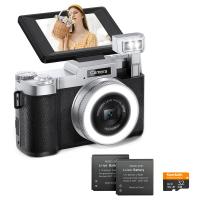
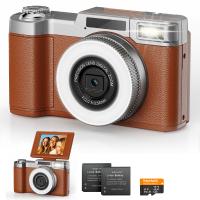
4K Digital Camera for Photography with Flash Light + Lens Fill Light 180° Flip Screen Kentfaith
10
A$249.99 A$149.99
Flash Diffuser for GW51.0116 Soft & Flexible Silicone
11
A$22.49 A$17.99
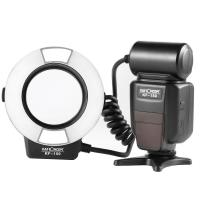
KF150 TTL Marco Ring Flash for Canon EOS Rebel GN14
A$113.59
4K Digital Camera for Photography & Video [Autofocus and Stabilisation] 48MP 16X Digital Zoom 3” 180° Flip Screen Vlog Camera with 32G SD Card, Flash
70
A$299.99 A$178.99
【Flash Deal】37~95mm CPL Filter 28 Layer  NANO-X Series
【Flash Deal】37~95mm CPL Filter 28 Layer NANO-X Series
A$121.99 A$0.10
4K 64MP Digital Camera for Photography, Flash + Lens Fill Light, Auto Focus, Webcam, 180° Flip Screen, for Vlogging, Youtube, Traveling, Kentfaith
15
A$187.49 A$149.99
Gift Certificate: $15 Value - Can Use with Any Discounts-$0.1 Flash Sale
A$15.00 A$0.10
Flash sale: 180$A for 200$A gift certificate, can use with coupon codes
A$200.00 A$180.00
Flash sale: 90$A for 100$A gift certificate, can use with coupon codes
A$100.00 A$90.00
Flash sale: 270$A for 300$A gift certificate, can use with coupon codes
A$300.00 A$270.00
Recommended products
KT-19
KT-19
A$92.39
K&F Concept Camera Lens Pouch Case, Waterproof Zipper Lens Protective Bag, Camera Lens Carry Bag Fits Lenses Below 3.5x7.1 (D x H) - L
95
A$89.99 A$47.98
40.5mm Black Mist 1/4 & CPL Filter 2 in 1 Black Diffusion Circular Polarizing Effect Filter with 18 Multi-Layer Coatings Nano-Klear Series
25
A$33.34 A$27.99
46mm MCUV+CPL+ND2-400 (1-9 Stops) Lens Filter Kit - 18-Layer Coated Optical Glass with Pouch & Cleaning Cloth - Nano-Klear Series
A$77.99 A$59.99
K&F Concept Pentax K Lens Mount to Sony E Camera Body Adapter Ring, matte lacquer, PK-E FIT ART
A$48.99
37mm Black Mist Filter 1/8 + 3pcs Cleaning Cloth with 18 Multi-Layer Coatings Nano-Klear
64
A$40.29 A$30.99
Miniscope Kids, Mini Labsters Portable Microscope with 4pcs Microscope Slides for Learning, Mini Scope for Education, Learning, and Exploring, Microscopes for School (White)
A$31.24 A$24.99
62mm Magnetic Variable ND2-32 Lens Filters
31
A$158.99 A$109.99
94"/2.4m Overhead Camera Tripod Lightweight Travel Tripod with Detachable Monopod & Extension Arm, 360 Ball Head and 44lbs/20kg Load Gimbal Head for Canon Sony Nikon DSLR SLR
A$279.99
Pentacon 6 Kive 60 Lenses to Pentax K Lens Mount Adapter K&F Concept M27221 Lens Adapter
A$19.99
Related articles
How To Make Camera Flash?
How To Install Memory Card In Galaxy S7?
How To Trigger Flash Off Camera?
How To Fix A Camera Flash?
How To Ipad Air Camera Flash?
How To Get Flash On Ipad Camera?
How To Make On Camera Flash Look Good?
How Long After Speed Camera Flash?
How Bright Is Red Light Camera Flash?
What Is Laser Rangefinder?
Recommended articles
What Height Tripod Is Best For Mobile?
How To Record Voice In Windows?
What Is The Best Backyard Weather Station?
What Is A Voice Recorder Used For?
How To Hang A Foldable Solar Panel?
Are 50 X 60 Monoculars Any Good?
How To Clean The Inside Of Binoculars?
Which Gopro Camera Is Best For Hunting?
How To Get Ring Light On Snap?
How Can You Detect Trail Cameras?
Popular categories
Hunting Camera camera tripods Camera Backpacks Camera Cases Camera Straps Camera Battery Endoscope Camera Camera Accessories 4G Surveillance Camera WiFi Trail Camera
Popular products
wifi camera monitor 4k digital camera hd digital camera night vision digital video camera hidden spy camera detector dome security camera battery powered camera light ring for nikon camera lens accessories 4K Digital Camera
Popular searches
Galaxy S7 External Camera Flash S7 Edge Front Camera Flash Samsung Galaxy S7 Front Camera Flash Us Gear Camera Case Us Made Camera Strap Us Cellular Surveillance Camera Mini Android Endoscope Camera Us Us Cellular Outdoor Security Camera Samsung S7 Wireless Camera Galaxy S7 Camera Lens Case
Powered By K&F Concept © 2025