
Reviews
Good performer for quicik audio recording
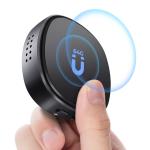
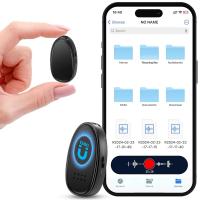
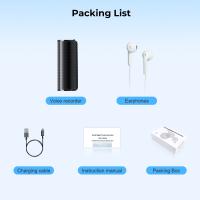
I purchased this to help record longer conversations where we did not have Zoom or Teams active.The package comes with the audio puck, the USB-c to USB-A charger and data transfer, as well as the dongle to listen to recordings directly from the audio puck.
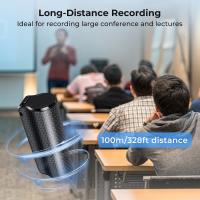
I subjected this to some live tests: at my conference, in a private room with speakers as well as on the show floor during regular show hours.
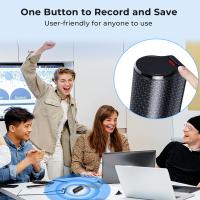
There is only one slide button to power it on (which starts recording immediately) and off (to stop recording)
The results were generally good with a few caveats:
*In a quiet room, I recorded a couple of conversations. To access the conversations, i first listened with the included dongle plug-in and my headset - no computer. Doing so this way ended up with subpar results - I heard a louder electronic hum / static which sometimes was louder than the conversation (the puck was between 2 ft and 4ft from speakers).
I then used the USB-c to A cable to connect to my computer. I have a dual boot ubuntu and WIndows 11 system.
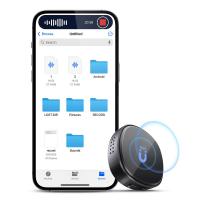
In Ubuntu, I could see the files on the drive (in the off position) as .WAV files (not mp3 or other formats). However, WAV playback was not recognized in Ubuntu 22.04 (and could not find a software) but was successful using VLC. Similar situation with Win 11 - the built-in player did not recognized WAV file but VLC did.
I then chose to convert to mp3 using VLC, and this worked well, and could now move files via usb drive. Also, following VLC playback and mp3 conversion, the playback was better (no hum) and more intelligible.
I then took an advanced step and used Perplexity to try to transcribe the audio upload. It did a decent job, enough for me to create a summary.
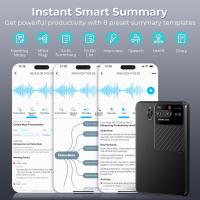
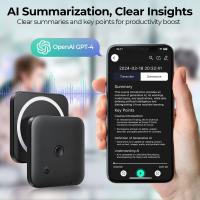
*Next test case: a noisier environment, the event show floor. As above, files are recorded as WAV and playback was ok, though much more noise from the background of the attendees and discussions. I converted to mp3 and again tried perplexity to parse a transcription. Unfortunately, due to the background noise, Perplexity was not successful in transcribing. So I spent over an hour listening to recordings and manually capturing key notes. There is no AI to help reduce background noise and clean up the rest of the audio, nor is there an app to transcribe.
Battery seems to last at least a couple of hours. The audio puck also has a weak magnet so it could attach to the iPhone, but it is weak and if upside down, would fall off.
I subjected this to some live tests: at my conference, in a private room with speakers as well as on the show floor during regular show hours.
There is only one slide button to power it on (which starts recording immediately) and off (to stop recording)
The results were generally good with a few caveats:
*In a quiet room, I recorded a couple of conversations. To access the conversations, i first listened with the included dongle plug-in and my headset - no computer. Doing so this way ended up with subpar results - I heard a louder electronic hum / static which sometimes was louder than the conversation (the puck was between 2 ft and 4ft from speakers).
I then used the USB-c to A cable to connect to my computer. I have a dual boot ubuntu and WIndows 11 system.
In Ubuntu, I could see the files on the drive (in the off position) as .WAV files (not mp3 or other formats). However, WAV playback was not recognized in Ubuntu 22.04 (and could not find a software) but was successful using VLC. Similar situation with Win 11 - the built-in player did not recognized WAV file but VLC did.
I then chose to convert to mp3 using VLC, and this worked well, and could now move files via usb drive. Also, following VLC playback and mp3 conversion, the playback was better (no hum) and more intelligible.
I then took an advanced step and used Perplexity to try to transcribe the audio upload. It did a decent job, enough for me to create a summary.
*Next test case: a noisier environment, the event show floor. As above, files are recorded as WAV and playback was ok, though much more noise from the background of the attendees and discussions. I converted to mp3 and again tried perplexity to parse a transcription. Unfortunately, due to the background noise, Perplexity was not successful in transcribing. So I spent over an hour listening to recordings and manually capturing key notes. There is no AI to help reduce background noise and clean up the rest of the audio, nor is there an app to transcribe.
Battery seems to last at least a couple of hours. The audio puck also has a weak magnet so it could attach to the iPhone, but it is weak and if upside down, would fall off.
30/12/2024
Related products

HOT
Seller

TOP
Best

Recommended products

Related articles

Recommended articles


Popular searches
Noise Cancelling Voice Recorder For Pc
Voice Activated Spy Audio Recorder
Headphones For Recording Voice
Mini Professional Voice Activated Recorder
Voice Activated Recorder For Laptop
Voice Recorder With Cloud Storage
Best Voice Recorder With Noise Cancellation
Voice Recorder Background Noise Remove
Motion Activated Voice Recorder
Voice Recorder & Audio Editor