kfconcept

K&F Concept Australia

Enjoy Your Selected Digital Life

Recently Viewed
  • Recently Viewed
  • Recently Viewed list is empty.

Compare (0) 0
  • Compare
  • You have not chosen any products to compare.

  • Compare
Currency: AUD
  • Currency

Log Into Your Account

Account

Order History

Wish List

Login

Forgotten Password?

or connect with

Register Account

Already have an Account?Log In

  • Shopping Cart
  • Your shopping cart is empty!

  • Register/Login to purchase, earn points
  • Favorite
  • Your wish list is empty.

  • Register/Login to like, earn points
  • Tripods
    • Aluminum Tripods
    • Carbon Fiber Tripods
    • Tripod Legs
    • Video Tripods
    • Monopods
    • Mini Tripod
    • Tripod Accessories
      • Vacuum Suction Cup
      • Magic Arms
    • Gimbal Stabilizers
    • Lighting & Studio Accessories
      • Camera Flash
      • Light Box Photography
      • Photography Fill Light
      • Ring Light
      • Soft Box
      • Tripod Light Stands
      • Reflectors
    • Tripod Head
    • Tripod Kit
    • Phone Tripods
    • Action Camera mounts
  • Lens Filters
    • Protection & UV Control Filters
      • Nano-Xcel Series
        • MCUV - Nano-Xcel
        • Ultra-low Reflectivity MCUV Filters - Nano-Xcel
        • MCUV Super Hard - Nano-Xcel
        • Explosion-proof MCUV - Nano-Xcel
        • MCUV+Lens Cap+Cleaning Cloth - Nano-Xcel
        • Super Hard&Ultra Low Reflection MCUV Filters - Nano-Xcel
        • Magnetic MCUV - Nano-Xcel
      • Nano-Dazzle Series
        • MCUV - Nano-Dazzle
        • MCUV+Lens Cap+Cleaning Cloth - Nano-Dazzle
      • Nano-Klear Series
        • MCUV - Nano-Klear
        • Ultra Thin Frame MCUV Filters - Nano-Klear
        • MCUV+Lens Cap+Cleaning Cloth - Nano-Klear
      • Nano-Xcel Pro Series
        • MCUV - Nano-Xcel Pro
    • Polarizers
      • Nano-Xcel Series
        • CPL - Nano-Xcel
        • CPL True Color - Nano-Xcel
        • Ultra-low Reflectivity CPL - Nano-Xcel
        • CPL+Lens Cap+Cleaning Cloth - Nano-Xcel
        • Magnetic CPL - Nano-Xcel
          • Magnetic CPL + Apater ring + Cap - Nano-X
        • True Color Ultra-low Reflectivity CPL - Nano-Xcel
      • Nano-Dazzle Series
        • CPL - Nano-Dazzle
        • CPL+Lens Cap+Cleaning Cloth - Nano-Dazzle
      • Nano-Klear Series
        • CPL - Nano-Klear
        • Ultra Thin Frame CPL Filters - Nano-Klear
        • CPL+Lens Cap+Cleaning Cloth - Nano-Klear
        • CPL+Lens Cap - Nano-Klear
      • Nano-Xcel Pro Series
        • CPL - Nano-Xcel Pro
    • Neutral Density Filters
      • Neutral Density (Solid) Filters
        • ND8 (3 stops) - Nano-Xcel Series
        • ND64 (6 stops) - Nano-Xcel Series
        • ND1000 (10 stops) - Nano-Xcel Series
        • ND100000 (16.6 stops) - Nano-Xcel Series
        • ND1000 - Nano-X Pro Series
        • ND1000000 (20 stops) - Nano-Xcel Series
        • ND100000 (16.6 stops) - Nano-Klear Series
        • ND1000000 (20 stops) - Nano-Klear Series
        • Solid ND - Magnetic Series
      • Variable Neutral Density Filters
        • Nano-Xcel Series
          • ND2-ND32 - Nano-Xcel
          • ND2-ND32 True Color - Nano-Xcel
          • ND2-ND400 - Nano-Xcel
          • ND8-ND128 - Nano-Xcel
          • ND32-ND512 - Nano-Xcel
          • ND3-ND1000 - Nano-Xcel
          • ND2-32 True Color Ultra-Low Reflection - Nano-Xcel
          • ND2-400 Ultra-Low Reflection - Nano-Xcel
        • Nano-Dazzle Series
          • ND2-ND32 - Nano-Dazzle
          • ND2-ND400 - Nano-Dazzle
          • ND3-ND1000 - Nano-Dazzle
          • ND8-ND2000 - Nano-Dazzle
        • Nano-Klear Series
          • ND2-ND32 - Nano-Klear
          • ND2-ND400 - Nano-Klear
          • ND2-ND2000 - Nano-Klear
          • True Color ND2-ND400 - Nano-Klear
        • Nano-Xcel Pro Series
          • ND2-ND32 - Nano-Xcel Pro
        • Nano-B Series
          • ND2-ND400 - Nano-B
      • Graduated Neutral Density Filters
        • 100mm GND Filter
          • Soft GND8 Filters - Nano-Xcel Series
          • Hard GND8 Filters - Nano-Xcel Series
          • Reverse GND8 Filters - Nano-Xcel Series
          • Hard GND16 - Nano-X Series
          • Soft GND16 Filters - Nano-Xcel Series
          • Reverse GND16 Filters - Nano-Xcel Series
          • Soft GND8 Filters - Nano-Xcel Pro Series
          • Hard GND8 Filters - Nano-Xcel Pro Series
          • Reverse GND8 Filters - Nano-Xcel Pro Series
          • Soft GND16 Filters - Nano-Xcel Pro Series
          • Reverse GND16 Filters - Nano-Xcel Pro Series
        • Circular GND Filter
          • GND8 - Nano-Xcel Series
          • GND16 - Nano-Xcel Series
      • 2 in 1 Filters
        • ND2-ND32&CPL Filters - Nano D Series
        • ND4-ND64&CPL Filter
        • ND2-ND32&CPL Filter - Nano-X Pro
        • ND8&CPL Filter
        • ND2-ND32&CPL Filter
        • ND2-ND32&CPL True Color Filters - Nano-X Series
        • ND2-32&CPL Filters - Nano K Series
      • 3 in 1 Filters
        • ND2-32&CPL&Black Mist 1/4 Filters - Nano-Xcel Series
        • ND2-32&CPL&Black Mist 1/4 Filters - Nano-Klear Series
    • Black Mist & Soft Focus Filters
      • Black Mist
        • Black Mist 1
          • Black Mist 1 - Nano-X Series
          • Black Mist 1 - Nano-K Series
        • Black Mist 1/2
          • Black Mist 1/2 - Nano-X Series
          • Black Mist 1/2 - Nano-K Series
        • Black Mist 1/4
          • Black Mist 1/4 - Nano-Xcel Series
          • Black Mist 1/4 - Nano-D Series
          • Black Mist 1/4 - Nano-K Series
          • Black Mist 1/4 - Nano-Xcel Pro Series
          • Black Mist 1/4+Lens Cap+Cleaning Cloth - Nano-Klear Series
        • Black Mist 1/8
          • Black Mist 1/8 - Nano-X Series
          • Black Mist 1/8 - Nano-D Series
          • Black Mist 1/8 - Nano-K Series
          • Black Mist 1/8 - Nano-Xcel Pro Series
          • Black Mist 1/8+Lens Cap+Cleaning Cloth - Nano-Klear Series
        • Black Mist Kit
          • Black Mist 1/4 + 1/8 Nano X Series
          • Black Mist 1/4 + 1/8 - Nano Klear Series
          • Black Mist 1/4 + CPL - Nano Klear Series
        • Black-Mist & VND
          • Black Mist 1/4 & ND2-32 Filters - Nano-Klear Series
          • Black Mist 1/4 & ND2-400 Filters - Nano-Xcel Series
          • Black Mist 1/4 & ND2-32 Filters
          • Black Mist 1/8 & ND2-32 Filters - Nano-Klear Series
          • Black Mist 1/4 & ND2-400 Filters - Nano-Klear Series
        • Black Mist & CPL
          • Black Mist 1/4&CPL - Nano-Klear Series
          • Black Mist 1/4 & CPL True Color Ultra-Low Reflection - Nano-Xcel Series
      • White Mist
        • White Mist 1/4 - Nano-Xcel Series
        • White Mist 1/4 - Nano-Klear Series
      • Gold Mist
      • Shimmer Diffusion
        • Shimmer Diffusion 1 - Nano-Xcel Series
        • Shimmer Diffusion 1 - Nano-Klear Series
      • Vintage Soft
      • Combination Soft & Mist
    • Light Pollution Cut Filter
      • Light Pollution Cut Filter - Circular
      • Light Pollution Cut Filter - Square
    • Magnetic Lens Filters
      • MCUV Filters
        • Magnetic MCUV - Nano-Klear Series
        • Magnetic MCUV+Lens Caps - Nano-Xcel Series
      • CPL Filters
        • Magnetic CPL + Adapter Ring
        • Magnetic CPL+Adapter Ring - Nano-Klear Series
      • Black-Mist
        • Black Mist 1/8 Filters - Nano-Xcel Series
        • Black Mist 1/4 Filters - Nano-Xcel Series
        • Black Mist 1/2 - Nano-X Series
        • Black Mist 1 - Nano-X Series
      • Neutral Density (Solid) Filter
        • Magnetic ND8 - Nano-Xcel Series
        • Magnetic ND64 - Nano-Xcel Series
        • Magnetic ND1000 - Nano-Xcel Series
      • Unlimited Variable ND Filter
        • Magnetic ND2-ND32 - Nano-Xcel Series
        • Magnetic ND8-ND128 Filters - Nano-Xcel Series
      • Accessories
        • Magnetic Adapter Ring
        • Magnetic Filter Ring
        • Magnetic Cap
      • Kits
        • MCUV+CPL+ND1000+Adapter Ring - Nano-Xcel Series
        • CPL+ND8+ND64+Adapter Ring+Lens Cap - Nano-Xcel Series
        • GND8+ND8+ND64+ND1000+Adapter Ring - Nano-Xcel Series
        • CPL+VND2-32+Black Mist 1/4+Magnetic Ring+Lens Cap - Nano-Xcel Series
    • Square Filter System
      • Basic System
        • Square ND Filters
          • ND4 Filters - Nano-Xcel Series
          • ND16 Filters - Nano-X Series
          • ND1000 Filters - Nano-X Series
          • ND2000 Filters - Nano-X Series
          • ND32000 Filters - Nano-X Series
          • Full Color ND8 - Nano-X Series
          • Full Color ND64 - Nano-X Series
        • Square GND Filters
        • Light Pollution Cut Filter
        • Square Black Mist Filters
          • Black Mist 1 - Nano-X Series
          • Black Mist 1/2 - Nano-X Series
          • Black Mist 1/4 - Nano-X Series
          • Black Mist 1/8 - Nano-X Series
          • Black Mist 1/4 Kit - Nano-X Series
        • Brackets and Accessories
          • Adapter Ring - Nano-X
        • Kits
          • 100mm Square Filter System - Nano-X
      • Professional System
        • PL
        • ND
          • Full Color ND8 - Nano-X Pro
          • Full Color ND64 - Nano-X Pro
          • Full Color ND1000 - Nano-X Pro
        • GND
        • Black Mist 1/4 & CPL - Nano-X Pro Series
        • Light Pollution Cut Filter
          • Light Pollution Cut Filter - Nano-X Pro
        • Brackets and Accessories
          • 100x100mm Square Filter Protect Frame - Nano-X Pro
          • 100x150mm Square Filter Protect Frame - Nano-X Pro
          • Adapter Ring - Nano-X Pro
        • Kits
          • 100mm ND1000+Holder Kit - Nano-X Pro Series
          • 100mm ND1000+Soft GND8+Holder Kit - Nano-X Pro Series
          • 100mm ND8+ND64+ND1000+Holder Kit - Nano-X Pro Series
          • 100mm Holder Kit - Nano-Xcel Pro Series
    • Drone Filter
      • DJI Air 2S
      • DJI Air 3S
      • DJI Avata2
      • DJI Flip
      • DJI Mavic 3 Pro
      • DJI NEO
      • DJI Mini 1/2/SE
      • DJI Mini 4 Pro Filters
      • DJI Mini 3/DJI Mini 3 Pro
      • DJI Mavic 4 Pro
      • DJI Mini 5 Pro
      • DJI Mavic 3 / Mavic 3 Cine
    • Effects Filters
      • Spiral Halo Filters - Nano-B Series
      • Prism Filters
        • Kaleidoscope Filters
          • Kaleidoscope Filters - Nano-B Series
          • Handheld Kaleidoscope Filters - Nano-B Series
        • Ordinary Prisms
          • Triangular Filtres - Nano-Basic Series
        • Central Prisms
          • Central Pentagonal Filters - Nano-Basic Series
          • Central Hexagonal Filters - Nano-Basic Series
        • Single Linear Prisms
      • Streak Filters
        • Blue Streak Filters - Nano-Xcel Series
        • Gold Streak Filters - Nano-Xcel Series
        • Colorful Streak Filters - Nano-B Series
        • Blue Streak Filters - Nano-Klear Series
      • Motion Blur Filters
        • Directional Motion Blur - Nano-Basic Series
        • Bidirectional Motion Blur - Nano-Basic Series
        • Handheld Motion Blur Filters - Nano-Basic Series
      • Spiral Filters
        • Handheld Spiral Filters - Nano-Basic Series
      • Diopter Filters
        • Centerfield Split Diopter Filters - Nano-Basic Series
        • Handheld Diopter Filters - Nano-Basic Series
      • Star Filters
        • Star Filters 4-8 Points - Nano-Klear Series
        • Star Filter Kits 4+6+8 Points - Nano-Klear Series
        • 4-Point Fine-Line Star Filters - Nano-Klear Series
        • 6-Point Fine-Line Star Filters - Nano-Klear Series
    • Filter Accessories
      • Lens Hoods
      • Polarized Film
      • Rings Kits
        • Step Up Rings
        • Step Down Rings
      • Filter Holders & Frames
      • Filter Holder Adapter Rings
        • Brass Adapter Ring
      • Filter Pouches
      • Caps
        • Caps for Magnetic Filters
        • Caps for Variable ND Filters
        • Center Pinch Lens Caps
          • 4 in 1
          • 5 in 1
          • 7 in 1
          • 9 in 1
    • Filter Kit
      • Black Diffusion 1/4 + 1/8
      • Screw-In Filters
        • MCUV+CPL Filter - Nano K Series
        • MCUV+CPL+Lens Cap - Nano K Series
        • MCUV+CPL+ND1000+Lens Cap - Nano-Dazzle Series
        • MCUV+CPL+ND2-400 - Nano-Klear Series
        • ND8+ND64+ND1000 - Nano-D Series
        • MCUV+CPL+ND4
        • ND1000+CPL
        • ND4+ND8+ND64+ND1000
      • Magnetic Filters
      • Square Filters
    • Action Camera Filters
      • DJI Osmo Action 4 / Action 5 Pro
      • DJI Osmo Action 6
      • DJI Osmo Nano
      • GOPRO Hero 9/10/11/12/13 Filters
      • Insta360 Ace pro 2
      • Insta360 Go Ultra
      • Insta360 GO3S
      • Action Camera Accessories
        • DJI Osmo Action 3/4/5 Pro
        • GoPro
        • Head Strap & Chest Mount
        • Insta360 X5
        • Magnetic Neck Mount
    • Handheld Camera Filters
      • DJI Osmo Pocket 3 Filters
      • DJI Osmo Pocket 3 Accessories
      • DJI Osmo Pocket 4 Accessories
    • Phone Lens Filters
    • Matte Box & Filter Systems
      • Neutral Density (Solid) Filters
        • ND4 - Nano-Xcel Series
        • ND8 - Nano-Xcel Series
        • ND16 - Nano-Xcel Series
        • ND32 - Nano-Xcel Series
        • ND64 - Nano-Xcel Series
        • ND8+ND64 - Nano-Xcel Series
      • UV Filters
      • Black Mist Filters
        • Black Mist 1/4 - Nano-Xcel Series
        • Black Mist 1/8 - Nano-Xcel Series
      • Blue Streak Filters
      • Accessories
      • Kits
        • Matte Box - Nano-Xcel Series
        • Matte Box Pro - Nano-Xcel Series
        • Matte Box+ND8 Square Filter - Nano-Xcel Series
        • Matte Box+ND4+ND32 Square Filter - Nano-Xcel Series
        • Matte Box+Black Mist 1/4 Square Filter - Nano-Xcel Series
    • Brand-specific Filters
      • Leica Q3/Q2
      • Fujifilm X100
      • Ricoh GR
  • Lens Adapters
    • A Mount Body (Sony/Minolta)
    • Fujifilm X Mount Body
    • Fujifilm G (GFX) Mount Body
    • C-Mount Body
    • Leica M Mount Body
    • MFT(M4/3) Mount Body
    • Pentax K Mount Body
    • Pentax Q Mount Body
    • Samsung NX Mount Body
    • Nikon F Mount Body
    • Nikon 1 Mount Body
    • Nikon Z Mount Body
    • Canon EOS EF/EF-S Mount Body
    • Canon EOS M Mount Body
    • Canon RF Mount Body
    • Sony E Mount Body
    • L-Mount Alliance (Leica)
  • Cameras
    • Digital Cameras, Video Cameras & Camcorders
      • Digital Cameras
      • Video Cameras & Camcorders
    • Waterproof Cameras
    • Action Cameras
    • Kids' Cameras
    • Phone Camera Lens
    • Camera battery
      • Sony
      • Canon
      • Nikon
      • FUJIFILM
      • Gopro
      • Lumix
      • Osmo Action
      • V Mount Battery
      • Memory Card Case
    • Time Lapse Camera
    • On-Dash Camera & Carplay
    • Trail Camera
      • Cellular Hunting Cameras
      • Wifi Hunting Cameras
      • Non-Cellular Hunting Cameras
      • Accessories
      • Fishing Camera
    • Cleaning Kits
    • Memory Cards
    • Camera Accessories
      • Camera Body Caps & Lens Rear Caps
      • Camera Screen Protectors
        • Canon
        • Sony
        • Fujifilm
        • Nikon
        • Olympus
        • Ricoh
        • GoPro
        • DJI Osmo Pocket 3
      • Camera Hot Shoe Covers
      • Camera Viewfinder Eyecups
        • Nikon
        • Sony
        • Canon
      • Adjustment Iris
      • DJI Osmo Pocket 3 Charging Base
  • Optics
    • Microscope
      • Light & Compound Microscopes
      • Digital Microscopes
      • Kids' Microscopes
    • Night Vision Goggles
    • Spotting Scope
    • Monocular
    • Binoculars
    • Telescope
    • Rangefinder
  • Camera Bags
    • Camera Backpacks
    • Camera Cases
    • Camera Shoulder Bags
    • Camera Straps
    • Digital Storage Bag
    • Backpack Accessories
    • Silicone Cases
  • Endoscope
    • Professional Endoscope
    • Household Endoscope
    • USB & WiFi Endoscope
    • Otoscope/Oral Endoscope
  • Surveillance Camera
    • 4G Camera
    • WiFi Camera
    • Battery Camera
    • Feeder Camera
    • Floodlight Camera
    • Monitoring Detector
  • More
      Smart Electronics
      AI ▪ Language Translator Device
      AI ▪ Digital Voice Recorders
      Smart Glasses
      Drone
      Smart Watch
      Patio, Lawn & Garden
      Metal Detectors
      Weather Stations & Household Sensors
      Chicken Coop Door
      Audio & Video Electronics
      Motorcycle Bluetooth Headset
      Microphone
      Headphones
      Light
      Drone Accessories
      Machines & Tools
      Laser Engraver Machine
      Remote Sensors
      Solar Panels
      Smart Lock
  • Deals
    • Specials
    • Coupon
    • New Arrivals
    • Hot Sale
  • Home
  • Blog
  • How To Connect Wifi On Canon Camera?

How To Connect Wifi On Canon Camera?

K&f concept 2025-01-09 01:35:57 0 Comments

In today’s digitally connected world, having your electronic devices seamlessly linked to one another is not a luxury; it’s a necessity. For photography enthusiasts and professionals alike, the ability to connect your Canon camera to WiFi provides incredible convenience. From transferring images wirelessly to remote shooting and control, WiFi connectivity has revolutionized the way we interact with our cameras. However, for many users, the process of connecting a Canon camera to WiFi isn’t always intuitive. In this article, we’ll walk through the practical process of connecting your Canon camera to WiFi while addressing common obstacles and troubleshooting tips to ensure the connection is smooth and effective.

Why Connect Your Canon Camera to WiFi?

how to connect wifi on canon camera 1

Connecting a Canon camera to WiFi opens up a range of opportunities that enhance your photography experience. Here are some key benefits:

1. Ease of Image Sharing: Skip the hassle of transferring your photos via cables or memory card readers. With WiFi, you can send photos directly to your smartphone, tablet, or computer.

2. Remote Camera Control: WiFi connectivity allows you to control your camera remotely using Canon’s app, enabling you to take pictures from a distance, which is ideal for wildlife, group shots, or time-lapse photography.

3. Cloud Backup: Some Canon cameras support direct uploading of photos to cloud storage platforms for safeguarding your work.

4. Firmware Updates: If your Canon camera supports it, WiFi connection can help you download and install firmware updates directly, keeping your device up to date with the latest enhancements.

Preparation Before Connecting

how to connect wifi on canon camera 2

Before diving into the process of connecting your Canon camera to WiFi, some basic groundwork is essential. Here’s what you need:

1. A WiFi-enabled Canon Camera: Not all Canon cameras come with WiFi. Models like the Canon EOS Rebel series, Canon EOS R series, and many in the PowerShot lineup feature WiFi capabilities. Check your camera’s manual to confirm if it supports WiFi.

2. A Compatible Mobile Device or Computer: The connection generally requires a smartphone, tablet, or computer to receive the images or operate the camera remotely. Make sure the device is compatible with Canon’s software.

3. Canon App or Software Installed: You’ll likely need to install Canon’s mobile app, such as the Canon Camera Connect app, available for both Android and iOS. For PC and Mac users, Canon’s EOS Utility software is widely used.

4. A Stable WiFi Network: Ensure the network you’re connecting to is stable, secure, and has sufficient bandwidth.

Step-by-Step Guide to Connecting Your Canon Camera to WiFi
how to connect wifi on canon camera 3

Canon cameras offer different methods of WiFi connectivity depending on the model. Below is a general guide that covers a common approach across many models.

---

1. Enable WiFi on Your Canon Camera

The first step is to activate the WiFi feature on your Canon camera. Here’s how:

- Turn on the camera and press the Menu button.

- Go to the Setup Menu (usually indicated with a wrench icon).

- Look for the WiFi/NFC or Wireless Configuration option and select it.

- Enable WiFi by toggling it “on.”

Some cameras may prompt you to create a nickname for the device. Choose a simple name you can recognize when searching for it on other devices.

---

2. Set Up a WiFi Connection

Once WiFi is enabled on the camera, you’ll need to establish a connection:

- Go to the WiFi Function or WiFi Settings option from the same menu.

- Choose the desired connection method. Most Canon cameras offer several options:

- Connect to Smartphone: For transferring files or remote control using the Canon Camera Connect app.

- Connect to Computer: Requires Canon’s EOS Utility software to pair with a laptop or desktop.

- Connect to Printer: Directly sends images to a compatible wireless printer.

- Connect to Cloud Services: Uploads images to services like Google Photos or Canon’s Image Gateway.

For this guide, let’s focus on connecting to a smartphone or computer, as these are the most common methods.

---

3. Connect to Smartphone with Canon Camera Connect App

To connect your camera to your smartphone, follow these steps:

1. Open Canon Camera Connect App:

- Download the app from the App Store (iPhone) or Google Play Store (Android) and open it.

2. Initiate Camera Pairing:

- On the camera, select “Connect to Smartphone” and follow the prompts. You may be asked to choose a connection method:

- WiFi Network: Your camera connects to your home WiFi, and your smartphone joins the same network.

- Camera’s Hotspot: Alternatively, your Canon camera can act as a hotspot. In this case, your smartphone connects directly to the camera’s wireless signal.

- Follow the on-screen instructions provided on your camera to establish the connection.

3. Pair Devices:

- On your smartphone, open the app and search for the camera’s nickname in the WiFi list. Select it and confirm the connection on both the phone and the camera.

- Enter the camera’s password if prompted (provided during setup on the camera’s screen).

You’re now ready to transfer images or use other app features such as remote control.

---

4. Connect to Computer with Canon EOS Utility

For those who prefer connecting their camera to a laptop or desktop computer, here’s how:

1. Download EOS Utility:

- Go to Canon’s official support website and download the EOS Utility software compatible with your computer and camera model.

2. Enable Wireless Settings on Camera:

- Similar to the smartphone process, go to the WiFi Function menu, take note of your camera’s SSID and password, and select “Connect to PC.”

3. Connect via WiFi:

- On your computer, connect to the camera’s WiFi network by selecting its name (SSID) in your WiFi settings.

4. Launch EOS Utility:

- Open the EOS Utility program on your computer. The camera should automatically be recognized, and you can start transferring images or remotely controlling your camera.

---

5. Verify and Test the Connection

Once the connection is established, test it by transferring an image or using the remote live view function. Make sure the connection remains stable, especially in environments with multiple wireless devices to avoid interference.

---

Troubleshooting WiFi Connection Issues
how to connect wifi on canon camera 4

While connecting your Canon camera to WiFi is generally straightforward, you might encounter some issues. Here’s how to address common problems:

- WiFi Not Detected: Ensure the camera’s WiFi function is enabled and that you’re within range of the network.

- Connection Dropped: If the connection keeps dropping, check for interference from other devices or networks. Reconnect or try a less crowded WiFi channel.

- Incorrect Password: Double-check that you’ve entered the correct password for your WiFi network or camera hotspot.

- App Incompatibility: Make sure you’re using the latest version of the Canon Camera Connect app or EOS Utility software.

- Firmware Update Needed: Some connectivity issues are resolved with a firmware update. Visit Canon’s official site to update your camera’s firmware.

---

Tips for Effective WiFi Usage

1. Always keep your camera’s firmware updated to avoid compatibility issues.

2. Use a strong WiFi password to keep your network secure when connecting the camera.

3. If possible, designate a specific WiFi network for photography-related work to minimize interference.

4. When transferring a large number of photos or high-resolution files, ensure the network has adequate bandwidth to avoid slow speeds.

---

The ability to connect your Canon camera to WiFi is more than a convenient feature—it’s a gateway to improving your photography workflow. Whether you’re a professional looking to save time or a hobbyist seeking better sharing options, understanding how to establish and maintain a wireless connection is essential. By following the steps in this guide, you can troubleshoot potential issues and confidently pair your camera to a smartphone, computer, or other devices. Mastering this skill will not only save you time but also open the door to creative possibilities through remote shooting and real-time image sharing. With Canon's robust WiFi capabilities, you can bring your photography to life with greater ease and


Leave your comment
Cancel reply
Note: HTML is not translated!
Related products
Camera Sunglasses, HD 1080P, EIS Stabilization, WiFi Connect, Translation, 4H Playtime, Kentfaith
NEW Arrival
Camera Sunglasses, HD 1080P, EIS Stabilization, WiFi Connect, Translation, 4H Playtime, Kentfaith
16
A$187.49 A$149.99
Smart Camera Glasses, HD 1080P, EIS Stabilization, WiFi Connect, Translation, 4H Playtime, Kentfaith
NEW Arrival
Smart Camera Glasses, HD 1080P, EIS Stabilization, WiFi Connect, Translation, 4H Playtime, Kentfaith
15
A$187.49 A$149.99
4K Video Camera, 64MP Photos, WiFi Connect, 28X Zoom, Wireless Mic, Full Color NV, Kentfaith
17
A$349.99 A$209.99
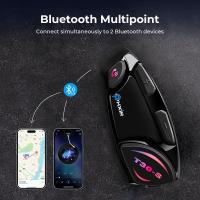
Motorcycle Bluetooth Headset Connect to 2 Devices Hands-Free Call/Music
11
A$169.99 A$119.99
Digital Photo Frame, 10.1 inch Touchscreen, WiFi Transfer from Any Corner, 32GB Storage, Multi-user Connect & Share, Auto Rotation, Kentfaith
17
A$312.49 A$249.99
8K Ultra-HD Camcorder, 64MP Video Camera with SONY CMOS Sensor & Built-in Fill Light, WiFi Connect & Transfer, Microphones, 2 Batteries, Remote Control, 64GB Card, Kentfaith
16
A$608.74 A$339.99
8K Ultra-HD Camcorder, 64MP Video Camera with SONY CMOS Sensor & Built-in Fill Light, WiFi Connect & Transfer, Tripod, Microphones, 2 Batteries, Remote Control, 64GB Card, Kentfaith
16
A$512.49 A$409.99
Compound Microscope, 40X-5000X Kentfaith Trinocular Microscope with Electronic Eyepiece & Mechanical Stage, WF10X + WF25X Eyepieces, Abbe Condenser, Connect to Phone & PC
TOP Best
Compound Microscope, 40X-5000X Kentfaith Trinocular Microscope with Electronic Eyepiece & Mechanical Stage, WF10X + WF25X Eyepieces, Abbe Condenser, Connect to Phone & PC

256
A$799.99 A$489.99
67mm Clip-on CPL Phone Camera Lens Filter Kit Applicable to All Mobile Phone Models
24
A$31.68 A$30.99
Praktica B Lenses to Canon EF Mount Camera Adapter
43
A$37.99 A$28.99
Recommended products
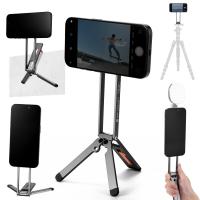
K&F CONCEPT Magnetic Phone Tripod Stand, 23N Strong Magnetic Mini Tripod Aluminium Alloy Pocket Selfie Stick, Mag Safe Phone Holder Compatible with iPhone 17 16 15 14 13 12 Series(Gray)
82
A$50.02 A$44.99
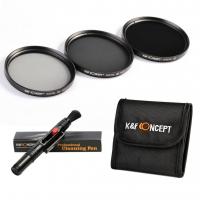
62mm Filter Set (ND2, ND4, ND8)
A$16.19
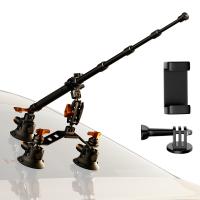
Car Mount for Camera: 3 in 1 Suction Cup Mount Kit 15° Curved Surface Adjustment with Action Camera Extension Pole Adapter Phone Holder Compatible with GoPro Insta360 DJI OSMO K&F CONCEPT
A$150.10 A$134.99
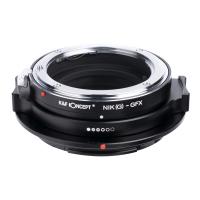
KF, High precision lens adapter ring, Nik(G)-GFX
38
A$130.99 A$82.99
82mm Magnetic Lens Filter Kit MCUV + CPL + ND1000 + Adapter Ring
155
A$287.99 A$199.99
72mm Variable ND3-ND1000 ND Filter (1.5-10 Stops) with 24 Multi-Layer Coatings Nano-Dazzle Series
47
A$107.99 A$63.99
52mm Black Mist 1/4 Special Effects Filter Cinebloom Black Diffusion Effect - Nano-Xcel Series
125
A$86.99 A$59.99
2.7K 36MP HD 0.2s Trigger Trail Camera IP65 Outdoor Hunting Infrared Night Vision Camera
4
A$161.99 A$102.99
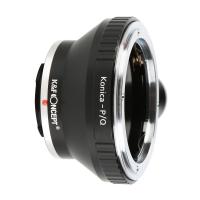
Konica AR Lenses to Pentax Q Lens Mount Adapter K&F Concept M24162 Lens Adapter
38
A$57.99 A$43.99
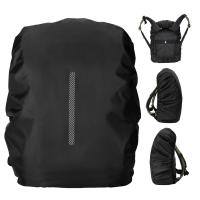
K&F Concept Backpack Rain Cover with Reflective Strip Waterproof Rucksack Rain Cover for Hiking, Camping, Traveling, Biking
A$39.99 A$19.98
Related articles
D Link Baby Camera Wifi How To Connect?
How To Connect Multiple Wifi Cameras?
How To Install Canon Camera Strap?
How Access Wifi Cameras On 4g?
How To Attach A Canon Camera Strap?
How To Pack A Canon Camera Bag?
How To Use A Wifi Camera?
How To Connect Rgb Lights?
How To Install Wifi Camera At Home?
What Is Monocular Vision?
Recommended articles
How To Record Screen And Voice?
What Is The Best Camera To Film Yourself While Driving?
Are Portable Solar Panels Waterproof?
What Is The Light In Rings Of Power?
What Is Remote Viewing Security Camera?
How Are Wireless Cameras Powered?
Where Are Binoculars Made?
Where To Set Up Security Cameras?
How To Use A Metal Detector For Beginners?
How To Use Endoscope Camera On Android?
Popular categories
WiFi Trail Camera Canon Camera Screen Protector Canon Camera Viewfinder Eyecup USB Endoscope Camera WiFi Security Camera Hunting Camera camera tripods Camera Backpacks Camera Cases Camera Straps
Popular products
motorcycle helmet bluetooth headset Compound Trinocular Microscope sony camera lenses e mount canon lens zoom adapter rf lens adapter snap on lens cap snap on lens cap snap on lens cap snap on lens cap snap on lens cap
Popular searches
Strap On Canon Camera Nikon Camera Turn On Wifi Canon 7d On Camera Flash Canon Wifi Bluetooth Camera Outdoor Wifi Camera To Samsung Canon Lens On Nikon Adapter Wifi Adapter For Canon Camera Mft To Canon Ef Nikon To Canon Mount Canon To Nikon Adapter
Powered By K&F Concept © 2026